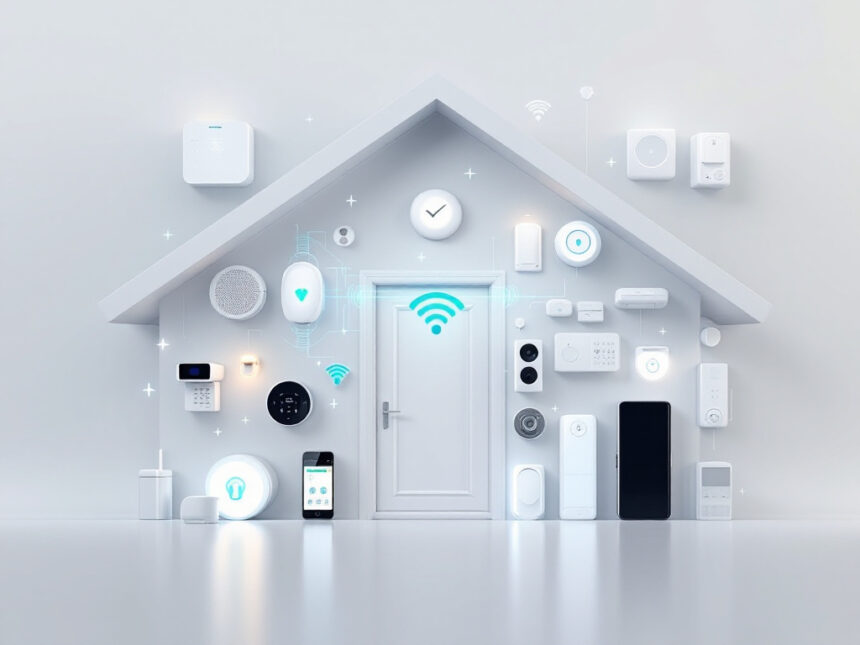
Buying smart home security shouldn’t feel like building a spaceship. The best smart home security packages bundle the essentials—hub, sensors, siren, and cameras—so you can protect your home fast, skip compatibility drama, and stop wasting evenings comparing specs. With one app, you arm in seconds, get fewer “false alarm” pings, and automate routines like Night Mode or Away with a single tap.
This guide breaks down the time-saving features that matter, highlights the top kits, compares DIY vs pro monitoring, and shows a simple way to choose. You’ll also get privacy tips, product picks, and visuals you can generate instantly.
Why smart home security packages save you time
Smart home security packages bundle cameras, sensors, and alarms so you do not have to piece everything together on your own. Instead of comparing dozens of separate devices, you pick a kit that is already designed to work together, connects to one app, and can often be installed in an afternoon.
For you, that means less guesswork, fewer compatibility issues, and a system you can actually live with day to day. The right package lets you arm your home with one tap, check cameras from your phone, and get alerts that matter, not constant false alarms. If you are just starting with smart home security systems, a good package is often the simplest and fastest way to get protected.
Key features to look for in smart packages
Before you look at specific brands, it helps to know what makes one smart home security package better than another. A solid kit should save you setup time now and everyday time later.

Core devices most packages should include
Most useful smart home security packages include a mix of:
- A base station or hub that connects everything
- Door and window sensors
- A motion sensor for hallways or common areas
- A keypad or simple arming method
- At least one indoor or outdoor camera, or a smart home video doorbell
These are your building blocks. If a package leaves out something essential, you may find yourself shopping for add-ons right away.
Time saving smart features
Look for options that cut down on daily fiddling:

- Mobile app control so you arm and disarm from anywhere
- Push alerts that distinguish people, animals, and packages, so you are not checking your phone every two minutes
- Scheduling or basic smart home security automation, for example auto arm at night
- Scene or “Home / Away” modes that change multiple settings with one tap
You can explore more ideas in our guide to smart home security features, but even a few simple automations can save you a lot of time.
Compatibility and expandability
If you already have a voice assistant or smart lights, check that your package plays nicely with them. Systems that support Alexa, Google Assistant, or Apple Home let you control your gear with your voice or group devices into routines.
If you think you will add more smart security cameras for home, smart door locks for home, or smart window sensors later, make sure the package can grow with you without replacing the hub.
Top time saving smart home security packages
There are many smart home security packages on the market, but a few stand out for quick setup, intuitive apps, and strong automation. Below is a quick comparison, then you will see a closer look at each option.
| System / package | Best for | Upfront cost (approx) | Monitoring options |
|---|---|---|---|
| SimpliSafe packages | Overall simplicity and intruder prevention | From about $249 | Self monitoring and pro monitoring from $22.99 per month, advanced plans about $30 per month |
| Arlo Home Security 5 Piece | Affordable, camera first security with smart sensors | Around $150+ depending on bundle | Optional subscriptions from about 54¢ per day for AI features and monitoring |
| Abode Wireless Smart Security Kit | Smart home tinkerers and renters | From about $100, smart kit around $199 | Free basic plan, pro monitoring from about $16.58 to $26 per month |
| Ring Alarm 8 Piece Kit (2nd gen) | DIY users who love video and Alexa | Packages around $199.99 and up | Self monitoring from $4.99 per month, pro monitoring add on about $10 per month |
| ADT Home Security packages | Hands off professional monitoring | Equipment from about $349+ | Monitoring from $24.99 to $39.99 per month |
Pricing and plan details can change, so always confirm current offers with each provider.
SimpliSafe packages: Fast, flexible protection
SimpliSafe is often rated as one of the best overall smart home security camera systems because it is built for quick DIY installation and simple daily use. Starter kits begin around $249 and you can add sensors and cameras as you go, so you do not have to design a complex system on day one.
You stick sensors in place with adhesive, plug in the base station, and follow the voice prompts and app walkthrough. Most people can finish installation in under an hour, which makes it very appealing if you want protection soon and do not want to drill into walls. As a renter or apartment dweller, this kind of no drill setup is especially useful, similar to other smart home security for apartments.
Monitoring is flexible. Self monitoring plans start near $10 per month, and professional monitoring plans start at $22.99 per month with advanced Intruder Intervention and Active Guard features in higher tiers. Those tools let agents see and speak to intruders, which adds an extra layer of deterrence without you needing to respond to every alert yourself.
If you are interested in Google Home, SimpliSafe also provides good compatibility. Camera recording plans start at about $9.99 per month and full professional monitoring runs around $32.99 per month, with voice control through Alexa or Google Assistant for hands free arming and status checks.
Arlo smart packages: Strong video and all in one sensors
If you care most about high quality video, Arlo’s smart home security packages are worth a close look. Arlo offers wireless cameras and sensors with 2K to 4K HDR video, wide fields of view up to 360 degrees pan and 180 degrees tilt, motion and audio alerts, night vision, dual band Wi Fi, and weather resistance. That combination lets you cover indoor and outdoor areas without running cables.
The Arlo Home Security System 5 Piece kit is highlighted as one of the best affordable home security systems in 2026. Its standout feature is the All in One Sensor. Each compact sensor can handle up to eight detection functions, including open or close, motion, leak, and temperature changes. That lets you monitor doors, windows, water heaters, and more with fewer devices to install and manage.
You can bundle Arlo smart security packages for savings of up to 15 percent, and professional installation by certified OnTech experts is available if you do not want to handle setup yourself. Subscription plans start at around 54 cents per day and can unlock AI features such as detecting fires, screams, and gunshots. Without a plan you still get core alerts and live view, but advanced person or facial detection requires a subscription, which is a common tradeoff in many modern systems.
Arlo supports Alexa and Google Home, works with all Arlo cameras and video doorbells, and includes a keypad and optional 24/7 professional monitoring with One Tap Emergency Response. Together, those features make it easier for you to check, arm, and respond without juggling multiple apps.
Abode Wireless Smart Security Kit: Best for smart homes
If you want a package that blends security with advanced home automation, Abode stands out. The Wireless Smart Security Kit starts around $100, with a $199 version that adds a motion sensor and broad compatibility with Apple Home and Siri, Alexa, and Google Assistant, along with support for many third party devices.
Abode is a strong choice for renters and smart home enthusiasts because it supports Zigbee and Z Wave devices and includes powerful CUE automation in its paid tiers. That means you can create detailed rules such as turning on specific lights when a door sensor trips or pausing a robot vacuum when the alarm is armed. Even its free plan includes smart home support, which keeps costs down if you are comfortable monitoring things yourself.
Monitoring plans range from about $8 per month for AI object detection alerts to $26 per month for full professional monitoring and cellular backup. Equipment is generally cheaper than SimpliSafe’s, with some cameras as low as $60, which helps if you are building your system over time or want the best budget smart home security without starting from scratch.
Abode’s DIY friendly design and no required subscription for basic device integration make it one of the best self monitored security systems. If you love tweaking smart security system integration but still want a solid base alarm package, it is a good fit.
Ring Alarm kits: DIY video centric security
Ring Alarm has become a popular pick for people who want easy DIY installation, strong Alexa integration, and lots of camera options. The Ring Alarm 8 Piece Kit (2nd gen) is often rated as the best DIY home security system for 2026, especially if you already use Echo speakers or a Fire TV.
Ring specializes in video centric smart home security. You can choose from a wide array of indoor and outdoor cameras and doorbells, generally priced between about $200 and $650. That lets you mix and match a smart home video doorbell with floodlight cameras, stick up cams, and more, all in the same app.
For monitoring, Ring offers several layers. Self monitoring plans start around $4.99 per month for basic video history, while the Standard plan around $9.99 per month includes 180 days of video event history. You can add professional monitoring for about $10 per month, which is still affordable compared to many rivals.
In 2024 Ring updated its policy to only release user video footage to police during life or death emergencies, which is a positive step for privacy. However, some key features like person detection are locked behind subscriptions, and there is no facial recognition or privacy zones on some plans. If you are mostly at home and want a loud siren plus quick mobile alerts without a big monthly bill, it can still work well, especially in smaller homes and apartments.
ADT and Vivint: Premium packages with pro setup
If you prefer a more hands off smart home security package with professional installation and robust monitoring, ADT and Vivint cover that space.
ADT Home Security is ranked best for monitoring in 2026 by SafeHome.org. You can choose from six customizable packages ranging from about $349 to over $1500, with sensors, Google Nest cameras, smart locks, and optional smart lighting. Monitoring plans start at $24.99 per month, and premium features like facial recognition and cloud storage are available on a $39.99 plan. ADT partners with Google Nest to deliver advanced equipment such as Nest Cams with person recognition and Nest thermostats, all manageable through the ADT+ app. If you want wide smart device support and top tier app control, ADT is a strong candidate.
Vivint Smart Home is often considered best for home automation. Its wireless smart security packages usually range between about $600 and $1800, with required professional installation and monitoring plans starting near $30 per month and rising to around $50 for camera support. Vivint integrates with Z Wave, Zigbee, Alexa, and Google Assistant, and features AI powered alerts that distinguish between people, animals, and vehicles. Its outdoor cameras can include built in sirens and spotlights, controlled by the Vivint Smart Hub touchscreen. The tradeoff is a typical minimum five year contract and higher overall costs, so Vivint is better if you are in a long term home and value deep integration.
If you are comparing these to more DIY systems, our smart home security reviews can help you weigh contracts, automation, and total cost.
No monthly fee options and budget conscious picks
If you want to keep monthly costs low, you can still get the core benefits of smart home security packages.
Self monitored, no monthly fee systems from brands such as SimpliSafe, Abode, Ring, and Arlo usually include alarm triggers, instant mobile alerts, and live video streaming. You miss out on 24/7 professional monitoring and some advanced AI features, but you still get a meaningful safety upgrade, especially when combined with smart water leak detectors and other best smart home security devices.
Cove Security is another option if you want very low entry equipment pricing. It often offers discounts up to 75 percent, with entry sensors as low as about $4.50 during sales and professional monitoring starting around $20 per month. The catch is that Cove requires professional monitoring to operate and uses two separate apps for cameras and system control, which can be less convenient.
If your priority is affordable smart home security and you are comfortable handling alerts yourself, starting with a smaller DIY kit and expanding later is often more cost effective than jumping straight into a long contract.
How to choose the right package for your home
A smart home security package should match your lifestyle, not the other way around. To narrow your options, focus on a few practical questions.
Match the system to your living situation
If you own your home and plan to stay, a system like ADT or Vivint with professional installation and broad device support can be worth the time and cost. The equipment is often more permanent and integrates tightly with door locks, thermostats, and lighting.
If you rent or move often, lean toward DIY systems such as SimpliSafe, Abode, Ring, or Arlo. They typically use adhesive mounts and wireless devices so you can uninstall them cleanly and take everything when you move. Our guide to smart home security for renters has more ideas tailored to leases and limited drilling.
Decide who should respond to alerts
Professional monitoring is ideal if you travel frequently, have a busy schedule, or simply do not want the responsibility of checking every notification. Someone is always ready to contact emergency services on your behalf.
Self monitoring works if you or a family member is nearly always reachable and comfortable handling alerts. Many people start with self monitoring, then upgrade to a subscription once they understand how often alarms trigger and what feels manageable.
Plan your first three devices
To avoid decision fatigue, start by listing the first three devices that would make you feel safer:
- A video doorbell so you can see who is at the door
- A front door lock and contact sensor
- A hallway or entry motion sensor
Then pick a package that covers those needs and can expand. This is the same approach you see in starter wireless home security systems and diy smart home security kits, and it prevents you from overbuying.
If you are not sure where to start, our smart home security tips and smart home security benefits can help you prioritize.
FAQs
What is included in most smart home security packages?
Most smart home security packages include a base station or hub, a keypad or siren, a few door and window sensors, and at least one motion sensor. Many also bundle a camera or video doorbell and may add extras such as smart security sensors for leaks or temperature changes. You can usually add more devices over time as your needs grow.
Do I need professional monitoring for a smart home security system?
You do not have to pay for professional monitoring, but it changes how your system works. With self monitoring, you receive alerts on your phone and decide what to do. With professional monitoring, a trained team watches for alarms and can call emergency services if you do not respond. If you travel often, have kids at home, or prefer a more hands off approach, a monitored plan may be worth the added cost.
Are smart home security packages good for apartments?
Yes, many smart home security packages are designed with apartments and rentals in mind. Look for kits that use adhesive mounts, battery powered sensors, and Wi Fi instead of hardwiring. SimpliSafe, Abode, Ring, and Arlo all offer gear that supports smart home security for apartments without drilling, and you can take everything when you move.
How can I keep my smart security devices secure from hackers?
Start by using strong, unique passwords and turn on two factor authentication in your device apps. Keep your system updated so you receive the latest security patches. Avoid using public Wi Fi to access your cameras, and review which apps and services have access to your account. You can learn more in our guide on how to secure smart home devices and smart home security encryption.
What should I do if my smart home security system is not working properly?
If your system is not responding or sending false alerts, first check power and Wi Fi connections, then confirm your app and firmware are up to date. Restarting the hub or base station can often resolve minor glitches. If specific sensors or cameras fail, try moving them closer to the hub or re pairing them. For a step by step approach, see our smart home security troubleshooting guide, which walks you through common issues and fixes.