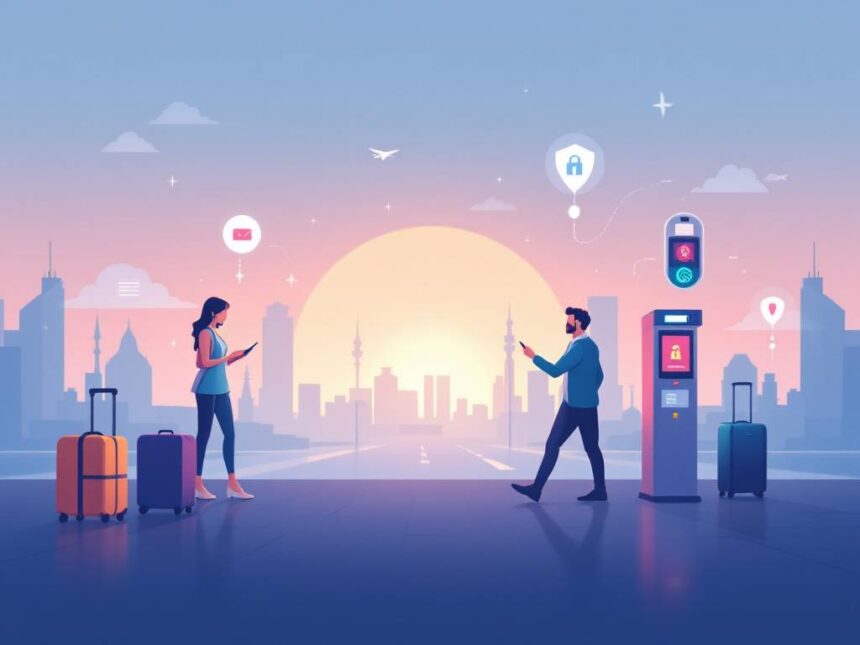
You can pack light and still travel smart. Today’s trips run on tech—AI cameras in terminals, face scans at eGates, mobile IDs, and the apps in your pocket—so security isn’t just about locks and luck anymore.
This guide breaks down travel security technology you can trust, from airport systems like CT scanners and digital identity checks to personal tools like luggage trackers, anti-theft bags, portable door locks, and simple cyber hygiene.
You’ll learn what’s optional, what speeds you up, and how to build a compact safety kit you’ll actually use. Plus, you’ll get a practical routine for every trip type.
Why travel security technology matters now
Travel security technology is no longer a niche topic for frequent flyers. You interact with it from the moment you search for flights on your laptop to the second you collect your bag at the carousel.
Airports are investing heavily in AI, biometrics, and automation to keep you safer and move you faster. The global aerospace AI market, for example, is projected to grow from $373.6 million in 2020 to $5,826 million by 2028, driven in large part by AI-powered airport security solutions that improve both safety and efficiency.

At the same time, travelers like you are buying personal tech to protect devices, data, and belongings on the road. This guide walks you through the travel security technology you can trust, and how to turn it into a simple, realistic plan you can actually use.
If you want a broader safety game plan first, start with resources like how to stay safe while traveling or this complete travel safety checklist, then come back here to layer on the tech.
Understand how airports use security tech to protect you
You cannot control what an airport uses behind the scenes, but it helps to know what is happening and what choices you do have.
AI video surveillance and analytics
Most larger airports now use AI-based video surveillance. These systems watch huge areas 24/7 and flag unusual activity in real time, instead of relying only on human eyes.
AI video analytics can:
- Spot unattended baggage and trigger alerts
- Detect people entering restricted zones
- Recognize aggressive behavior or crowd surges
- Scan for slip and fall incidents to get help faster
AI can also detect foreign object debris on runways under almost any weather conditions, which reduces the risk of accidents and delays that cost the industry billions annually.
You do not have to do anything special for these systems. Just know that they are designed to prevent problems from becoming incidents, and to get responders to you faster if something goes wrong.
Biometrics at checkpoints and boarding
Biometric travel security technology is now moving from “nice to have” to standard.
You might already see:
- Facial recognition at security or boarding
- Biometric eGates at immigration
- “Face only” boarding instead of showing a passport and pass
In 2024, 46% of passengers used some form of biometrics at airports, and 73% said they would rather use biometric data than juggle traditional passports and boarding passes. Major hubs such as Singapore Changi, Dubai International, and Abu Dhabi’s Zayed International are rolling out widespread biometric screening, and Changi aims to automate 95% of immigration processing by 2026, with security clearance in about 10 seconds.
For you, this usually means:
- Faster queues and less document handling
- Fewer chances to lose your boarding pass
- Less physical contact at checkpoints
If you want more background on what to expect with screening, review these airport security tips before your next trip.
TSA’s next-generation checkpoint tech in the United States
If you fly through the US, you might encounter several specific systems.
1. Credential Authentication Technology (CAT and CAT-2)
These machines scan your ID, confirm it is real, check your flight information, and pull your Secure Flight status in near real time. CAT-2 units also take a live photo and compare it 1:1 with your ID photo, no big database required.
What this means for you:
- In many cases you show only your ID and not your boarding pass
- The machine confirms who you are and your screening lane assignment
- For mobile IDs, CAT-2 can read compatible digital driver’s licenses in supported states
2. Biometric identity verification and boarding
TSA and CBP have piloted facial recognition that compares your live photo with an existing government image, such as a passport. This 1:n matching is used to verify you as a trusted traveler at certain airports.
Important for your choice and comfort:
- Participation is currently voluntary
- You can opt out by telling the officer and using the standard ID process
- Signage at checkpoints should explain your options
3. Computed Tomography (CT) scanners and Automated Screening Lanes (ASLs)
CT scanners create detailed 3D images of your bag contents, similar to medical imaging. They allow better threat detection inside carry ons and are considered one of the most consequential checkpoint technologies today.
Automated Screening Lanes add conveyor belts with separate entry and exit bins to speed things up. Together, these upgrades aim to improve security while reducing your time in line.
4. Biometric security lanes and processing times
In some US airports, TSA’s biometric security lanes have already cut processing times by up to 75% compared to traditional lanes, especially at busy hubs like Miami and Chicago O’Hare, which matters as passenger volumes are expected to double by 2040.
If you want a more general overview of what is changing at checkpoints, this broader travel security awareness guide is a good companion.
Use personal travel security technology that actually helps
You do not need every gadget on the market. Focus on a few reliable tools that meaningfully reduce risk and stress.
Track your luggage and valuables
Smart trackers take the guesswork out of “Where is my bag?”
Apple AirTags
AirTags are a popular option if you use an iPhone. You can drop one in your checked suitcase, day bag, or even your child’s backpack. Then you quickly see its location in the Find My app.
Travelers use AirTags to:
- Confirm a checked bag made it onto a connecting flight
- Prove a bag is at the airport when an airline says it is “lost”
- Keep tabs on camera gear, laptops, or passports in pouches
Because they are affordable and easy to set up, many frequent travelers now treat them as standard travel security technology instead of a luxury add on.
If you carry a lot of gear, you might also want to review broader travel safety gear suggestions to round out your setup.
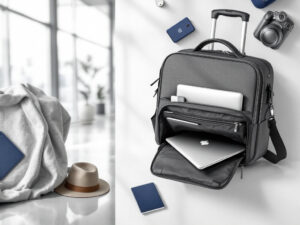
Travel friendly anti theft bags
You cannot control every pickpocket, but you can make yourself a far less attractive target.
A good anti theft bag will usually offer:
- Slash resistant body panels and straps
- Lockable or hidden zippers
- RFID blocking pockets for cards and passports
- Anchor straps to secure the bag to a chair or table
These details slow thieves down and make your belongings harder to grab or cut away in crowds. Combine your bag with a few behavior shifts from how to avoid travel scams to stay ahead of most petty crime.
Simple hotel room security tools
Hotel and rental safety is part technology, part habits. A few low tech items are surprisingly effective.
Consider carrying:
- Rubber doorstop wedges
These inexpensive wedges can reinforce inward opening doors from the inside. Slide one under the door before bed so it is harder to push open from the hallway. - Portable door locks or latches
Several travel friendly models hook into the door strike plate and add an extra barrier. They are especially helpful in older hotels or rentals where you do not fully trust the existing hardware. - Personal alarm or whistle
A personal alarm emits a high pitched sound when triggered, which can startle an intruder or draw attention quickly. Some travelers prefer a simple whistle attached to a lanyard. In either case, the goal is to make it as easy as possible for you to make noise if you feel unsafe.
To pair these tools with smart routines, check out more detailed hotel safety tips for travelers.
First aid and basic emergency gear
A compact first aid kit should live in your bag, especially if you travel with kids, hike, or visit areas with limited medical access.
The Surviveware Individual First Aid Kit (IFAK) is a frequently recommended option. It is well organized, compact, and designed for real world use, which makes it easier for you to actually find what you need in a stressful moment.
Combine a kit like this with:
- Copies of your important documents
- A small headlamp or flashlight
- A power bank and charging cables
For a more structured pre trip review, you can use a full travel safety checklist before you pack.
Make the most of digital IDs and biometrics
Digital IDs and biometrics are rapidly becoming a core part of travel security technology, not just a high tech experiment.
How digital IDs are rolling out
The US TSA is gradually supporting state issued mobile driver’s licenses and mobile IDs at certain checkpoints. Early deployments started in 2022, initially for TSA PreCheck passengers, and they are expanding to more travelers and airports over time.
With a mobile ID that TSA accepts, you can:
- Present a digital credential from your phone at specific security lanes
- Reduce how often you hand over your physical card
- Benefit from automatic checks that confirm ID authenticity and flight details
Keep in mind:
- You must still carry your physical ID in most cases, as a backup
- Not all airports or states support mobile IDs yet
- Your phone battery suddenly matters more at checkpoints
Understanding your choices with facial recognition
TSA emphasizes that their biometric checks are currently voluntary. If you prefer not to have your face scanned, you can:
- Tell the TSA officer you would like to opt out of facial recognition
- Show your physical ID for manual verification
- Continue through the checkpoint using standard procedures
Signage at checkpoints should make this clear, but you can always ask a TSA officer to walk you through your options. Knowing your rights ahead of time can make the process less intimidating.
For international borders, some countries require biometric screening at eGates. If you want a broad view of what to expect when you travel abroad, you can also review these traveling abroad safety tips.
Use airport, airline, and travel apps wisely
Not all travel security technology is hardware. Some of the most useful protections sit in the apps you already have.
Travel safety and utility apps
Before your trip, consider adding a few targeted apps to your phone. For example, curated lists of travel safety apps can help you find tools for:
- Real time security alerts in your destination
- Local emergency numbers and embassy contacts
- Offline maps and translation
- Secure document storage
Instead of installing everything, pick two or three that solve problems you actually have, such as finding safe late night transportation or contacting help quickly.
Airline and airport apps
Airline apps can do more than mobile boarding passes. For security and safety, many now:
- Send real time updates on gate changes or long security lines
- Provide airport maps to identify official taxi ranks or pickup zones
- Allow multiple contact numbers, which helps staff reach you during irregular operations
Several airports are also experimenting with virtual queuing. This lets you “book” a time slot for security and then join a dedicated lane, which reduces crowding and keeps you out of dense lines for as long as possible.
Protect your devices and data when you travel
Good cyber hygiene is now a core part of travel security technology. Travel sites, airlines, and hotels are major cyber targets, and your devices hold the keys to your identity and finances.
Spending on cybersecurity in the travel and tourism sector is expected to reach $4.8 billion by 2028, reflecting how central digital systems have become to modern travel and how valuable your data is to attackers.
Why travel sites are under attack
Travel companies handle:
- Passport and ID numbers
- Payment card data
- Loyalty accounts with stored value
- Detailed itineraries and personal information
In 2025, the tourism industry faced over 420,000 cyberattacks per day, often using AI driven tools to automate phishing, scan for vulnerabilities, and exploit business logic flaws. Nearly 70% of attacks on travel sites targeted booking, cancellation, loyalty, or payment flows, and airlines suffered more than half of these attacks.
High profile breaches, such as millions of records stolen from major airlines, show that even large brands are not immune. This is why your personal device habits matter.
Simple device security habits that go a long way
You do not have to be an IT expert to protect yourself. Start with a few basics:
- Turn on strong screen locks and biometric unlock on your phone
- Enable device encryption and “Find My” or similar tracking for laptops and tablets
- Use a password manager so you are not reusing simple passwords
- Turn on two factor authentication for email, banking, and travel accounts
- Keep your operating system and apps updated before every trip
Avoid logging into sensitive accounts on public computers, and be careful with free wifi networks. A trusted VPN can help, but it will not fix weak passwords or old software, so focus on fundamentals first.
If you want a broader lens on staying safe in different contexts, check out travel safety guidelines as a foundation.
Build a simple personal safety tech kit
You do not need a huge budget or a backpack full of gadgets. The goal is to cover the biggest risks with a compact kit you will actually carry.
Here is one example of a balanced tech forward kit:
| Category | Helpful items | Why it helps |
|---|---|---|
| Identity & documents | Phone with secure wallet apps, physical passport, copies in cloud storage | Gives you multiple ways to prove identity if something is lost or stolen |
| Luggage & belongings | 2–4 trackers (such as AirTags), anti theft daypack, cable lock | Helps you track bags and deter opportunistic theft |
| Room & personal safety | Doorstop wedge, portable door lock, small alarm or whistle, headlamp | Improves security and your ability to call for help at night |
| Health & emergencies | Compact first aid kit (for example, Surviveware IFAK), power bank, offline emergency info | Keeps you functional during minor injuries or power outages |
| Cybersecurity | Password manager, 2FA app, device tracking enabled, updated OS | Reduces your exposure in case of hacking or device loss |
Use this as a starting point, then adjust for your style of travel, your destination, and whether you are alone, with friends, or with family.
If you travel solo often, especially as a woman, pair your kit with targeted advice in travel safety for women or travel safety tips for solo female travelers. For group or family trips, resources on personal safety for travelers can help everyone get on the same page.
Tailor your tech to your trip type
Different trips have different risk profiles. The best travel security technology for you depends on where you are going and how you move.
First time international trips
If this is your first time abroad, focus on:
- A solid anti theft bag with a discreet design
- One or two trackers for your main bag and valuables
- A basic hotel security setup, such as a door wedge and a whistle
- One reliable safety app with offline maps and emergency contacts
Combine these with general traveling safety measures like sharing your itinerary with someone you trust and learning local emergency numbers.
Frequent flyers and business travelers
If you are in airports every month, time and data security become even more important.
You might prioritize:
- Digital IDs and biometrics where they save real time
- Strong device protection, including full disk encryption on work laptops
- A dedicated travel phone number or email for bookings
- Automatic backups of important documents and trip receipts
Also review travel security best practices so you have a repeatable routine that does not rely on memory when you are tired or in a rush.
Solo travelers and gap year students
If you travel alone or for long periods, your tech has to work reliably without backup from colleagues or family.
Focus on:
- Multiple ways to communicate, including offline messages or scheduled check ins
- A personal alarm or whistle you can reach quickly
- Room security tools and clear habits around meeting new people
- Strong control over your digital life, such as private social profiles and location sharing only with trusted contacts
Resources like safe solo travel tips and travel safety for students are especially relevant here.
Seniors and travelers with health concerns
For older travelers or those managing medical conditions, travel security technology can support both safety and independence.
Consider:
- Wearables or apps that can share your location with a trusted person
- Emergency info cards in your wallet and digital copies on your phone lock screen
- Medication reminders and health tracking apps
- Lightweight luggage with trackers to reduce physical strain and stress
You can layer these tools with targeted guidance from travel safety for seniors and travel safety and health.
Prepare for “what if” moments before you go
Even the best technology works better when you have a plan. A few minutes of preparation at home can save hours of confusion during a crisis.
Create a simple response plan for common scenarios
You can keep this as a note on your phone or even a small printed card in your wallet.
Include step by step actions for:
- If your passport is lost or stolen
- If your phone or laptop disappears
- If your credit card is compromised
- If there is a major delay, cancellation, or security event
For each, list:
- Who you contact first
- Which apps or numbers you use
- Where you stored your backups or document photos
This is the practical side of good travel security advice. It turns theory into a checklist you can follow when you are tired, jet lagged, or stressed.
Combine tech with insurance and local knowledge
Travel security technology is powerful, but you still need non tech backup.
Before you go, make sure you:
- Have suitable travel safety insurance that covers medical care, evacuation, and theft for your destination
- Know how to reach local emergency services and your country’s embassy or consulate
- Understand the main travel security risks in your destination, such as common scams, unsafe neighborhoods, or transportation issues
If you face a real emergency, quick decisions are easier when you already know which numbers to dial and what your insurance covers. For high stress scenarios, it also helps to review targeted emergency travel safety tips before departure.
Put it all together into a realistic routine
The goal is not to turn your trip into a security project. You just want a calm, confident routine that fits into your normal travel prep.
Try this approach:
- Start with a core safety foundation for all trips
Review basic travel safety tips and travelers safety and security advice, then select a few habits you can stick with every time, such as scanning your room locks, using your anti theft bag correctly, and keeping copies of important documents. - Add two or three pieces of travel security technology
For most people, a luggage tracker, an anti theft bag, and a door wedge cover a large share of everyday risks. Layer in a password manager and 2FA on your main accounts to protect your digital life. - Adjust for your specific trip
Use more specialized guidance for driving trips, backpacking, or high risk regions, such as travel safety driving tips, travel safety for backpackers, or travel security precautions. - Reuse your system each time you travel
Over time, your kit and routines become automatic. You update apps before a trip, charge devices the night before, drop trackers into your bags, and reinforce room doors without overthinking it.
With the right mix of smart tools and clear habits, travel security technology works quietly in the background so you can focus on why you are traveling in the first place.
FAQs
Is TSA facial recognition mandatory?
In many TSA use cases, facial comparison is presented as voluntary/opt-in, and TSA provides standard alternatives in its public guidance (programs can differ by airport and lane).
What is TSA CAT/CAT-2 and how does it affect screening?
CAT verifies your ID and flight details; CAT-2 can add 1:1 facial comparison against your ID photo for identity verification in some deployments.
What do CT scanners do at airport checkpoints?
Checkpoint CT creates 3D images of carry-on contents to improve threat detection and reduce manual bag checks.
Do luggage trackers actually help with lost bags?
Yes—trackers can confirm where a bag is (airport, aircraft, wrong terminal) and make claims/discussions with airlines more concrete. (They’re not a guarantee, but they reduce uncertainty fast.)
What’s the best “minimum viable” travel security tech kit?
A practical baseline: 2 trackers, anti-theft daypack, door wedge/portable lock, personal alarm, power bank, password manager, and 2FA—small enough you’ll actually carry it.
Is a VPN enough to stay safe on hotel Wi-Fi?
A VPN helps reduce network snooping risk, but it won’t fix weak passwords, outdated software, or unprotected accounts—prioritize updates, 2FA, and a password manager first.