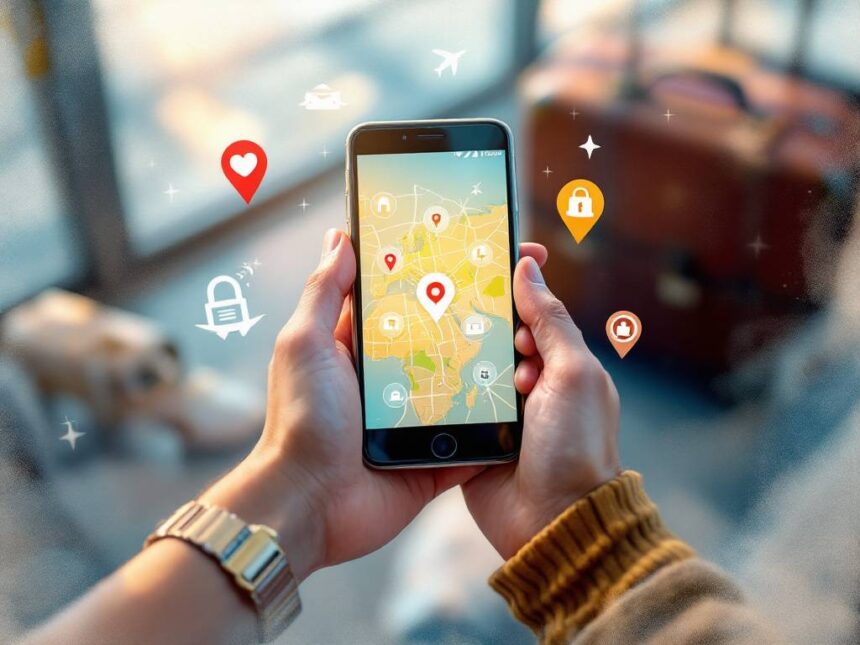
A few smart travel safety apps can turn your phone into a quiet, always-on bodyguard. The right mix helps you stay aware of local risks, keep loved ones updated, and get fast help if something goes wrong. Whether you are a first-time international traveler, a frequent flyer, or planning a solo adventure, these travel safety apps give you a simple, reliable plan so you can focus on the fun parts of the trip.
Before you start downloading, remember that apps are one layer in your overall safety strategy. You still need solid habits, like the ones in travel safety guidelines, and how to stay safe while traveling. Think of apps as tools that support good decisions, not replacements for them.
Understand what travel safety apps can do
Travel safety apps can handle much more than just emergency alerts. Modern tools help you:
- Check neighborhood safety scores before you book
- Share your live location with someone you trust
- Get real-time updates about unrest, weather, or crime
- Call for help faster and with better information
- Navigate and translate offline when your signal disappears
In 2024, travel apps evolved into full safety companions, combining real-time location tracking, instant emergency assistance, AI powered safety alerts, offline maps, and community sourced safety insights so you can stay informed, connected, and protected wherever you go. Many also provide crowd-sourced alerts on local conditions, from crime hotspots to natural disasters, so you can adjust your plans instead of walking into trouble.
As you choose your mix of travel safety apps, keep three priorities in mind: simplicity, offline access, and reliable location sharing. You will see those themes come up again and again in the recommendations below.

Check destination risks with GeoSure
If you like to know what you are walking into before you go, GeoSure is a strong starting point. The GeoSure app provides safety ratings for thousands of destinations worldwide, scoring each location out of 100, with lower scores indicating safer destinations as of 2018. That number alone is helpful, but the real value is in the detail.
GeoSure breaks safety into five specific categories: Women’s Safety, Physical Harm, Theft, Political Freedoms, and Health & Medical. This gives you a more nuanced view than a vague “safe or not safe” label. For example, a city might score well for health and political freedoms but lower for petty theft, which tells you to pay extra attention to your bag and wallet.
Behind the scenes, GeoSure compiles data from credible sources such as the CDC, WHO, the United Nations, and local authorities to generate its scores, then updates them dynamically as conditions change. You also benefit from user reports, since travelers can add real-time updates about their experiences and unusual incidents, which can influence the current rating.
GeoSure is especially useful if you are:
- Comparing neighborhoods before booking accommodation
- Planning routes and deciding where to walk or which areas to visit after dark
- A woman or parent who wants to see Women’s Safety scores for specific locations
A review by a single mother traveling with children highlighted the Women’s Safety category as particularly valuable, recommending GeoSure as a helpful planning tool for safer worldwide travel in 2018. If you pair this app with broader resources such as travel security awareness and travel security risks, you get both a big picture view and neighborhood-level insight.
Join safer meetups and communities with Meetup
Feeling isolated can make you more vulnerable on the road. Community connection is a key part of staying safe, especially if you are traveling solo. The Meetup app helps you find and join group events based on your interests, which can be a safer way to experience a new city than wandering alone.
As of 2024, travelers use Meetup to connect with language exchanges, coworking groups, hiking clubs, food tours, and more. Joining a group activity means you are in public places with others who share your interests. This can reduce the risk of common scams and give you instant local insight about areas to enjoy or avoid.
If you are a solo female traveler, apps like Meetup can complement women-only travel communities, such as Sisterhood style groups that provide built in support and a sense of belonging. Combined with resources like travel safety for women and safe solo travel tips, you can create a support network even before your plane takes off.
Use Meetup more safely by:

- Choosing daytime or early evening events in public places
- Reading organizers’ profiles and reviews
- Letting a trusted contact know where you are going and sharing your live location
You can also layer this with your phone’s built in safety features or a dedicated emergency app, so someone back home always knows your plan.
Track loved ones in real time with Xnspy style tools
If you travel with kids, teens, or a partner who likes to explore separately, real-time location tracking offers significant peace of mind. Apps in the Xnspy category provide GPS location tracking and geofencing, which alerts you if someone enters or leaves a defined area. According to a 2024 user comment, this type of app is highly recommended for parents traveling with children, especially in busy cities or theme parks.
Real-time location sharing and tracking features are critical for emergencies. They let loved ones or responders know exactly where someone is, which is especially important for solo travelers or those visiting higher risk areas. Some apps also show battery level and time since the last update, so you can tell the difference between a dead phone and a worrying silence.
If you prefer not to use a dedicated monitoring app, you can still get some of these benefits from built in tools on your phone, which we will cover next. The key is to set everything up before you leave, as part of your travel safety checklist, so there is no scrambling when you actually need it.
Use built-in safety tools on iPhone
You do not always need extra downloads to get strong personal safety features. If you have an iPhone running iOS 17 or later, you already have tools that rival many travel safety apps.
Check In for automatic arrival alerts
The Check In feature lets you tell a trusted contact when you expect to arrive somewhere. Your phone then prompts you to confirm when you get there. If you do not respond, your iPhone automatically shares your location, battery life, and network signal information with that contact.
For travel, this is ideal when:
- Walking back to your hotel at night
- Taking a taxi or rideshare in an unfamiliar city
- Going for a run or hike on your own
Set this up as part of your standard routine, just like buckling a seatbelt. You can layer it with guidance from travel security best practices so that checking in becomes automatic whenever you are out alone.
Emergency SOS and location sharing
Recent iPhones also include Emergency SOS shortcuts that can quickly call local emergency services, share your location with designated contacts, and display your Medical ID. This is a core feature that mirrors what many standalone personal safety apps offer.
Make sure you:
- Add emergency contacts in your Health and Safety settings
- Turn on location sharing with someone you trust for the duration of your trip
- Practice triggering SOS so you know how it works without thinking
These built-in tools are especially valuable if you prefer a minimal setup but still want a strong safety net.
Use built-in safety tools on Android
Android phones, including recent Samsung Galaxy and Google Pixel models, also have powerful personal safety functions that work well for travel.
You can usually find these under a “Safety” or “Emergency” app that comes pre-installed. Features commonly include:
- Emergency SOS calls to local services
- Automatic location sharing with chosen contacts
- Safety Check timers that notify contacts if you do not confirm you are OK
- Car crash detection on some models
Safety Check timers are particularly useful when you are heading to a place without reliable cell coverage, such as a rural hike or long bus ride. You set a timer for your expected arrival, and if you do not respond when it expires, your phone notifies your emergency contacts with your last known location.
Because Android tools vary by brand and model, take a few minutes before your trip to open the Safety app, walk through the setup, and customize options. Pair this with broader guidance such as traveling safety measures and personal safety for travelers so the tech supports habits you already trust.
Turn your phone into a panic button with Noonlight
Noonlight is one of the simplest personal safety apps to use, which is exactly what you want in a stressful moment. WIRED recommended the app in 2024 for its intuitive design.
Here is how it works:
You hold down an on-screen button whenever you feel unsafe. When you release it, you are prompted to enter a PIN. If you do not enter the PIN or respond, Noonlight first calls you. If you still do not answer or confirm that you are OK, the app alerts local authorities with your location.
The free version is considered essential for most users, because it gives you a way to quietly call for help if you cannot safely speak or draw attention to yourself. For travel, it fits situations like:
- Walking alone at night
- Meeting a new person from a dating app
- Taking a taxi or rideshare that feels “off”
Because it runs in the background, Noonlight works best as a just-in-case backup. Combine it with emergency travel safety tips so you already have a plan in mind for what to do while the app alerts help.
Share activity safely with Strava Beacon
If you like to run, walk, or cycle in new places, Strava’s Beacon feature can be a quiet safety partner. Beacon is free within the app and lets you share your live location, phone battery level, and progress with a trusted contact.
Your contact sees a real-time map of your activity and can raise alarms if your location stops updating or you miss an agreed check-in time. This is particularly useful if you:
- Go out for early morning runs in unfamiliar cities
- Cycle in rural or less populated areas
- Hike alone with limited cell coverage
Beacon fits neatly into broader travel safety driving tips and outdoor safety routines. Let someone know when you plan to start and finish, and always carry local emergency numbers, which other travel safety apps like TravelSafe often provide.
Get instant first response with Rescu
In some emergencies, every minute matters. The Rescu app focuses on speed and clarity. As of 2024, it costs about 8.25 dollars per month and connects you directly to first responders without requiring you to speak to a dispatcher first.
You can pre-program up to four locations, such as your home, hotel, office, or a family member’s house. If something happens at one of those places, you can request help with a couple of taps, and Rescu sends responders directly there with your stored information.
This setup is particularly helpful if you:
- Travel frequently between the same set of places
- Are caring for others remotely, such as aging parents
- Have medical conditions and want faster response times
For international travel, always double check where Rescu is available and combine it with local guidance like travel safety and health so you also know which hospitals or clinics are nearby.
Monitor real-world risks with crowd-sourced alert apps
Traditional news can be slow to catch up with what is happening on the street. Crowd-sourced travel safety apps like Sitata and WanderSafe fill that gap by letting users submit real-time reports about crime, protests, natural disasters, and other disruptions.
These platforms provide alerts on:
- Crime hotspots and recent incidents
- Civil unrest and demonstrations
- Natural events such as storms or earthquakes
They often use AI powered risk assessment to analyze news, weather, and social media data, then send you timely safety recommendations and alerts about political instability, natural disasters, or local disruptions. This level of situational awareness can help you decide when to change plans, skip a neighborhood, or stay in your hotel for a few hours.
Use these tools as part of your pre-trip planning and daily routine, along with guidance from how to avoid travel scams and travel security precautions. Checking the app once in the morning can quickly become as normal as checking the weather.
Carry offline maps and translation tools
A reliable map and a way to communicate are basic safety tools, but they stop working if you lose signal. Travel apps with offline modes are essential, especially in areas with patchy or expensive mobile data.
Offline features matter because they let you:
- Navigate safely to your hotel or embassy even without service
- Show your destination in writing to a taxi driver
- Access stored emergency numbers and local instructions
Offline maps and translation apps also reduce stress in crowded transit hubs, where you may be more vulnerable to theft if you look lost or distracted. Combine these with broader airport security tips and hotel safety tips for travelers to create a smooth door-to-door plan.
If you travel frequently for work, set up an offline “safety pack” on your phone that always includes your next destination, home address, hotel, and the local emergency number.
Protect your bags with Radical Storage
One overlooked safety risk is what happens when you are in between places with all your belongings on your back. As of 2024, Radical Storage helps by offering pre-booked secure luggage storage solutions in many cities. You drop your bags at vetted partner locations, then explore the area without feeling weighed down or exposed.
This is especially helpful when:
- You arrive hours before check-in
- Your flight leaves late at night and you have to check out in the morning
- You want to explore crowded markets or busy attractions without full luggage
By reducing the time you spend in “transition mode” with bags, you also cut down on opportunities for pickpocketing or bag snatching. If you already use resources like travel safety for backpackers, Radical Storage fits naturally into your planning.
Make shared rides safer with BlaBlaCar
If you travel in Europe or Latin America, BlaBlaCar can be both a budget and safety win. The platform connects you with vetted drivers offering carpool rides between cities. As of 2024, it covers 22 countries in these regions and has expanded to include bus services in France.
From a safety standpoint, BlaBlaCar offers:
- Driver and passenger profiles with ratings and reviews
- Verified accounts and identity checks in many markets
- Clear information on routes and meeting points
Travel safety apps like BlaBlaCar reduce the uncertainty that comes with informal rides. For long road trips, combine it with your phone’s built-in location sharing and resources such as travelers safety and security so someone always knows where you are and where you are going.
Simplify delays and disruptions with Colibra
While Colibra is not a safety app in the traditional sense, it does reduce the stress and chaos that often accompany flight delays, which can indirectly affect your security. As of September 2024, Colibra simplifies claiming compensation for flight delays of more than one hour and pays users within 24 hours regardless of whether the airline ultimately honors the claim.
Knowing you have quick financial support can help you:
- Choose safer, more comfortable overnight options instead of the cheapest
- Pay for secure luggage storage, taxis, or a hotel closer to the airport
- Avoid risky situations that might come from being stranded without funds
Combine the financial buffer from Colibra with your travel safety insurance and practical travel security advice to stay calm and decisive during disruptions.
Choose the right apps for your travel style
You do not need every app on this list. Focus on a small, reliable set that matches how and where you travel. Here is a simple way to decide.
Start with one app for destination awareness, one for personal emergencies, and one for staying connected to people you trust. Then add extras only if they clearly solve a problem you actually have.
For example:
- First-time international traveler: GeoSure, your phone’s built-in SOS and Check In, an offline maps app
- Solo female traveler: GeoSure with Women’s Safety scores, Noonlight, Meetup for group activities, plus travel safety tips for solo female travelers
- Business traveler: Colibra for delays, phone built-in SOS, GeoSure for hotel and meeting neighborhoods, Strava Beacon for early runs
- Family trip: Xnspy style tracking or built-in location sharing, Radical Storage, BlaBlaCar in applicable regions, plus travel safety for seniors or travel safety for students if you travel with older parents or teens
As you build your setup, remember to:
- Enable offline access wherever possible
- Test features before you leave home
- Add your key apps to your phone’s home screen
- Note any subscription costs and cancel ones you do not use
Finally, wrap your apps in strong basic habits: locking your phone with a PIN, not oversharing your location on social media, and reviewing travel safety tips before every major trip. With a little preparation, your travel safety apps become a quiet, reassuring presence in your pocket, letting you explore with more confidence and less worry.
FAQs
What are the best travel safety apps to start with if I only want three?
Pick one risk-awareness app, one emergency/panic option, and one location-sharing method. Example: GeoSure-style risk scoring + Noonlight + built-in Check In/Android Safety Check.
Do I really need extra apps if I have an iPhone or Android?
Not always. iPhone Check In and Android Personal Safety can cover a lot (arrival confirmation, SOS, emergency sharing, safety timers). Add extras only for your travel style (running, remote areas, crowd alerts).
How does iPhone Check In improve travel safety?
It confirms you arrive as expected, and if you don’t respond, it can share helpful context (like location/battery/network details) with your trusted contact.
What’s the safest way to share my live location with family?
Use consent-based options like Apple’s Find My location sharing or Google Maps location sharing—set duration and who can see you.
How does Noonlight work in a real “I can’t talk” situation?
You hold the button when you feel unsafe. When released, you enter your PIN to cancel. If you don’t, Noonlight escalates and can dispatch help to your location.
Is Strava Beacon worth it for travel?
Yes if you run, walk, cycle, or hike—Beacon shares real-time location and battery so a trusted contact can notice if something’s off.
What should I download for offline safety?
At minimum: offline maps for your destination, a translation app with offline packs, and a saved note with your hotel address + local emergency number.
How can luggage storage improve safety (not just convenience)?
It reduces time spent hauling bags during “transition” windows (early arrival/late departure), which can lower your exposure to pickpocketing and bag-snatch risk.