A good affordable smart home security setup should make you feel safer without locking you into high monthly fees or confusing tech. The best systems for beginners are easy to install yourself, work well right out of the box, and let you expand later as your needs change.
Below, you will find a beginner friendly roundup of the best affordable smart home security options, plus tips to help you choose the right mix of cameras, sensors, and monitoring for your home or apartment.
What to look for in affordable smart home security
Before you compare specific systems, it helps to know what actually matters for price and peace of mind.
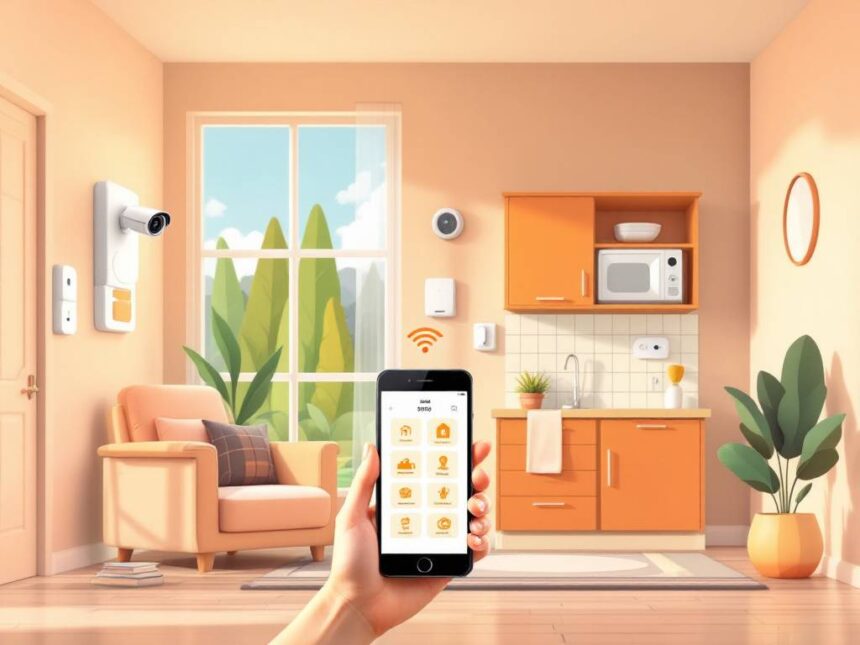
You will see most budget systems built around a few core pieces: a hub or base station, door and window sensors, motion detectors, and at least one camera or video doorbell. Many systems in this list fit into the broader world of smart home security systems and can grow into a full ecosystem over time.
Key features to prioritize
Focus on these essentials when you are starting out with affordable smart home security:

- Simple DIY installation so you can avoid installer fees
- Door and window sensors on your most vulnerable entry points
- At least one camera or smart home video doorbell for eyes outside
- Reliable mobile alerts when something happens
- Optional professional monitoring that you can turn on or off without a long contract
- Compatibility with your existing ecosystem such as Alexa, Google Assistant, or Apple Home
Many entry level systems use wireless protocols like Wi Fi, Z Wave, or Zigbee, so you can add smart security sensors, smart door locks for home, or even smart water leak detectors later without replacing everything.
Best overall value: SimpliSafe
If you want the best mix of price, ease of use, and reliable protection, SimpliSafe is a strong place to start. Multiple independent reviews have named SimpliSafe the best value for money among affordable home security systems in 2026, with packages that stay well below many full service competitors like Vivint.
Why SimpliSafe works for beginners
SimpliSafe is built for DIY installation. You stick sensors to doors and windows, plug in the base station, and you are ready in an afternoon. There is no drilling, which makes it friendlier if you rent.
Starter packages begin around 250 dollars, and a more complete system with extra motion sensors and cameras typically runs about 500 dollars, which is still significantly cheaper than many professionally installed systems tested in 2026. You can self monitor for free through the app or choose optional professional monitoring.
The popular Core monitoring plan is about 32.99 dollars per month and includes:
- 24, 7 monitoring
- Two way speaker support through cameras
- Intruder Intervention, where agents can talk to intruders and help speed police response
There are no long term contracts, so you can cancel or downgrade at any time. That flexibility is helpful if you are just getting started and do not want a multi year commitment.
Where SimpliSafe fits best
SimpliSafe works well if:
- You want a balanced system with sensors and cameras, not just a single device
- You like the idea of professional monitoring without long contracts
- You plan to expand later with extra sensors or cameras
If you want to compare SimpliSafe to other best budget smart home security options, keep an eye on equipment sales. SimpliSafe often discounts starter kits by up to 60 percent, which stretches your budget even further.
Best for tight budgets: Cove Security
When your priority is spending as little as possible up front, Cove is one of the most affordable smart home security systems you can buy in 2026. SafeHome.org highlights Cove as the best home security system for the money, with discounts as high as 75 percent during sales and free indoor cameras in some bundles.
Why Cove stands out on price
Cove keeps equipment prices low, so you can often build a complete system for under 350 dollars. That typically includes:
- A hub and keypad
- Door and window sensors
- Motion detectors
- One or more indoor cameras
Monitoring plans start around 19.99 dollars per month, which is lower than many competitors. You do need a monitoring plan, since Cove does not offer a true self monitoring only option, but the total cost still stays beginner friendly.
One useful perk for apartments and small homes is that Cove supports local camera storage up to 256 GB. That way you are not locked into higher cloud video fees if you want to keep footage longer.
Where Cove fits best
Cove is a good match if:
- You want the absolute lowest equipment cost
- You are fine with committing to professional monitoring from the start
- You live in an apartment and want simple, stick on sensors and cameras
The main tradeoff is that some gear, such as Cove’s doorbell camera, uses a partner app from Eufy. That can feel slightly less cohesive if you prefer everything in one place.
Best for renters and small spaces: Ring Alarm
If you live in an apartment or starter home and like the idea of strong video coverage, Ring Alarm is worth a close look. It is a video centric, DIY friendly system that works especially well if you are already considering a Ring doorbell.
Why Ring is renter friendly
The Ring Alarm five piece kit gives you a hub, keypad, contact sensors, and a motion detector, so you have a complete alarm system in one box. Equipment packages generally range from around 200 to 650 dollars, depending on how many sensors and cameras you add.
Ring keeps subscriptions flexible. You can self monitor for free or choose plans starting at about 4.99 dollars per month. The Standard plan at 9.99 dollars per month adds up to 180 days of video history for your cameras, which is generous at this price point.
It also plays nicely with a wide range of smart security cameras for home and video doorbells in the Ring ecosystem, so you can cover hallways, parking areas, or shared entrances without swapping apps.
Where Ring fits best
Ring Alarm works especially well for:
- Renters who want no drill installation and easy removal when they move
- Condo or townhome owners who care most about video clips of visitors and packages
- Beginners who want one login for doorbells, cameras, and the alarm
If you lean heavily into automation, you can connect Ring devices with other services, but some users who want deeper smart security system integration and advanced privacy controls may prefer options like Abode or a local control setup instead.
Best for smart home automation: Abode
If your goal is affordable smart home security that also ties into lights, locks, and scenes, Abode is designed for you. It often appears in roundups for smart home automation at a budget friendly price thanks to its flexible hubs and plans.
Automation on a starter budget
Abode supports major ecosystems and wireless standards, so you can connect it with many third party best smart home security devices. That makes it easier to build out routines like:
- Turning on lights when your door opens at night
- Locking doors automatically when you arm your system
- Getting alerts if a window sensor triggers while you are away
There is a free plan that includes full smart home integration and app access, which is rare among security systems. Professional monitoring is available for about 25.99 dollars per month, with discounts if you pay annually, and Abode’s camera and subscription prices typically undercut SimpliSafe by a noticeable margin.
Things to keep in mind
Abode sells three different hubs, each with slightly different capabilities. That variety can feel overwhelming if you are buying your first security system. It helps to think about whether you want wired versus wireless sensors, how many devices you plan to add, and what role Abode will play in your broader smart home security automation plans.
Abode is a strong option if you like tinkering, enjoy automation, and still want a relatively low monthly cost.
| System | Best for | Typical monthly cost style | Strength | Tradeoff |
|---|---|---|---|---|
| SimpliSafe | Most beginners | Optional pro monitoring (Core highlighted at $32.99/mo) | Balanced sensors + monitoring features | Monthly cost if you want full features |
| Cove | Lowest upfront + pro monitoring | Monitoring baseline ($19.99/$29.99) | Affordable monitored security | No true self-monitoring option |
| Ring Alarm | Renters + video ecosystem | Clear low tiers ($4.99/$9.99) | Doorbells/cams + easy app | Cloud storage can add up |
| Abode | Automation lovers | Pro plan cited $25.99/mo | Smart home routines + flexibility | Picking hubs/plans can be confusing |
| Home Assistant | Privacy/local control | Often $0 required subscription | Local control + mix brands | Higher setup effort |
Best for self hosted and local control: Home Assistant with Zigbee or Z Wave
If you are more tech confident or privacy focused, you might be interested in building your own affordable smart home security system around Home Assistant and low cost devices. This route gives you strong local control, no required subscriptions, and the ability to mix and match brands.
How a local, subscription free setup can look
Many budget conscious users pair a Zigbee or Z Wave USB stick, such as the Sonoff Zigbee USB Dongle Plus or Aeotec Z Wave Stick, with Home Assistant. This creates your own local hub that can integrate devices like:
- Aqara window and motion sensors, which are inexpensive and have adjustable sensitivity to reduce pet triggered false alarms
- Reolink cameras and doorbells, which offer local SD card or NVR storage without mandatory cloud fees
- Affordable smart locks like August Smart Lock Pro or Ultraloq U Bolt Pro that use Z Wave for local connectivity
Because everything connects through your own hub, you are not required to pay ongoing fees to access basic features. Reddit users often highlight setups with the Wyze Wireless Video Doorbell Pro for local usage without mandatory subscriptions, although you will want to confirm current firmware and features as they evolve.
This approach is more hands on, but if you care most about local storage, privacy, and avoiding monthly payments, it can be one of the most affordable smart home security paths over time.
How to choose the right system for your home
Once you understand the main players, the next step is choosing what actually fits your space and budget. The goal is not to buy every gadget at once. You just need a solid core that covers your biggest risks and aligns with how you live.
A simple, well placed starter kit is better than an expansive system you never finish installing.
Match your setup to your living situation
Think about where you live and how permanent your installation can be.
- If you rent, look for peel and stick sensors and devices that do not require drilling, such as SimpliSafe, Cove, or Ring Alarm, plus options labeled as smart home security for renters.
- If you own your home, you can mix basic kits with more permanent wireless home security systems that include outdoor cameras or hardwired sirens.
- If you are in a small apartment, a single hub, a few smart window sensors, and one or two cameras might be enough to cover all entry points.
You can always build on that base with smart home security upgrades like extra motion sensors or a smart lock later.
Plan your budget in two parts
When you are evaluating affordable smart home security, you want to look beyond the sticker price. Think about:
- Upfront equipment costs. How much are you spending for the hub, sensors, and first camera or doorbell
- Ongoing subscription costs. How much will monitoring and video storage cost every month
DIY systems like SimpliSafe and Ring often let you self monitor for free, then add optional professional monitoring starting around 20 dollars per month or less in 2026. Full service brands like ADT and Vivint typically have higher equipment and monitoring costs along with contracts, so they are less ideal if affordability is your main concern.
Your best long term value often comes from a system that:
- Covers your basic needs today with an affordable starter kit
- Lets you scale up gradually
- Does not lock you into long contracts or mandatory high tier monitoring
If you are still unsure, browsing independent smart home security reviews can help you see how different systems hold up after months of everyday use.
FAQs about affordable smart home security
1. What is the cheapest way to start with smart home security?
For most people, the cheapest starting point is a DIY kit with a hub, a few door or window sensors, and one camera or video doorbell. Systems like Cove, Ring Alarm, or entry level SimpliSafe packages give you an alarm and basic coverage for a few hundred dollars, and you can self monitor through the app to avoid monthly fees at first.
Adding a single smart home video doorbell or camera that supports local storage, such as certain Reolink or Wyze models, can be an even more budget friendly option for small apartments.
2. Do I really need professional monitoring?
You do not have to pay for professional monitoring if you prefer to self monitor. Many affordable smart home security systems let you receive alerts on your phone and call for help yourself. Professional monitoring is worth considering if you:
- Travel often
- Want faster response help during emergencies
- Prefer someone else to handle calls when an alarm triggers
Services from SimpliSafe, Ring, Cove, and Abode start around 20 to 30 dollars per month in 2026, and most do not require long contracts, so you can turn them on or off as your needs change.
3. How can I avoid high subscription fees for cameras?
If you want to reduce or avoid camera subscriptions:
- Look for cameras and doorbells that support local SD card storage or NVRs, such as Reolink devices
- Consider systems that offer free basic plans, like Abode’s free tier for smart home integration
- Use local control through Home Assistant and a Zigbee or Z Wave hub, which can integrate many devices without cloud fees
When you do subscribe, choose the lowest tier that gives you enough video history and critical smart home security features, rather than paying for extras you rarely use.
4. Is smart home security safe from hackers?
Smart home security systems are generally safe if you follow a few basic steps. Use strong, unique passwords for your accounts, turn on two factor authentication, and keep your devices updated. It also helps to choose reputable brands that invest in encryption and security practices.
You can learn more in guides like how to secure smart home devices and smart home security encryption, which explain how to protect your Wi Fi network and connected devices.
5. What should I buy first if I am overwhelmed?
If you feel overwhelmed, start very small. One practical path looks like this:
- A starter kit with a hub and three to five smart security sensors on your main doors and windows
- One camera or video doorbell watching your front entrance
- A plan to add more pieces after you live with the basics for a few weeks
Once that is in place, you can explore broader smart home security benefits, from smart locks and leak detectors to automations that make your home feel safer and more convenient every day.
Beginner-priority checklist (buying smarter, not bigger)
- DIY install: peel-and-stick sensors, minimal tools
- Entry coverage first: door/window sensors on main access points
- One “eyes outside” device: doorbell cam or outdoor cam
- Fast mobile alerts: reliable notifications + clear event timeline
- Flexible monitoring: month-to-month or optional, not a multi-year lock-in
- Smart home compatibility: Alexa / Google / Apple support where possible
- Video storage strategy: decide now if you prefer cloud or local (microSD/NVR)
FAQs
What is the cheapest way to start with smart home security?
Start with a hub + 3–5 entry sensors + one camera/doorbell. This gives coverage where break-ins actually happen (doors/windows) and keeps costs predictable.
Do I really need professional monitoring?
Not always. If you’re home a lot and want to keep costs low, self-monitoring can work. If you travel often or want someone to handle emergency calls, professional monitoring can be worth it.
How do I avoid expensive camera subscriptions?
Choose cameras that support local recording (microSD/NVR) and reserve subscriptions for situations where you truly need cloud history. Reolink explains microSD is optional if you don’t need recordings.
Is smart home security safe from hackers?
It’s safer when you follow basics: change default passwords, update firmware, and enable MFA. CISA strongly recommends these habits for home network security.
What should I buy first if I’m overwhelmed?
Buy in this order: (1) door/window sensors, (2) doorbell cam, (3) motion sensor for main hallway, (4) extra camera only if needed. Don’t start with “everything.”
Can I build a system with no monthly fees?
Yes—typically via self-monitoring plans (where available) or a local-control setup like Home Assistant paired with local storage cameras.