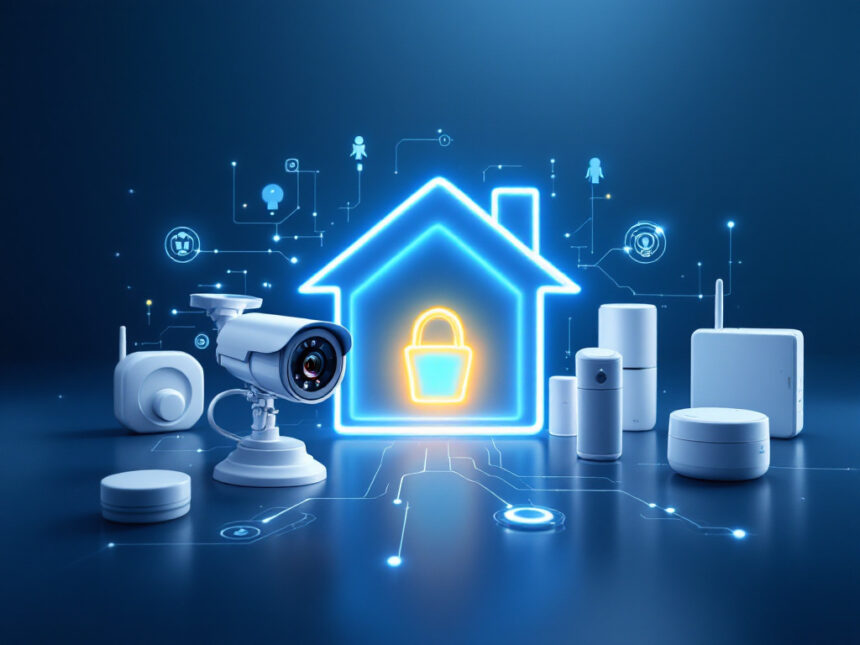
A smart lock here, a camera there, and suddenly you have a pile of apps and alerts that do not really feel like a secure system. The best smart home security devices work together so you can see what is happening, stop problems early, and get help fast when it really counts.
Below, you will find a curated roundup of the best smart home security devices to consider first, plus how to combine them into a setup that fits your home, family, and budget.
Start with a smart home alarm system
A good alarm is the backbone of your smart security setup. It ties together entry sensors, motion detectors, and sirens so you do not have to manage every device separately.
Top picks to consider
- ADT smart security systems
ADT is often rated the best professionally installed smart home security system thanks to its partnership with Google Nest. You get high quality Nest cameras and doorbells with facial recognition and a wide 130 degree field of view, plus ADT’s trusted professional monitoring, which typically responds in about 30 to 35 seconds. This is a great fit if you want installation handled for you and prefer having experts monitor your home around the clock. - SimpliSafe home security
SimpliSafe is ideal if you want flexibility. You can install it yourself in under an hour or pay for professional installation that starts around $124.99. Its Fast Protect monitoring includes Intruder Intervention, where live agents can speak through your cameras to scare off intruders. SimpliSafe is consistently rated among the best overall home security camera systems and one of the most affordable smart home security options, especially if you start with a basic kit around $250 and add devices over time. - Vivint Smart Home
Vivint is a premium option with excellent automation and some of the most advanced wireless cameras, including an outdoor camera and a 180 degree video doorbell. Monitoring is usually between $40 and $60 per month and installation is required, but you get a polished, integrated system controlled from a wall mounted Smart Hub or your phone.
You can compare more options and see how hubs, sensors, and monitoring fit together in broader smart home alarm systems and best smart alarm systems guides.
Add smart home security cameras
Smart cameras let you actually see what triggered an alert. They are also one of the biggest deterrents for would be intruders.

Indoors and outdoors
- SimpliSafe cameras
As part of SimpliSafe’s ecosystem, these work tightly with the alarm and monitoring service. Agents can view feeds and talk through certain cameras when an alarm triggers, which is a rare feature in this price range. SimpliSafe is rated the best overall home security camera system for 2026 and is a strong option if you want DIY friendly gear backed by robust monitoring. - Arlo Pro 6
Arlo’s Pro 6 is a standout all around home security camera. It records up to 2K with HDR, has color night vision, a 160 degree field of view, two way audio, and smart alerts that tell you whether motion is from people or packages. To unlock those AI features and cloud recording you need an Arlo Secure subscription that starts around $8 per month, but the experience is polished if you do not mind the fee. - Google Nest Indoor/Outdoor Cam (2nd gen)
This camera is flexible enough to use inside or outside, is weather resistant, offers 1080p video with HDR, night vision, and smart detection for people, animals, and vehicles. You get three hours of free cloud storage without a subscription as long as you act quickly to save important footage. The Nest cam also integrates naturally if you choose ADT or build a Google centric smart home.
You can dive deeper into placement and setup strategies in this overview of smart security cameras for home.
Budget smart cameras
If you want to cover more angles without a huge bill, a few brands stand out:
- Security Cameras Inc. (SCI)
SCI’s wired PoE cameras are some of the best cheap home security cameras available in 2026. The 5MP PoE Bullet SC5BL offers sharp 3K video under $100 with AI assisted Smart Detection and weather resistant housing. The 4K Bullet SC4KBL steps up to 4K Ultra HD at about $100 with face and vehicle detection and up to 100 feet of night vision.
Active deterrence models like the SC2KBLAD and SC4KBLADAI add police style red and blue strobes, a floodlight, and a speaker that can automatically activate based on AI detection. All SCI cameras use local storage to an NVR or microSD card and do not require a subscription, so you keep full control of your footage. - TP Link Tapo C210
This indoor pan tilt camera typically costs under $30, offers HD video, two way audio, a built in siren, and around 30 feet of night vision. You can use local microSD storage or cloud storage through a low cost subscription. It is a simple way to add coverage in hallways, nurseries, or shared living spaces. - Wyze Window Camera
If you rent and cannot drill into walls, the Wyze Window Camera is worth a look. It adheres to your window with a Velcro style strip that reduces glare and records what happens outside using microSD or optional cloud storage. Basic on device AI can spot people, vehicles, and packages even if you skip the subscription.
To explore more options, see detailed smart home security reviews.

Secure your entry points with smart door locks
A smart lock gives you control over who comes and goes without hiding spare keys under the mat. It is one of the most convenient and safety boosting upgrades you can make.
With the best smart door locks for home you can:
- Create unique codes for family, guests, or dog walkers and remove them at any time
- Check if the door is locked from your phone and lock it remotely
- Set schedules so doors auto lock at night or after a set time
- Integrate with your alarm so arming the system locks the doors automatically
If you own your home, you can usually replace the whole deadbolt. If you rent, look for models that retrofit onto the inside of your existing deadbolt so you can keep your current keys and avoid breaking lease rules.
Watch your doorstep with a smart video doorbell
Smart doorbells act like a camera and intercom at the front of your home. They are especially helpful for spotting package thieves and unwanted visitors before you open the door.
- Ring video doorbells
Ring is often highlighted as the best choice for video centric security with long video history options up to 180 days and subscriptions starting at $4.99 per month. You get strong Alexa integration and more flexible financing than many competitors. Privacy policies have improved in recent years, with clearer controls around sharing footage with law enforcement. - Google Nest video doorbells
Nest doorbells, often used in ADT’s systems, feature a wide field of view and facial recognition that can tell you which family member is at the door. They also integrate nicely with other Google Nest cameras and displays, so you can see your door feed on a smart display without pulling out your phone.
When you compare smart home video doorbell options, think about wiring, internet strength at your door, and whether you prefer local or cloud storage.
Add smart sensors where it matters most
You do not need a sensor on every object in your home. Focus on the areas that would cause the most damage or pose the biggest safety risk if something goes wrong.
Good starting points include:
- Door and window contact sensors, especially on ground floor doors and easily accessed windows
- Motion sensors in hallways and common spaces
- Glass break sensors near large windows or sliding doors
- Environmental devices like smart water leak detectors near sinks, washing machines, and water heaters
These are the quiet workhorses of your system. They feed information into your hub and trigger cameras, sirens, or lights. You can learn more about planning coverage in guides to smart security sensors and smart window sensors.
Choose the right level of monitoring
Monitoring is what happens after something triggers your system. You can keep everything self monitored or pay a monthly fee so professionals respond for you.
Self monitoring
You get notifications on your phone and decide what to do. This is the lowest cost path and is more realistic if you work from home or have a small space to cover. If you go this route, focus on reliability and fail safes in your wireless home security systems so you do not miss important alerts.
Professional monitoring
Professional home security monitoring plans in 2026 usually start around $20 per month for basic coverage and can reach about $50 per month for premium plans from companies like ADT and Frontpoint. ADT is often cited as having some of the best professional monitoring, supported by 12 redundant monitoring centers and fast response times. Vivint is recognized for extremely fast text based alerting, often delivering alarms in about 10 seconds, which is faster than many competitors.
SimpliSafe’s Fast Protect plan adds active features like Intruder Intervention, where agents can see and speak through your cameras. Many renters and homeowners find this level of help worth the monthly cost, especially if they travel frequently or have kids home alone.
You can compare structures and bundles in broader smart home security systems and smart home security packages resources.
Professional installation fees for major brands such as ADT, Vivint, SimpliSafe, and Alder usually fall between $100 and $200, although promotions sometimes include free installation. Having devices placed and configured by pros can improve coverage and performance, especially in large homes.
Plan a simple upgrade path
You do not need every smart gadget on day one. A better approach is to build a secure base and then add devices where you find gaps.
An easy path looks like this:
- Start with a hub or alarm kit that supports the devices you want.
- Add one or two cameras to cover your main entrance and a key interior spot.
- Install a smart lock on your primary entry door.
- Layer in contact, motion, and environmental sensors where risk is highest.
- Refine your smart security system integration so devices talk to each other, for example, lights turning on when cameras detect motion at night.
When you are ready to go deeper, you can explore smart home security automation, smart home security features, and smart home security upgrades to fine tune everything.
Keep security and privacy in balance
Smart devices protect your physical space, but they also sit on your Wi Fi and handle personal data. It is worth taking a few minutes to secure that side too.
You can:
- Use strong, unique passwords for your Wi Fi and every device account
- Turn on two factor authentication wherever it is offered
- Change default camera and router logins
- Review which apps, voice assistants, and family members have access to your devices
If you want a step by step checklist, take a look at how to secure smart home devices, smart home security encryption, and smart home security reliability. These guides walk you through privacy settings, backups, and what to do if something stops working.
Smart home security FAQs
What are the best smart home security devices to buy first?
You will usually get the most value if you start with a basic alarm kit, a front door camera or video doorbell, and a smart lock. That combination covers entry detection, visual verification, and access control. From there, you can add extra cameras or sensors as needed instead of buying everything at once. For tailored options and bundles, see smart home security systems and affordable smart home security.
Are professionally monitored systems really worth it?
They can be, especially if you travel often, have a larger home, or simply do not want to manage every alert yourself. ADT, SimpliSafe, Vivint, and others offer professional monitoring with monthly costs typically between $20 and $50 depending on features. Services like SimpliSafe’s Intruder Intervention and Vivint’s rapid text alerts add active deterrence and faster response that you probably cannot match on your own.
What is the best option for renters and apartments?
If you rent, focus on devices that do not require drilling or rewiring, such as peel and stick sensors, plug in cameras, and retrofit smart locks that attach to your existing deadbolt. Systems like SimpliSafe, Ring, and some Abode kits are popular choices for apartments because you can take them with you when you move. For more ideas, see smart home security for apartments and smart home security for renters.
How can I build a good setup on a tight budget?
Start small and prioritize coverage over extras. A budget friendly kit from brands like SimpliSafe, Cove, or Arlo paired with one or two cameras and a few door sensors is much better than an expensive camera that only watches one angle. SCI wired cameras and TP Link Tapo indoor cameras offer strong video quality at low prices without forcing you into high subscription fees. For more cost saving tips, check out best budget smart home security and affordable smart home security.
What if my smart home security system stops working?
Most issues can be solved with a few checks, such as confirming power, Wi Fi connectivity, and app logins. If only one device is failing, try rebooting it and verifying that firmware is up to date. If your whole system is offline, cellular backup built into many hubs can keep monitoring active until the internet returns. You can troubleshoot common problems step by step in smart home security troubleshooting and find more answers in smart home security faqs.
Once you choose a starting set of devices, try installing one or two and living with them for a week. You will quickly see where you feel exposed and where an extra camera, sensor, or lock would help most, and you can build out from there with confidence.