Smart home security features can do much more than record blurry clips of your front porch. With the right setup, you can see who is at your door, get instant alerts when something is off, and even stop a leak or fire before it causes serious damage. Whether you own a house, rent an apartment, or are just starting your smart home journey, understanding the key smart home security features helps you build a system that actually keeps you safe.
Below, you will learn what matters, what is optional, and how to choose features that fit your space and budget.
Understand the building blocks of smart home security
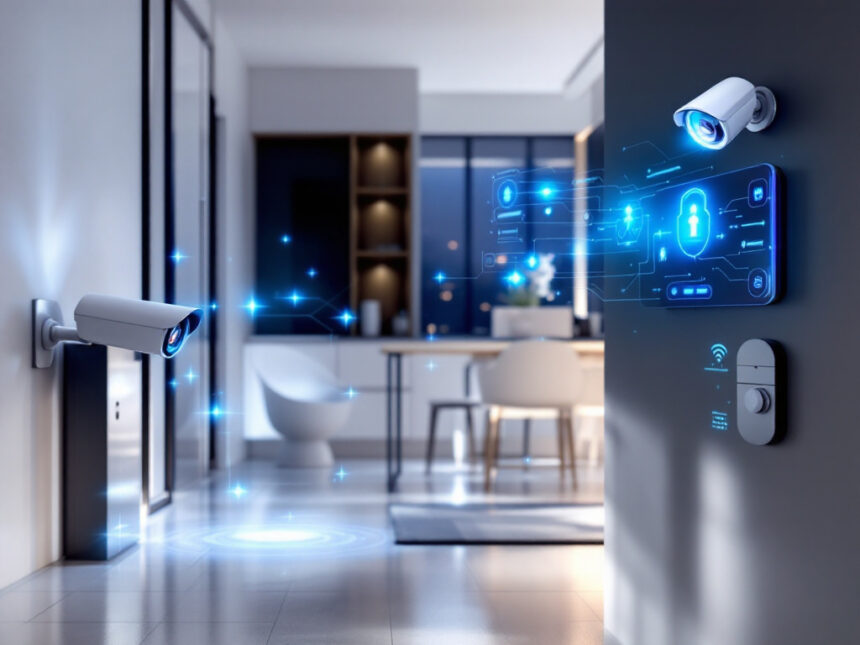
Smart home security systems typically combine cameras, sensors, locks, alarms, and an app that ties everything together. Many modern systems support Wi‑Fi, Z‑Wave, or Zigbee, which form a secure wireless mesh between devices with AES 128 encryption for extra protection compared to single Wi‑Fi gadgets.
Your setup might start with:
- A hub or base station that connects to your router
- A few smart security cameras for home
- Door and window sensors
- A smart home video doorbell
- Smart door locks for home
- A siren or full smart home alarm systems package
From there, you can add more smart security sensors, smart window sensors, wireless home security systems, and other devices as your needs grow.

Most systems use a smartphone app as the command center. You arm or disarm your system, view live video, adjust settings, and receive real time alerts straight to your phone or tablet, wherever you are in the world, as long as you have internet access.
Video security features that actually protect you
Smart cameras are often the first device you buy, and for good reason. They let you see what is happening in and around your home in real time and in recorded clips.
HD video and night vision
High definition video is essential if you ever need to identify a person or see details like license plates. According to T3, 1080p is now the standard for smart cameras, with 2K offering crisper images and 4K delivering the highest detail if you are willing to pay more for the upgrade.

Color night vision is another must have. Instead of grainy black and white, cameras with infrared LEDs and better sensors brighten low light footage so you can see the full color scene at night. That makes it easier to tell what someone is wearing or what object they are carrying.
Motion detection and activity zones
Most smart cameras only record when they detect motion. This keeps storage manageable and makes it simpler to review important moments rather than hours of empty footage. You can usually adjust sensitivity and choose where motion matters, for example, only inside your yard and not the sidewalk.
T3 notes that customizable detection fields, motion types, and sensitivity are key to cutting down on false alerts from things like tree branches or passing cars.
Some systems take this further with AI powered motion detection that spots faces or distinguishes people from animals or vehicles. Experts point out that while AI detection is helpful, it is optional. Standard motion detection plus good placement works well and can be more affordable.
Live view and two way audio
Modern smart cameras and doorbells usually include a Live View feature, so you can open the app and watch what is happening in real time. Built in microphones and speakers let you talk through the camera to visitors, delivery drivers, or even pets.
Two way audio can be a surprisingly powerful deterrent. You can ask someone why they are at your door, instruct a courier where to leave a package, or tell a trespasser they are on camera and that the police are on the way.
Smart video doorbells and outdoor coverage
A smart video doorbell is one of the most useful smart home security features for everyday life. It combines a camera, motion detection, and two way audio into a small device near your front door.
Brands like Ring focus heavily on video, with doorbells and cameras that integrate with Alexa for hands free control and home automation, plus person and package detection on many devices. The Ring Alarm Pro system can even double as a Wi‑Fi 6 mesh router with battery backup and cellular internet during outages, so your security system stays online when your power does not.
For renters and apartment dwellers, a battery powered smart home video doorbell that mounts with adhesive rather than screws lets you add security without drilling into walls or door frames. You still get mobile alerts, Live View, and talking to anyone at your door, even if you cannot change your building’s wiring.
For outdoor areas like driveways and backyards, look for weather resistant models built for exterior use. T3 recommends choosing outdoor cameras specifically rated for the elements and ensuring they connect to your network via Wi‑Fi or Bluetooth and come with a robust smartphone app.
Smart locks, alarms, and access control
Security is not just about seeing what is happening. It also involves controlling who can come and go.
Smart door locks
Smart locks let you lock and unlock doors from your phone, create temporary codes for guests, and see a history of who entered and when. They are especially helpful for families and hosts. You no longer have to hide keys under welcome mats or worry about kids losing spare keys.
Systems like Vivint include smart locks, garage door controllers, and other entry devices tightly integrated into their smart hub so you can control them from a wall mounted touchscreen, voice assistant, or mobile app.
If you are a renter, check for retrofit smart locks that fit over your existing deadbolt. They usually do not require drilling, so you stay within your lease rules while gaining far better control over your front door.
Sirens and smart alarm systems
A blaring siren is still one of the most effective ways to scare off intruders. Modern smart home alarm systems layer sirens with smartphone alerts and optional professional monitoring.
For instance, Vivint’s HomeProtect Pro delivers 24/7 monitoring and control of cameras, locks, heating, and lights via a 7 inch touchscreen, app, and voice commands, which can appeal if you want a fully managed system. SimpliSafe offers innovative Intruder Intervention and Active Guard Outdoor Protection features that let monitoring agents see and talk to intruders through cameras to deter crimes before they escalate, although these tools require higher tier plans starting at 32.99 dollars per month.
If you prefer DIY, you can start with diy smart home security kits. Many include a base station, keypad, entry sensors, and a siren, which you can place yourself using adhesive strips. This is ideal for apartments or smaller homes where you want flexibility and no long term contracts.
Smart sensors that go beyond intruders
Smart home security features now cover far more than break ins. The right mix of sensors can alert you to smoke, carbon monoxide, water leaks, temperature changes, and more.
All in one sensors like those in Arlo’s 5 piece Home Security System can detect motion, open doors, temperature shifts, and even leaks, and when paired with subscriptions they can recognize sounds such as smoke alarms, screams, or barking. That kind of multi function device is useful if you want strong coverage with minimal gadgets on your walls.
You can also add dedicated smart water leak detectors near washers, sinks, and water heaters. A fast alert while you are away can prevent expensive water damage.
Many systems let you create routines using smart home security automation. For example, if a sensor detects smoke, your lights turn on and doors unlock. If a water leak is detected, your system can shut off a compatible smart valve and send you an immediate push notification.
Smart home apps, monitoring, and automation
The app experience is where these features come to life. Most leading brands provide a single app that acts as a remote control for your entire system.
Real time alerts and remote control
Smart home security systems send you push notifications for key events such as:
- Motion near your property
- Someone ringing your doorbell
- A door or window opening unexpectedly
- Smoke or carbon monoxide detection
- Water leaks or unusual temperature changes
You can usually tap the alert to open Live View, trigger a siren, use two way audio, or call emergency services from inside the app.
Many providers offer optional 24/7 professional monitoring as well. Services like Ring Protect Pro allow trained agents to view selected cameras and dispatch emergency responders if you do not answer alerts yourself. SimpliSafe and Vivint provide similar monitoring offerings at different price points.
Automations and routines
Smart home automation connects devices so they react together. Most systems support simple rules like:
- Arm the system when you leave home, using geofencing
- Turn on lights when motion is detected at night
- Lock doors automatically at a set time
- Change smart bulb colors during an alarm
Frontpoint, for instance, allows advanced automations such as changing smart light colors during alarms and using geofencing alerts in its app. Abode’s CUE platform and IFTTT support let you build more complex rules, like turning on a TV when motion triggers a camera, and it works with Apple HomeKit, Alexa, and Google Assistant.
If you have not started yet, look at smart home security packages that include several devices designed to work together plus app based control.
Wireless vs wired security and reliability
When you compare smart home security systems, you will notice a divide between wired and wireless cameras and sensors.
Wired cameras are often favored for larger homes because they provide reliable connections with fewer signal drops and no worry about batteries. They do usually require professional installation and an available power source.
Wireless cameras connect via Wi‑Fi or a dedicated wireless receiver. They are easier to install, move, or remove, which is perfect for renters or anyone who likes to adjust camera positions. Some models include long lasting rechargeable batteries or solar panels for power. Their one limitation is that they depend heavily on the strength and stability of your Wi‑Fi connection.
Most security cameras, wired or wireless, are motion activated so they record when something happens rather than constantly. This improves efficiency and makes it easier to scan through clips.
If you want help comparing options, you can browse smart home security reviews, best smart alarm systems, or curated pages like best smart home security devices and top smart home security brands.
Privacy, encryption, and keeping your system safe
Adding more connected devices means you should think carefully about digital security and privacy. Many smart home systems now support multiple secure protocols like Z‑Wave and Zigbee, which include AES 128 encryption within closed networks. This is often more secure than a collection of independent Wi‑Fi devices.
Some brands, such as ADT in partnership with Google Nest, use advanced features like facial recognition and Activity Zones for more precise alerts, but any face recognition technology raises privacy considerations. It is smart to review your app’s privacy settings, adjust what is stored in the cloud, and control who can view your cameras.
To keep everything safer, learn how to secure smart home devices with strong passwords, two factor authentication, and regular firmware updates. For more technical users, smart home security encryption guides can help you dig into how your system protects data in transit and at rest.
If problems come up, resources like smart home security troubleshooting and smart home security reliability can help you diagnose glitches, false alarms, or connection issues.
Tailor security to your living situation
The right mix of smart home security features looks different if you own a family home, rent a city apartment, or are just starting small.
If you are in a house with kids or pets, you might prioritize:
- Outdoor cameras with color night vision
- A video doorbell
- Smart locks on main doors
- Window and door sensors on ground floor entry points
- Smoke, CO, and leak sensors
Families often benefit from full smart home security packages and holistic smart security system integration that ties in heating, lights, and garage doors.
If you rent, you likely want:
- Peel and stick entry sensors
- Battery powered cameras
- A no drill doorbell
- Retrofit smart locks where allowed
Guides like smart home security for apartments and smart home security for renters focus on landlord friendly gear and devices you can take with you when you move.
If you are budget conscious, start with best budget smart home security or affordable smart home security. A single camera, one or two sensors, and a basic app can make a big difference without a huge upfront cost. You can always plan future smart home security upgrades as needs or finances change.
To keep everything working smoothly, bookmark smart home security tips, smart home security benefits, and common questions in smart home security faqs. These resources help you stay on top of new features, best practices, and troubleshooting.
FAQs
What are the most important smart home security features to start with?
If you are just starting, focus on a video doorbell or front door camera with HD video and night vision, at least one indoor camera for common areas, door and window sensors on main entry points, and a loud siren or alarm. This core set of features covers visibility, intrusion detection, and basic deterrence.
Do I need professional monitoring, or is self monitoring enough?
Self monitoring works well if you keep your phone with you and are comfortable handling alerts yourself. Professional monitoring adds another layer of safety, since trained agents can respond 24/7 and contact emergency services if you are unavailable. It is especially useful for frequent travelers, families with kids, or remote vacation homes.
Are smart home security systems safe from hacking?
No system is completely hack proof, but you can significantly reduce risk. Choose reputable brands that use strong encryption and automatic updates. Use unique passwords, enable two factor authentication, and regularly review account access. Following best practices in guides like how to secure smart home devices improves your defenses.
Can I install smart home security in a rental or apartment?
Yes. Many systems are designed for renters, with adhesive sensors, battery operated cameras, and no drill doorbells. Look into smart home security for apartments for landlord friendly gear. Just confirm any changes with your lease and avoid permanent modifications.
How much does a basic smart home security setup cost?
Costs vary, but you can usually build an entry level system with a video doorbell, one or two cameras, and a few sensors without a large investment. Start by exploring affordable smart home security and best budget smart home security recommendations. You can scale up later with more devices when you are ready.