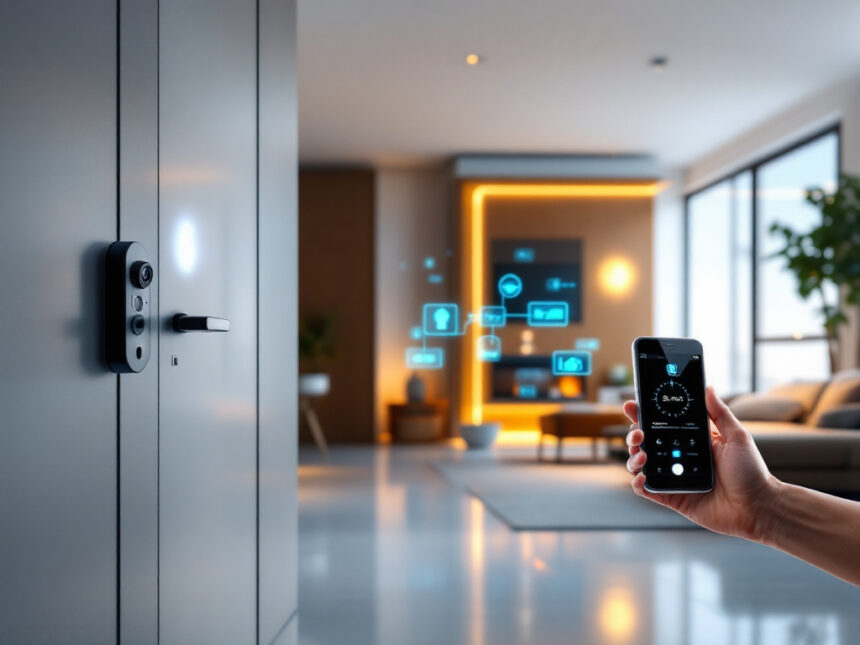
Smart home security systems can feel confusing until you see how the pieces fit together around your everyday life. Once you break things down into a few core decisions, it becomes much easier to pick a setup that actually protects your home without turning it into a tech project.
Below, you will walk through what smart home security systems are, what you really need, and how to match a system to your home, budget, and comfort with technology.
Understand how smart home security systems work
Smart home security systems combine a few familiar parts into one connected setup that you control from your phone.
At a basic level, you have:
- A hub or base station that connects everything
- Sensors on doors, windows, and key areas
- Cameras and a smart home video doorbell for eyes on your home
- A siren or smart home alarm systems for alerts
- An app on your phone to control it all
Most systems connect over Wi Fi, Bluetooth, or cellular networks so sensors and cameras can talk to a central hub and then to your mobile app. This is what lets you arm your system, watch live video, and get notifications when a sensor is triggered, wherever you are.

Many smart home security systems also integrate with voice assistants like Amazon Alexa or Google Assistant so you can arm your system or check a camera feed with simple commands. Some systems even restrict who can disarm them by recognizing specific voices.
Know the key components you actually need
You do not have to buy everything at once. Start with the basics that match your space and add extras over time.
Core protection pieces
Most homes are well covered with:

- Entry sensors on main doors and vulnerable windows
- At least one motion detector in a central hallway or living area
- A loud siren or alarm
- One or two smart security cameras for home, or a video doorbell
Door and window sensors alert you when something opens. Motion sensors back that up in case someone gets inside. Cameras and doorbells give you eyes on the entry points and let you talk to visitors at the door, even when you are not home.
A layered approach like this is what security experts recommend. Smart systems often add yard signs and stickers as an extra deterrent so it is clear your home is protected before anyone tries a door or window.
Safety and comfort add ons
Once the basics are covered, you can add:
- Smart door locks for home so you can unlock the door for guests from your phone
- Smart window sensors for hard to reach or vulnerable windows
- Indoor cameras to check on kids or pets
- Smart water leak detectors to catch leaks before they become major damage
- Temperature or smoke and carbon monoxide sensors that stay active 24/7
These extra devices turn your security system into more of a whole home safety net, not just a burglar alarm.
Compare professional vs DIY smart home security systems
One of the biggest decisions you will make is whether you want a professionally installed and monitored system or a DIY setup that you install and manage yourself.
Professional systems
Brands like ADT and Vivint focus on full service security with professional installation and 24/7 monitoring.
ADT has been recognized as one of the best smart home security systems with monitoring in 2026, featuring Google Nest Cams, facial recognition, Activity Zones, and professional monitoring centers across North America that respond to alarms in about 30 to 35 seconds. ADT also topped rankings for home automation security thanks to tight integration with Google Nest and an ADT app that pulls everything into one place.
Vivint Smart Home is known for advanced automation and cameras, along with integration with Philips Hue, Google Nest, Z Wave, Zigbee, Alexa, and Google Assistant. Packages typically cost between $600 and $1,800, with monitoring in the $30 to $45 per month range, which puts Vivint on the higher end of the market but also among the most feature rich options.
Professional installers help you decide where to place cameras and panels and they test everything before they leave. Some companies, like Fluent Home, even walk you through their app after installation and make sure every family member knows how to use the system.
DIY systems
If you prefer to set things up yourself, or you are a renter, DIY smart home security systems are often more flexible and budget friendly.
SimpliSafe offers build your own kits starting around $250 and going up to about $734, using peel and stick sensors that are ideal for apartments. Monitoring plans start at about $10 per month for basic features and around $30 per month for live guard watching and AI powered alerts that can recognize strangers and allow agents to talk to intruders directly.
Abode’s Wireless Smart Security Kit starts near $199, supports Apple Home, Alexa, and Google Assistant, and is known for its no tools DIY installation and broad compatibility with third party devices like Amazon Echo, Ecobee, and Philips Hue. Advanced monitoring plans with AI object detection and professional monitoring range from about $8 to $26 per month.
Other standouts include:
- Ring Alarm, which is very budget friendly and ties nicely into Ring cameras and doorbells
- Arlo, which uses multi function sensors that can detect motion, temperature, and water leaks, and offers powerful cameras with AI features like fire or gunshot detection
DIY systems are usually easier to expand over time, perfect if you want to start small and grow into a more complete solution.
If you want to explore your options further, browsing smart home security reviews can help you see how these systems perform in real homes.
Balance security with privacy and cybersecurity
Connecting your door locks, cameras, and sensors to the internet gives you convenience and control, but it also introduces some risk.
Smart home security systems can be vulnerable to hacking if you leave default passwords in place or skip basic network security. DFS Services notes that strong firewalls, encryption protocols, and antivirus tools help protect against unauthorized access. Many systems already use encryption, but it is important to know how your specific system handles your data and video clips.
A few easy habits go a long way:
- Use unique, strong passwords for your Wi Fi and each device
- Turn on two factor authentication in your security app
- Regularly update firmware and apps so you get the latest security patches
For a deeper walkthrough, you can follow step by step advice in guides like how to secure smart home devices and smart home security encryption.
Privacy policies matter too. For example, Ring updated its policy in 2024 so that police generally only get access to video footage in life or death emergencies. It is worth reading how your chosen brand handles law enforcement requests and data storage so you are comfortable with how your video and alerts are used.
Match a system to your home and lifestyle
Your ideal setup depends less on technology trends and more on your living situation and routines.
If you own a house
As a homeowner, you typically have more freedom with drilling, wiring, and permanent equipment. A professionally installed system with monitoring may be attractive if you:
- Want emergency dispatch even when you miss a phone alert
- Prefer someone else to design and install the system
- Plan to stay in your home long enough to justify the upfront cost
A mix of outdoor cameras, a video doorbell, door and window sensors, and a monitored alarm will cover most single family homes. If you are interested in automations like lights that turn on when an alarm sounds or a lock that automatically engages when you leave, check out guides to smart security system integration and smart home security automation.
If you rent or live in an apartment
You can still get excellent protection without drilling into walls or changing the building’s wiring.
Look for wireless home security systems that use adhesive sensors and plug in cameras. Many apartment friendly setups focus on:
- A video doorbell that does not require existing doorbell wiring
- A few peel and stick entry sensors for the front door and balcony or patio doors
- Compact indoor cameras that sit on a shelf
Abode, Ring, SimpliSafe, and Arlo are all strong DIY options for renters. For a focused comparison, explore resources tailored to smart home security for apartments and smart home security for renters.
If you are just starting with smart devices
If you only want one or two devices, start simple:
- A smart home video doorbell so you can see who is at the door
- A single indoor camera in a main living area
- A smart lock on your front door
From there, it is easy to add more smart security sensors or cameras once you see how you actually use the system day to day.
Plan features and budget without overbuying
You do not need the most expensive package to be secure. Instead, decide what matters most to you and spend your budget there.
What to prioritize
For most households, these features offer the biggest benefits:
- Reliable mobile alerts and easy to use app controls
- High quality video from your cameras and doorbell
- Battery backup so the system still works when the power goes out
- At least basic professional monitoring, or strong self monitoring tools if you prefer to respond yourself
Automation features are a nice bonus. With the right system, you can have your smart lights turn on when a camera detects motion, or your smart lock automatically engage when you arm the system at night. Resources like smart home security features and best smart home security devices can help you compare capabilities clearly.
Cost ranges and saving strategies
Starter DIY kits often begin around $200 to $250. Professional systems usually carry higher equipment and installation costs, especially with advanced cameras and sensors. Monitoring plans range widely, from under $10 per month for basic self monitoring tools to $30 or more for full professional monitoring with live guard features.
If you want strong protection without stretching your budget, look into best budget smart home security and affordable smart home security. You can also start with a small kit and add devices over time instead of buying a large bundle upfront. Pages that highlight smart home security packages and best smart alarm systems are helpful for comparing what you get at each price point.
Keep your system reliable day after day
A smart home security system is only helpful if it works every time you need it.
Set a reminder once a month to:
- Check that sensors and cameras show as online in the app
- Confirm that notifications are still coming through to your phone
- Test the siren briefly so you know it can be heard
- Replace low batteries before they die
If something starts acting up, guides like smart home security troubleshooting and smart home security reliability can help you quickly narrow down whether you are dealing with a connectivity issue, a low battery, or a misconfigured setting.
Over time, you might also want to add new devices or adjust your setup as your family’s needs change. Resources focused on smart home security upgrades and smart security system integration can show you how to extend your existing system instead of replacing it.
Homes without security systems are significantly more likely to be burglarized than those with security in place, according to data cited by the National Council for Home Safety and Security in 2021. Even a basic smart system is a meaningful step toward a safer home.
For more ideas on getting the most from your setup, explore practical smart home security tips and a broader look at smart home security benefits.
FAQs about smart home security systems
Are smart home security systems worth it?
In most cases, yes. Smart home security systems give you instant alerts, remote control, and video evidence if something happens. According to the National Council for Home Safety and Security, homes without security systems are about three times more likely to be burglarized than those with systems installed, which highlights the value of having some form of protection in place.
Do I really need professional monitoring?
Professional monitoring is helpful if you travel often, have a larger home, or simply want someone else to handle calling emergency services when an alarm triggers. If you are usually near your phone and prefer to manage alerts yourself, some DIY systems let you self monitor with no ongoing fees. You can compare both options in detail through smart home security reviews and smart home security packages.
Can I install a smart security system in an apartment?
Yes. Many systems are designed specifically for renters with no drill, adhesive sensors and wireless cameras. Look for devices that are easy to remove without damage to walls or doors. Guides like smart home security for apartments and smart home security for renters highlight kits and devices that work especially well in rentals.
How do I keep my smart security system from being hacked?
Use strong, unique passwords for your Wi Fi and every device, turn on two factor authentication, keep software updated, and avoid sharing login details. Choosing a brand that is transparent about encryption and data handling is also important. For step by step protection tips, see how to secure smart home devices and smart home security encryption.
What is the best way to start if I am on a budget?
Start with one or two essentials, such as a video doorbell and a few entry sensors, then add devices over time as your budget allows. Many brands offer starter kits that cover the basics at a lower price. To find value friendly options that still perform well, you can compare systems in guides like best budget smart home security and affordable smart home security, then expand from there as your needs grow.