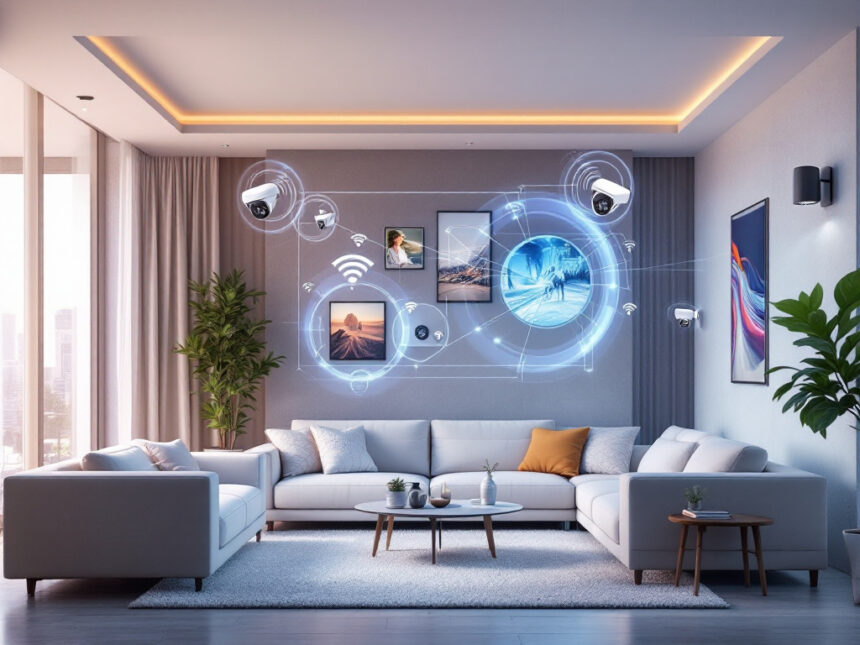
A smart security camera is often the first step you take toward a safer, smarter home. The best smart security cameras for home do much more than record video. They can deter intruders, notify you before trouble starts, and protect your privacy while doing it.
Below, you will find a clear breakdown of what these cameras can do for you today, how they keep you safer, and which types of cameras fit different homes and budgets.
Understand how smart cameras keep you safer
Modern smart cameras act as both a visible deterrent and a real-time warning system.
A University of North Carolina study found that homes with security cameras were significantly less likely to be burglarized, and nearly 60 percent of potential burglars said cameras would make them choose another target. When you add motion alerts and smart detection, the camera becomes an active layer of protection, not just an after-the-fact recording.
Many models now:

- Detect motion and start recording only when something moves
- Send instant alerts to your phone, tablet, or computer
- Let you speak through the camera with two-way audio
- Offer color or infrared night vision so you see what is happening after dark
If you are building a full setup, pairing cameras with smart home alarm systems, smart security sensors, and a smart home video doorbell can give you a connected system that responds automatically.
Protect privacy and prevent camera hacking
You might like the idea of cameras, but not the idea of being watched. That is why privacy and cybersecurity matter just as much as video quality.
A recent study found that 13 percent of home security camera users experienced their systems being hacked. That number is high enough to take seriously. To reduce your risk, look for these privacy and security features:

- Strong encryption. Leading providers use bank-grade AES-256 encryption so video streams and stored footage are protected in transit and at rest. Guardian Protection, for example, secures its smart security cameras with AES-256 to help prevent unauthorized access to your video feeds.
- Two-factor authentication (2FA). 2FA asks for a second proof of identity when you sign in, such as a code sent to your phone. This simple step makes it far harder for anyone to hijack your account, even if they guess your password.
- Granular privacy controls. Most apps now let you disable recording in specific rooms, schedule privacy modes, or close a physical shutter on indoor cameras when you are home.
If you want to go deeper on keeping hackers out of your smart devices, it is worth reading a guide focused on how to secure smart home devices before you install anything.
Choose between wired and wireless cameras
Smart security cameras for home use connect in one of two main ways, wired or wireless. Each has trade-offs, so the best choice depends on how hands-on you want to be and how your home is built.
Wireless cameras for easy installation
Wireless cameras connect to your Wi-Fi network or a dedicated wireless receiver. Most are powered by rechargeable batteries and some support solar panels to extend battery life. That makes them ideal if you rent or if you do not want to drill through walls.
You can usually install a wireless camera yourself in under an hour, then control it through a mobile app. Wireless models are central to many wireless home security systems and diy smart home security setups.
Keep in mind that wireless cameras rely on:
- Strong, consistent Wi-Fi near the mounting spot
- Regular battery checks or a power cable
- A secure router, since the video travels over your home network
Wired cameras for reliability
Wired home security cameras are hardwired into your electrical system and connect to a recorder, often a DVR or NVR. They draw continuous power, so you never think about batteries, and the physical cable is more tamper-resistant than a wireless signal.
This type of camera typically offers:
- A more stable connection with fewer signal drops
- Better performance for large properties with many cameras
- Higher installation complexity, often needing a professional
Both analog CCTV systems using coaxial cables and newer IP cameras using network cables allow remote access to live and recorded video. However, traditional analog CCTV is generally considered outdated compared to IP-based digital cameras, which are more flexible and integrate better with smart home platforms.
Compare leading smart camera brands and options
To help you see how different brands fit different needs, use the table below as a quick reference. It highlights some of the most talked-about smart security cameras for home in 2026.
| Brand / model | Best for | Key strengths | Watch out for |
|---|---|---|---|
| SimpliSafe smart cameras | Strong burglar deterrence with monitoring | Active monitoring with live agents who can speak through the camera and intervene when AI detects suspicious activity. Indoor Camera only records when motion is detected and includes a privacy shutter. Monitoring plans start around $32.99 per month for Intruder Intervention and $49.99 for Active Guard Outdoor Protection. | Best features require a paid monitoring plan. |
| ADT Google Nest Cams | Full system with pro monitoring | Integrate with ADT systems to provide video-verified alarms and facial recognition. SMART monitoring with video alerts and Trusted Neighbor, which lets approved neighbors in at set times. Monitoring plans start around $39.99 per month. | Heavier subscription commitment and professional installation in many cases. |
| Arlo Pro 6 | All-around outdoor coverage | Up to 2K resolution, HDR, color night vision, 160-degree field of view, object detection, two-way audio, built-in spotlight, and smart alerts. Widely recommended as one of the best all-around cameras. | Advanced AI features require at least an $8 monthly Arlo Secure subscription. |
| Google Nest Indoor/Outdoor Cam (2nd gen) | Mixed indoor and outdoor use | 1080p video, HDR night vision, people, animal, and vehicle detection, two-way audio, and three hours of free cloud storage without a subscription. Strong fit if you want some AI features without paying immediately. | More detailed history and Familiar Face Alerts need a paid Google Home Premium plan. |
| Ring cameras | Flexible DIY setups | 1080p HD and newer 2K options, battery, wired, and solar models, plus Spotlight and Floodlight Cams with built-in lights and sirens. Entry-level Ring Indoor Cam costs around $49.99. Integrates with Amazon Alexa and Google Home. | Full video history and advanced features require a subscription, though basic live view is free. |
| Lorex smart cameras | No-subscription local storage | 4K resolution options, Smart Deterrence features like warning lights and sirens, and local DVR or NVR storage that avoids monthly fees. Well suited to larger, DIY-friendly systems. | Local storage means you are responsible for backing up footage. Remote access can be more technical to set up. |
| Wyze cameras | Tight budgets | Indoor-outdoor cameras under $40 with motion zones, sound detection, microSD local storage, and optional floodlight or siren. No mandatory cloud subscription, and improved privacy practices over previous years. | Some advanced AI features are behind a low-cost subscription. Earlier privacy incidents are worth reviewing if you are sensitive to data practices. |
| TP-Link Tapo C210 | Budget indoor pan/tilt | Under $30, with pan and tilt control, two-way audio, built-in siren, 30-foot night vision, motion and audio detection, and local or low-cost cloud storage from about $3.50 per month. | Mostly for indoor use, cloud features are best with a subscription. |
If you want a broader overview before narrowing down to a camera, you can explore top smart home security brands and best smart home security devices for more context.
Use cameras with smart monitoring and AI
The biggest jump in safety in the last few years comes from AI and smart monitoring.
Many smart security cameras for home now recognize the difference between a person, a vehicle, and an animal. Some go even further:
- Google Nest Cams offer Familiar Face Alerts, which reach over 99 percent facial recognition accuracy once you train them with enough examples. This lets you see if the person at your door is a known visitor or a stranger, although it does require a $10 per month Google Home Premium subscription.
- Systems like SimpliSafe use AI plus live agents to react in real time. If an intruder is detected, the agent can speak through the camera, warn the person, and help dispatch emergency services.
AI helps cut down on false alerts, so your phone does not buzz every time a tree branch moves. Instead, you get notified when something that matters is happening.
For more on how cameras can work with the rest of your devices automatically, take a look at smart home security automation and smart security system integration.
Balance local and cloud storage
Where your video footage lives affects both your privacy and your convenience.
Cloud-based cameras upload clips to secure servers. This is convenient because:
- You can watch video from anywhere with an internet connection
- Even if a camera is stolen, the clips are still available
- Sharing footage with authorities or neighbors is easy
However, you should choose cloud providers with strong privacy standards, clear retention policies, and solid encryption. Some brands such as Lorex focus on local DVR storage instead, which means you manage the data at home and avoid monthly fees.
If you prioritize privacy, you might:
- Store most footage locally on a microSD card or NVR
- Use the cloud only for critical events
- Review the provider’s smart home security encryption practices before signing up
Make smart cameras work in apartments and rentals
If you rent or live in an apartment, you still have plenty of options.
Wireless and no-drill cameras work especially well, including:
- Battery-powered cameras that mount with adhesive or simple brackets
- Window-mounted cameras like the Wyze Window Cam, which sticks to glass and avoids glare
- Indoor pan and tilt cameras that you place on a shelf to cover an entire room
Most of these can move with you when you change apartments, so you are not locked into permanent wiring. If this sounds like your situation, you might find smart home security for apartments and smart home security for renters helpful as you plan.
Connect cameras into a full smart security setup
A camera is powerful on its own, but it is far more effective as part of a complete system.
You can link cameras with:
- Smart door locks for home, so you see who is at the door and unlock it remotely for trusted guests
- Smart window sensors and smart security sensors, so motion or an open window can trigger recording
- Smart water leak detectors, since security is also about preventing damage, not just crime
Many homes benefit from starting small with a single camera and then expanding into smart home security systems or bundled smart home security packages over time. If budget is a concern, you can still build a strong setup by focusing on best budget smart home security and affordable smart home security options.
Quick smart camera safety checklist
Use this short checklist to keep your smart cameras both useful and secure:
- Turn on two-factor authentication in your camera app.
- Change default passwords and avoid reusing passwords from other sites.
- Update camera firmware regularly to patch security issues.
- Review and adjust privacy zones so you are not recording public areas or neighbors unnecessarily.
- Decide how long you want to keep footage, and set your storage settings to match.
For more practical advice, bookmark smart home security tips and smart home security troubleshooting so you can quickly work through any issues.
FAQs about smart security cameras for home
1. Do smart security cameras really deter burglars?
Yes. Research from the University of North Carolina found that homes with cameras are significantly less likely to be targeted, and almost 60 percent of potential burglars say cameras would make them choose a different house. Visible outdoor cameras, especially those with lights or sirens, are particularly effective.
2. Are wireless cameras safe if they use Wi-Fi?
They can be very safe if you secure them correctly. Use strong, unique passwords, enable two-factor authentication, and keep firmware up to date. Most reputable brands use strong encryption similar to bank-level security to protect video streams.
3. Do I need a subscription for my smart camera?
Not always. Some brands, such as Lorex, focus on local storage and avoid monthly fees. Others, like Arlo, Ring, and Google Nest, offer basic features without a subscription but require a paid plan for longer video history and advanced AI. Check the details before you buy so you know what ongoing costs to expect.
4. Can I use outdoor cameras if I rent?
Yes, as long as you follow your lease rules and local laws. Many renters use wireless, battery-powered cameras that mount with adhesive brackets or attach to windows. These are easy to remove when you move and usually do not require drilling into walls.
5. How many cameras do I really need?
Start with the most vulnerable areas, usually your front door, main entry points, and any ground-floor doors or windows that are hidden from the street. Many homes feel well covered with one camera at the front door and one watching the backyard or main living area. You can always add more as you see where the gaps are, and guides like smart home security upgrades and smart home security benefits can help you plan the next step.
FAQs
Do smart security cameras really deter burglars?
Yes—especially visible outdoor cameras and systems that add lights/sirens. Offender research and reporting around the UNC Charlotte burglar survey highlights that burglars actively look for signs of security and will often avoid higher-risk homes.
Are Wi-Fi security cameras safe to use?
They can be—if you secure the account and network. Enable MFA, use a unique password, and update firmware regularly. Consumer Reports also recommends basic steps like securing credentials and staying updated to reduce hacking risk.
Do I need a subscription for my smart camera?
Not always. Some brands offer basic live view and limited event history free, while subscriptions typically unlock longer history and advanced AI. For example, Google’s Nest tiers clearly separate free event history from paid plans.
What’s better: local storage or cloud storage?
Local storage gives you more privacy control and can eliminate monthly fees. Cloud storage is convenient and protects clips even if the camera is stolen. Hybrid setups often strike the best balance for most homes.
How many cameras do I actually need to feel covered?
Start with front door + main entry point, then add coverage for backyard/side gate or garage if those are common access points. Expand after you spot blind areas during real use.