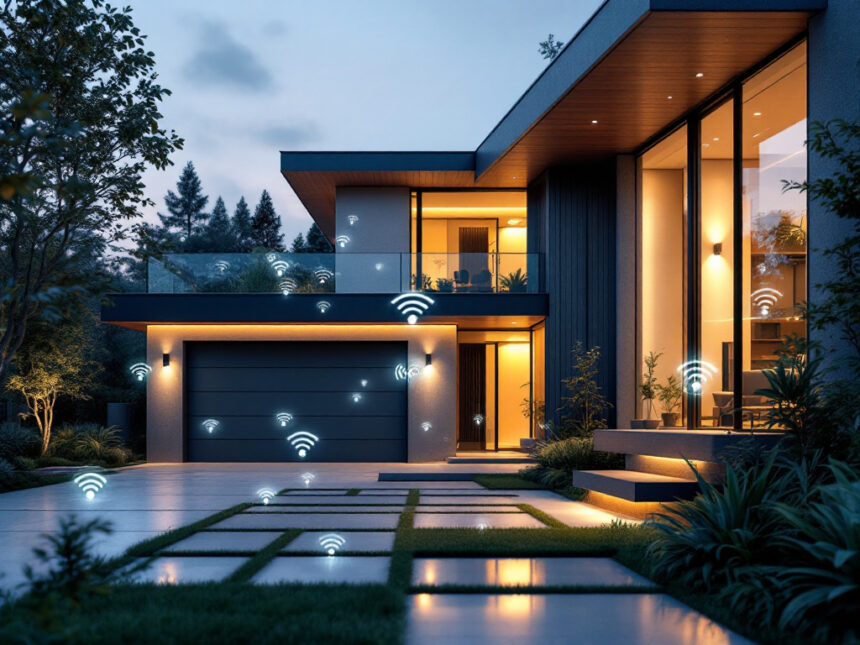
A wireless home security system lets you protect your place without drilling holes, running cables, or signing a long contract. If you rent, own an older home, or simply want a flexible setup, wireless home security systems give you an easier path to feeling safer fast.
In this guide, you will learn how wireless systems work, what to watch for before you buy, and which options fit different homes and budgets. You will also see how to build a setup that includes cameras, doorbells, locks, and sensors that work together.
Understand how wireless home security systems work
Wireless home security systems use radio waves to connect your sensors, cameras, and keypad to a main control panel. The panel then uses Wi Fi or a cellular signal to send alerts to your phone and, if you choose, a professional monitoring center, as explained by ADT in its 2024 overview of wireless systems.
Most components, such as motion detectors, door and window sensors, and outdoor cameras, run on batteries. The panel itself plugs into a wall outlet and has a backup battery so the system can stay online during a power outage. Many modern systems also add cellular backup so if your internet goes down you still receive alerts and monitoring centers can stay connected.
That wireless design makes these systems especially friendly for renters and older homes, where opening walls to run cables is not realistic. You can usually mount gear with screws or strong adhesive and take your system with you when you move.

Weigh the pros and cons of going wireless
Before you pick a system, it helps to understand what you gain with wireless devices and where you need to be a bit more careful.
Wireless home security systems offer:
- Easy, often DIY installation with minimal tools and no drilling in most cases, ideal for renters or anyone who wants a non invasive solution, according to ADT’s 2024 analysis.
- Flexible placement of sensors and cameras, since you are not tied to existing wiring.
- Simple expansion, you can usually add more smart security sensors, cameras, or a smart home video doorbell later with just a few taps in the app.
- Integration with smart home gear, such as lights and thermostats, through features similar to what ADT describes as two way communication and remote control.
There are trade offs to know as well. Wireless systems depend on batteries, which can die if you do not replace them in time. Signals can be affected by walls or other devices that use radio waves. The systems also rely on your Wi Fi and router security to avoid hacking and signal interception, a concern highlighted in ADT’s discussion of wireless disadvantages.

If you accept a bit of ongoing maintenance, such as checking battery levels and updating firmware, you get a system that is easier to install, move, and upgrade than most wired setups.
Compare top wireless home security brands
Several brands stand out in 2026 for wireless home security systems. Each one suits a slightly different type of home and user.
SimpliSafe: Best overall and intruder prevention
SimpliSafe is often recommended as the best overall wireless home security system in 2026. Kits start around 250 dollars, with compact adhesive sensors that are easy to mount, especially if you rent. Self monitoring plans start at roughly 10 dollars per month, and advanced monitoring plans add AI powered alerts that focus on strangers plus live guard watching for more active intervention.
SimpliSafe is also ranked best for intruder prevention. Its professional monitoring plans, starting near 22.99 dollars per month as of 2025, include Intruder Intervention and Active Guard Outdoor Protection. Monitoring agents can see and speak to intruders to discourage crimes and speed police response times, and plans are contract free, which keeps your options open.
If you want a system that is simple to install, strong on intrusion detection, and does not force you into a multi year commitment, SimpliSafe is a good first system to consider.
ADT: Best wireless system with full monitoring
ADT Home Security is recognized as the best wireless home security system with monitoring in 2026. It offers both wireless and hardwired options, along with Google Nest Cams that support facial recognition, activity zones, and features like Trusted Neighbor. Its 12 monitoring centers across North America provide very robust backup if you want human operators watching over your alerts.
ADT is also top ranked for reliability, thanks to wireless devices that use Wi Fi and cellular connectivity. The system can automatically switch to 4G LTE backup during outages, which keeps your home protected even when your internet or power fails.
ADT tends to fit homeowners who want long term professional monitoring, a well established brand, and strong support, even if initial costs may be higher than some DIY focused systems.
Arlo, Abode, Ring, Vivint, Cove, and Frontpoint
If you are exploring options beyond SimpliSafe and ADT, these brands may fit your needs:
- Arlo Home Security System 5 Piece kit, a very affordable choice with multifunction sensors that detect motion, door openings, temperature changes, and even leaks. It works without a subscription, and subscriptions add AI detection for events such as fires, screams, gunshots, or barking.
- Abode Wireless Smart Security Kit, great for smart home enthusiasts, especially if you use Apple HomeKit. It supports Amazon Echo, Ecobee, Nest, Philips Hue, Yale locks, and more. Starter kits can be as low as 100 dollars, with optional 8 dollar AI object detection and 26 dollar cellular backed professional monitoring.
- Ring Alarm, particularly the 8 piece second generation kit, works well if you are invested in Alexa and want strong video options. Plans start around 4.99 dollars per month, with the recommended Standard plan near 9.99 dollars per month for 180 days of event history and optional monitoring, and police video requests are now limited to life or death emergencies for better privacy.
- Vivint Smart Home, a high end solution that shines at home automation. It uses AI powered cameras with smart deterrence through spotlights and sirens, but it requires professional installation and monitoring contracts. Packages often cost between 600 and 1800 dollars, and plans start near 30 dollars per month.
- Cove Security, a budget friendly system with frequent equipment discounts and solar powered cameras that can store footage locally. The catch is that it requires professional monitoring to function and does not support third party integrations.
- Frontpoint, known for very easy setup. Its equipment arrives preconfigured, and you can have a basic system running in about 20 minutes, but monitoring plans are on the more expensive side around 49.99 dollars per month.
Pair this quick overview with more detailed smart home security reviews once you have narrowed down your shortlist.
Tip: Start by deciding if you want DIY or professional installation, optional or required monitoring, and what budget you are comfortable with. That immediately narrows the list to a few realistic choices.
Match a system to your home type
The right wireless home security system depends on whether you own, rent, or live in a smaller space.
If you rent or live in an apartment
You usually need tools that respect your lease, meaning no major drilling and easy removal. Look for:
- Adhesive mounting for sensors and keypads
- Compact smart home video doorbells that can mount to door frames
- Wireless cameras that can sit on shelves or use non permanent mounts
SimpliSafe, Arlo, Abode, and Ring tend to work well in rentals. You will also find focused guides such as smart home security for apartments and smart home security for renters helpful for planning around landlord rules.
If you own your home
You have more freedom to combine wireless systems with hardwired elements. Consider:
- A primary wireless system for alarms and monitoring
- Hardwired power for outdoor cameras where possible, for fewer battery swaps
- Additional smart door locks for home and smart window sensors to cover every entry point
Homeowners often benefit from comprehensive smart home security packages or best smart home security devices that combine locks, cameras, and alarms in one ecosystem.
Plan the devices you really need
It is easy to go overboard on accessories. Instead, think in layers of protection and start with the essentials.
A solid starter kit usually includes:
- A control panel or base station
- Entry sensors for main doors and key windows
- A motion detector in a central space
- One or two indoor cameras or a video doorbell
From there, add devices that match your daily life. For instance, if you travel or worry about packages, a smart home video doorbell and a couple of smart security cameras for home are smart additions. To protect against leaks or frozen pipes, especially in colder climates, you might bring in smart water leak detectors.
If you prefer a one and done approach, explore best smart alarm systems or smart home alarm systems that bundle the key devices and save you guesswork.
Protect your privacy and network
Wireless home security systems are only as safe as the network they sit on. Ignoring your home network security can expose cameras and sensors to cyber threats, so it is worth a bit of setup effort.
At a minimum, use strong, unique passwords on your Wi Fi and your security app, and turn on WPA2 or WPA3 encryption on your router. Many providers emphasize keeping firmware updated, since newer systems often receive automatic security patches that keep you protected without much effort.
For more detail, you can follow a focused guide on how to secure smart home devices and consider topics like smart home security encryption, password managers, and two factor authentication.
Keep your system reliable over time
Once your system is up, a bit of routine care keeps it from slowly becoming unreliable.
Batteries in sensors and wireless cameras often last 12 to 24 months, but ADT notes that extreme temperatures and frequent activation can shorten that lifespan, especially in cold climates such as Maine. Mark a reminder to check batteries twice a year and replace any that read low.
Sensors can drift out of place due to adhesive failure or dust, which can cause missed triggers or false alarms. Wiping contact points, checking that magnets and sensors still line up, and testing alarms monthly helps you avoid those issues. Many newer cameras include smart analytics that distinguish between people, vehicles, and weather so you get more relevant alerts and fewer false alarms.
If something feels off, such as delayed alerts or cameras going offline, a focused guide like smart home security troubleshooting can walk you through quick fixes.
Build a smart, scalable security setup
Think of your wireless home security system as the base of a wider smart home. Over time, you can add:
- Smart home security automation so lights turn on when a camera detects motion
- Smart security system integration that links locks, alarms, and thermostats in one app
- Targeted upgrades using smart home security upgrades and best budget smart home security guides
Wireless gear is designed to be scalable, so you can begin with a simple alarm and one camera, then grow into a whole home setup without changing platforms. If you are just starting out, diy smart home security and affordable smart home security are good next reads.
FAQs about wireless home security systems
Are wireless home security systems reliable?
Yes, modern wireless home security systems are reliable if you maintain them. Many use both Wi Fi and cellular connections so they can keep working during internet or power outages, and panels often include backup batteries that last 8 to 24 hours in an outage. Reliability mainly depends on strong network coverage, timely battery replacement, and regular software updates. For more on long term performance, see smart home security reliability.
Will my wireless security cameras work if Wi Fi goes down?
Purely Wi Fi cameras stop sending live video and alerts if your internet goes out, as ADT explains in its 2024 guidance on wireless security cameras. Some systems pair Wi Fi with cellular backup in the base station so you continue receiving at least key alerts. If continuous recording is important to you, look for cameras that can store footage locally on a memory card during outages.
Are wireless systems safe from hacking?
Wireless systems include encryption and security features, but they are not immune to hacking. Risks increase with weak or reused passwords and outdated firmware. You can lower your risk by using unique, strong passwords, turning on two factor authentication, and keeping all devices updated. A guide like smart home security tips or how to secure smart home devices walks through these steps in more detail.
Do I need professional monitoring?
You do not have to pay for professional monitoring, but it can be valuable if you travel often, sleep through notifications, or want faster emergency response. Systems like SimpliSafe, ADT, Ring, and others offer optional or required monitoring at different price points. If you prefer to start small, you can self monitor and later explore smart home security benefits and smart home security packages that include monitoring.
How do I choose the best system for my budget?
Start by setting a total budget for equipment plus a monthly limit for any subscriptions. Next, list your must have features, such as a video doorbell, outdoor cameras, or smart locks. Then compare systems that meet those needs using resources like top smart home security brands, best budget smart home security, and smart home security systems. This keeps you focused on value instead of chasing every possible feature.
FAQs
Are wireless home security systems reliable?
Yes—especially systems with battery backup and cellular backup that can keep alerts flowing during outages. Reliability still depends on regular battery checks, solid placement, and consistent updates.
Will cameras work if Wi-Fi goes down?
Wi-Fi-only cameras may lose live streaming/alerts during an internet outage. A hub with cellular backup can preserve critical alerts, and local storage (when supported) helps retain footage during downtime.
Are wireless systems safe from hacking?
They’re safer when you harden your setup: unique strong passwords, MFA where available, and up-to-date firmware—especially on your router (your home’s “front door” to the internet).
Do I need professional monitoring?
Not always. If you travel, sleep through notifications, or want faster escalation, monitoring can be worth it. Some brands make it optional; others require it for core features.
How do I choose the best system for my budget?
Set (1) a max upfront kit cost, (2) a monthly ceiling for cloud/monitoring, and (3) a must-have list (doorbell, outdoor cam, sensors, locks). Then only compare systems that hit those requirements.