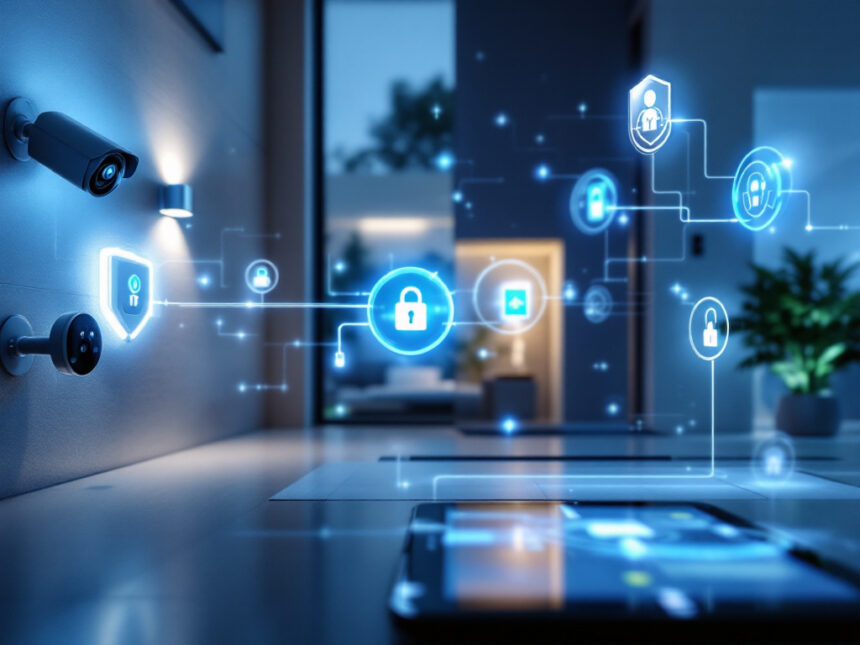
Smart home security upgrades can do much more than watch for break-ins. The right mix of devices can quietly protect your family, cut down on daily stress, and make simple routines feel effortless. Whether you own a house, rent an apartment, or are just buying your first smart camera, you can build a safer, easier home one upgrade at a time.
Below, you will find practical ideas for smart home security upgrades, how they fit together, and how to choose options that match your space and budget.
Start with a strong security foundation
Before you go deep into gadgets, it helps to understand the basic building blocks of smart home security systems. Most setups start with three essentials: a hub or base station, sensors, and alerts.
For many people, a bundled package is an easy first step. Brands like ADT, Vivint, SimpliSafe, Abode, Ring, Frontpoint, Brinks, and Fluent Home all offer full systems with monitoring options and professional installation or DIY choices, depending on how hands-on you want to be. ADT, for example, is often rated as one of the best smart home security systems for 2026 and integrates tightly with Google Nest cameras, thermostats, and displays that you control in the ADT+ app. Vivint focuses heavily on home automation and has a Smart Hub that shows live camera feeds and controls smart devices throughout your home.
If you are not ready for a full package, you can start with a few key pieces and grow from there. Either way, think about:

- How you plan to monitor alerts, for example via app only or with professional monitoring
- Which voice assistant or ecosystem you prefer, such as Google Assistant, Alexa, or Apple Home
- Whether you can or want to drill into walls, especially if you rent
Once you know your baseline, you can add targeted smart home security upgrades that actually solve problems in your day to day life.
Add smart door locks for safer entries
Your front door is the most important security checkpoint in your home. Upgrading to smart door locks for home turns that entry into a controllable, trackable access point.
Smart locks are especially helpful when:

- You have kids coming home from school at different times
- You host guests or short term renters
- You lose track of spare keys or hide them outside
Well known systems like Vivint and Brinks work with popular smart locks from brands like Kwikset and August so you can lock or unlock your door with a code, app, or voice command. If you want professional help, Fluent Home offers installation that includes a walkthrough to decide where devices like locks and panels should go, and they train your family on how to use everything through the app.
Look for features such as temporary codes for visitors, auto lock after a set time, and alerts when a door is left unlocked. If you are a renter, choose models that adapt existing deadbolts so you do not have to change the hardware your landlord owns.
See more with smart cameras and video doorbells
If you only choose one upgrade, a camera at the door is usually the best place to start. A smart home video doorbell lets you see who is there, talk to them remotely, and record activity at your front step.
In 2026, top options come from companies that already focus on full smart home security. Vivint offers AI powered cameras that can tell the difference between people, animals, packages, and vehicles, which helps cut down on false alerts. Brinks recently launched a video doorbell with virtual zones and intelligent notifications that highlight movement in specific areas like your driveway or porch. ADT works with Google Nest doorbells and cameras that include features such as facial recognition and custom Activity Zones.
Inside and around your home, smart security cameras for home can fill in the gaps. Some systems like Vivint and SimpliSafe include deterrent features such as sirens, lights, and live agent voice warnings to scare off intruders in real time. When you compare brands, you can use resources like smart home security reviews to see how they perform in real homes.
For apartments, look for no drill mounts and battery powered cameras that can be removed when you move. Many smart home security for apartments setups rely on peel and stick gear that still gives you reliable alerts.
Use sensors to cover doors, windows, and more
Sensors are the quiet workhorses of your system. While cameras show you what is happening, smart security sensors tell you when something changes, like a door opening or motion in a hallway.
Most smart home alarm systems include contact sensors for doors and windows and a few motion sensors. You can expand these with:
- Smart window sensors to protect sliding doors or less used windows
- Glass break detection, which some hubs like Brinks and certain panels support directly
- Floor or leak sensors that warn you about water, such as dedicated smart water leak detectors
Some brands stand out for flexibility. Abode, for instance, supports both Zigbee and Z-Wave devices and its CUE automation platform lets you create complex rules, such as turning on a hallway light if a door opens after midnight. Z-Wave technology in particular is a key way that systems like Vivint, Abode, Frontpoint, and others let different devices talk to each other. Many systems also support IFTTT integrations so that one event, such as a sensor trigger, can set off a chain of actions around your home.
If you like to build your own package, diy smart home security kits make it easy to add or move sensors without a technician visit.
Automate daily routines to boost security
One of the biggest advantages of smart home security upgrades is automation. Instead of reacting to alerts, you can let your system quietly handle small tasks and safety checks.
You can use a system wide solution such as smart home security automation to create routines like:
- Automatically turning on porch and driveway lights if your doorbell camera detects motion at night
- Locking all smart locks and arming your alarm when you tell your assistant goodnight
- Pausing indoor camera recording when your family is home and disarming the system
Vivint is known for advanced automation that supports Z-Wave, Zigbee, Alexa, and Google Assistant together so lights, locks, thermostats, and cameras work as one. Abode uses its CUE engine to let you stack conditions such as time, presence, and sensor status, even if you choose to self monitor. Frontpoint includes geofencing that can automatically arm or disarm your system when your phone enters or leaves a virtual boundary around your home.
If you want to keep things simple, systems like SimpliSafe offer basic rules and voice control through Google Assistant and Alexa. You can instruct your assistant to arm or disarm your system, or to lock the door, although deeper smart device integrations usually require a paid plan.
Choose a monitoring style that fits your life
Monitoring is another key part of smart home security upgrades. You decide how much responsibility you want for watching alerts and how much you would rather outsource.
Many brands provide some form of professional monitoring and self monitoring options:
- ADT and ADT Self Setup focus on professionally monitored plans and strong Google Nest integration, with the ADT+ app used to manage devices and get instant SMART Monitoring alerts
- Vivint requires professional monitoring, and its plans are paired with advanced AI camera features like Smart Deter and neighborhood based siren alerts
- SimpliSafe offers contract free monitoring plans with features such as Intruder Intervention and Active Guard Outdoor Protection, which allow live agents to speak through your camera to scare off intruders
- Abode and Frontpoint offer flexible options, from free app based self monitoring to more traditional professional monitoring plans
If you value flexibility and low monthly costs, look at Abode, SimpliSafe, and Frontpoint. If you prefer a long established company with a wide network of monitoring centers, ADT is often recommended. Background information on these monitoring services can help you weigh smart home security benefits against costs.
Pay attention to budgets and bundles
You do not need an unlimited budget to make meaningful smart home security upgrades. Many systems are designed to be affordable and expandable.
SimpliSafe, for example, has packages that start under $300 and often runs discounts on equipment. Monitoring can start around the low 20 dollar range per month and go up if you want camera based active deterrence features. Cove focuses on low cost door sensors and simple professional monitoring that begins around 20 dollars per month, which makes it a popular ultra budget choice. ADT Self Setup gives you Nest driven security equipment and monitoring from roughly the mid 20 dollar range, and it avoids long contracts.
Abode stands out for letting you buy lower cost hardware with free app access and optional cheap monitoring subscriptions. If you want to compare options, resources such as best budget smart home security and affordable smart home security can show you where you get the most value.
You can also look for curated smart home security packages that group cameras, locks, sensors, and hubs in a way that covers a typical home. Many families start with a base kit, then add extra devices as they learn what they actually use.
Tip: Start with a few high impact devices such as a video doorbell, one or two door sensors, and a smart lock. Then keep a simple list of moments when you think, “I wish the house could just handle this.” Those become your next upgrades.
Protect your privacy and secure your devices
Any time you put devices on your Wi-Fi, you add something else to keep secure. To keep hackers out and your family’s data safe, follow best practices and lean on your system’s built in protections.
Good smart home security upgrades should include strong smart home security encryption, automatic firmware updates, and secure cloud storage. Brands like ADT, Vivint, SimpliSafe, Abode, Ring, Brinks, and Frontpoint all highlight security features in their apps and hubs and they usually let you manage device permissions and login safeguards.
On your side, make sure you:
- Use unique, strong passwords for your main accounts and router
- Turn on two factor authentication wherever possible
- Separate guest Wi-Fi from the network your security devices use
- Review camera sharing and user access regularly
If you want more detailed guidance, you can follow step by step advice in how to secure smart home devices and smart home security tips. These resources help you stay ahead of common issues and keep your system as safe as the doors and windows it protects.
Get the right setup for your home type
Your living situation has a big impact on which smart home security upgrades make sense.
If you are a homeowner, you usually have more freedom to hardwire cameras, mount panels, and add new locks and sensors. You might lean toward professionally installed systems like ADT, Vivint, Brinks, or Fluent Home, especially if you prefer that a technician handle drilling and placement. Fluent Home, for example, sends trained technicians who walk through your home with you to decide where devices should go and then teach you how to use everything through the Fluent app.
If you rent, look for smart home security for renters that focuses on peel and stick gear, battery powered devices, and gear that uses existing deadbolts. Abode, SimpliSafe, and certain Ring and ADT Self Setup packages are common choices for apartments because you can remove devices when you move.
When you are just starting with your first device, such as a camera or doorbell, it is helpful to read smart home security reviews and top smart home security brands so you understand how each ecosystem works. Over time, using smart security system integration guides will help you connect new gear smoothly.
For extra reliability, check how your system handles power outages, cellular backup, and internet failures. Many brands include backup batteries and optional cellular connections so that your alarms still work when Wi-Fi drops. You can learn more in resources focused on smart home security reliability and wireless home security systems.
Troubleshoot and expand with confidence
Once your system is in place, you will sometimes want to tweak it. Maybe a camera sends too many motion alerts, or a door sensor keeps disconnecting. That is normal and usually easy to solve.
Most providers have in app help and support teams, and you can also use resources like smart home security troubleshooting to quickly narrow down issues. Typical fixes include moving hubs closer to devices, adding Wi-Fi or Z-Wave range extenders, or adjusting sensitivity in the app.
If you are curious about what to add next, explore best smart home security devices and smart home security features. You might add smart lighting that changes color during an alarm, as with some Frontpoint setups, or connect garage door controllers like those that work with ADT and Brinks, so you can check your garage from your phone and close it remotely.
Over time, your collection of smart home security upgrades will feel less like gadgets and more like a quiet safety net around your home.
Frequently asked questions
What are the most important smart home security upgrades to start with?
If you are just beginning, focus on high impact basics. A video doorbell, one or two outdoor cameras, door and window sensors for main entry points, and a smart lock on your front door already cover the most common risks. From there, you can add motion sensors, smart lighting, and leak detectors as your budget allows.
Do I need professional monitoring or is self monitoring enough?
It depends on your lifestyle and comfort level. If you travel often or want someone else to handle emergency calls, professional monitoring from services like ADT, Vivint, SimpliSafe, Abode, Brinks, Frontpoint, or Fluent Home adds peace of mind. If you are usually at home and comfortable responding to alerts on your phone, self monitoring with occasional short term professional coverage can work well.
Are smart home security systems good for renters?
Yes, there are many smart home security for apartments and renters that avoid drilling and permanent changes. Look for peel and stick sensors, plug in or battery cameras, and retrofit locks that keep your existing deadbolt. Brands like SimpliSafe, Abode, some ADT Self Setup kits, and Ring are all popular options.
How can I make sure my smart devices are secure from hackers?
Start with systems that prioritize encryption and security, then follow best practices. Use separate, strong passwords, enable two factor authentication, keep your router firmware updated, and avoid sharing login details. Guides like how to secure smart home devices and smart home security encryption walk you through the details step by step.
How do I know which brand or ecosystem is right for me?
Think about what matters most to you. If you want deep Google Nest integration and strong professional monitoring, ADT is a leading choice. If you care about advanced automation and AI camera features, Vivint is strong. If flexibility, lower costs, and DIY installation are your priorities, look at SimpliSafe, Abode, Ring, or Frontpoint. You can compare your options using the best smart alarm systems, top smart home security brands, and smart home security faqs to see how each one lines up with your home and budget.
FAQs
What smart home security upgrades should I buy first?
Start with a video doorbell, a smart lock, and 2–4 contact sensors for the main doors/windows. That combo covers most real-life scenarios: deliveries, visitors, kids getting home, and basic intrusion detection.
Is professional monitoring worth it?
If you travel, work long hours, or want “someone else handles it,” professional monitoring can be worth it. If you’re home often and comfortable responding to alerts, self-monitoring can work—just set reliable notifications and backups.
How do I reduce false alerts from cameras?
Use activity zones, set person-only alerts, reduce sensitivity, and aim cameras away from moving trees/roads. A doorbell camera with intelligent filtering can cut noise dramatically.
Are smart home security systems good for renters?
Yes. Choose peel-and-stick sensors, battery cameras, and retrofit smart locks that don’t require replacing the deadbolt hardware.
How do I secure smart home devices from hackers?
Use strong unique passwords, enable MFA, keep firmware updated, and separate IoT devices from your main network.
What’s the difference between Zigbee and Z-Wave for security devices?
They’re both smart-home communication standards used for sensors, lights, locks, etc. Platforms like Abode support pairing Z-Wave/Zigbee devices to expand systems beyond one brand.