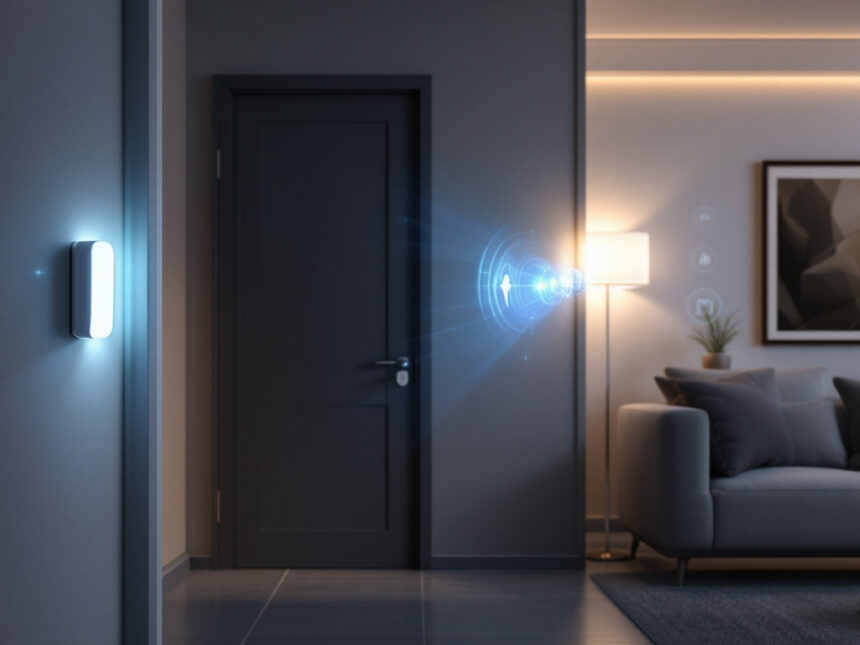
Smart security sensors give you an extra set of eyes, ears, and even “instincts” in your rental, without needing to drill into walls or rewire anything. As a renter, you want to protect your place, your stuff, and your privacy, but you also have to work around landlord rules and the fact that you might move in a year or two.
This guide walks you through the smart security sensors that actually matter for renters, how they work, and how to build a flexible setup you can install, remove, and take with you when you move.
Understand what smart security sensors do
Smart security sensors are small devices that notice changes in your home, such as an open door, a broken window, or unexpected motion, then send an alert to your phone or trigger other devices.
They are the building blocks of modern smart home security systems. Instead of a single loud siren, you get an ecosystem of parts that talk to each other through a hub and mobile app. According to recent breakdowns of smart systems, this connected approach is what allows real-time monitoring, automation, and remote control from anywhere with an internet connection.
In a rental, these sensors help you:

- Know instantly if someone opens your door or window
- Spot suspicious motion in hallways or shared entrances
- Catch leaks or smoke early before damage spreads
- Control who comes in with smart locks and access codes
Unlike traditional hardwired alarms, most modern sensors use Wi‑Fi, Bluetooth, or cellular links to a base station and your phone. Many providers also offer professional monitoring where a center can call emergency services if your sensors detect a real problem.
Types of smart security sensors renters should know
You do not need every type of sensor to stay safe in an apartment. Focus on the ones that cover your most likely risks and fit rental life.
Door and window contact sensors
Contact sensors are the basic building block of almost every smart home alarm system. One piece sticks on the door or window, the other on the frame. When they separate, the circuit breaks and the system knows something was opened.

As a renter, they are ideal because:
- Most install with peel-and-stick adhesive
- They are small and discreet
- You can arm them only at night or when you are away
They pair well with smart window sensors if you want more specialized coverage for sliders or balcony doors.
Motion sensors
Motion detectors watch over a room or hallway and trigger alerts when they see movement. Most home systems use passive infrared (PIR) tech, which tracks heat changes in a space, and some combine PIR with microwave sensing to cut down on false alarms from pets or HVAC vents.
Modern motion sensors can also:
- Trigger indoor cameras to start recording
- Turn on smart lights when you walk in
- Ignore pets under a certain weight when set up correctly
Brands like ADT use PIR, microwave, or dual tech motion sensors to spot body heat and motion with fewer false alarms while still catching real intrusions.
Glass break and sound sensors
Not every intruder opens a door. Some try windows. Glass break sensors listen for the specific sound pattern of shattering glass. Others use more advanced microphones that pick up ultrasonic frequencies from impacts or breaking windows.
For renters, they are helpful if:
- You live on a ground floor with large windows
- Your building has side or alley windows that feel vulnerable
Because they usually mount on a wall or ceiling with adhesive, they are still friendly to rental walls.
Smart smoke and carbon monoxide sensors
Smart smoke and CO detectors add a crucial safety layer that works even if your main alarm system is disarmed. They send instant alerts to your phone and can also notify a monitoring center.
Some solutions, like ADT smart fire, smoke, and CO sensors, can tell the difference between minor kitchen smoke and a real fire, which cuts down on unnecessary alarms. They also integrate with other gear so doors can unlock automatically for first responders and air systems can turn off to slow the spread of smoke or gas.
If your rental already has standard detectors, talk to your landlord about upgrading or adding compatible smart versions. You can often mount them in place of existing units.
Smart water, flood, and freeze sensors
Water damage is one of the most expensive and stressful issues in any building. Smart water leak sensors sit near sinks, toilets, and laundry setups and ping your phone when they detect moisture or freezing temps.
External resources note that [smart security sensors] like flood and freeze detectors can help minimize water damage, which ranks near the top of home insurance claims, by sending instant alerts and even unlocking doors for emergency crews when integrated into a broader system. If you are in a basement or older building, adding a couple of smart water leak detectors can save you from both damage and landlord disputes.
Smart locks and access sensors
Smart locks and door sensors work together to control and log who comes in and out. Modern smart door locks for home use electronic keypads, biometrics, cards, Wi‑Fi, and Bluetooth, so you can unlock with a code or phone instead of a key.
Some models, such as Lockly Vision Elite and Lockly Secure Pro, offer safer ways to secure locks and deadbolts with these advanced methods. The Lockly Vision even combines a doorbell camera with the lock so you can see and record visitors from your phone.
For renters, focus on:
- Retrofit smart locks that replace only the interior thumbturn
- Models that do not require new holes in the door
- Strong support for temporary codes for guests or delivery access
Always check your lease and get written approval before changing any lock hardware.
Smart cameras and video doorbells
Cameras and video doorbells are not sensors in the traditional sense, but they are packed with AI-powered detection. Modern smart security cameras for home can tell people, pets, and vehicles apart, which keeps you from drowning in alerts.
Brands like ADT integrate Google Nest cameras with features such as Activity Zones, Trusted Neighbor programs, and facial recognition to improve detection and reduce false alarms. Vivint cameras use AI-based Smart Deter to spot suspicious behavior, then trigger lights and sirens to scare off intruders before they break in.
For renters, look for:
- Plug-in indoor cams that sit on a shelf
- Peel-and-stick mounts for outdoor or balcony use
- Smart home video doorbells that mount with a bracket and use existing wiring or a battery
If you live in a building, make sure doorbells and hallway cameras comply with local laws and building rules.
Why smart security sensors are great for renters
You might think smart security is only for homeowners who can drill into studs and sign long contracts. That is no longer true. Modern wireless home security systems and diy smart home security kits are built for flexibility, which is exactly what you need in a rental.
Quick, no-drill installation
Most smart sensors attach with removable adhesive strips or small screws into door and window frames rather than walls. If you prefer zero holes at all, look for:
- Peel-and-stick contact sensors
- Freestanding motion sensors that sit on shelves
- Plug-in cameras with tabletop stands
When you move, you can remove each device, clean the surface, and reinstall everything in your next place.
Portable and scalable
Your investment moves with you. A contact sensor on your current front door can protect your next front door too. You can start with a few basics, then expand over time with more sensors and smart home security upgrades.
Providers like SimpliSafe, abode, and others focus on modular kits. For example, SimpliSafe offers DIY systems with pro monitoring and add-on sensors, while abode supports up to 160 devices including Zigbee and Z-Wave gear. You can grow from a starter kit to a full smart apartment without replacing the whole system.
Real-time alerts when you are away
Smart home security sensors are not limited to sounding a siren. They send push notifications, emails, or texts the moment something is wrong. The April 2025 guide from General Security highlights that this real-time alerting is a major upgrade from older systems that only notified you after an incident was already over.
In practice, that means:
- You see a leak in your bathroom before it drips into the unit below
- You know a door was opened while you are at work
- You can talk through a doorbell or camera to a stranger at your door
If you pair sensors with smart home security automation, you can also have lights turn on or sirens sound automatically when a sensor triggers.
Higher safety and potential savings
Integrating multiple smart security sensors into one system helps you pinpoint exactly which sensor triggered and where, whether it is a door, window, motion zone, or leak. This kind of precise, centralized monitoring is what modern smart systems are built for.
Guides on smart sensor setups also point out that adding security and automation can raise property value and sometimes earn insurance perks by lowering risk and improving energy efficiency. You might not see every benefit as a renter, but your landlord might be more open to upgrades if they understand the potential savings.
No-drill and landlord-friendly setup ideas
Before you buy anything, check your lease and talk to your landlord. Many are happy to have extra security, especially if it does not damage the property.
Start with a removable base kit
A renter-friendly starter bundle might look like this:
- Hub or base station with cellular backup
- 2 to 4 door or window contact sensors
- 1 motion sensor for your main living area
- 1 smart lock or retrofit lock, if allowed
- 1 or 2 plug-in cameras or a video doorbell
You can compare options with pages like best smart alarm systems, best smart home security devices, and top smart home security brands to see which kits focus on peel-and-stick installs and renter policies.
Use removable mounting solutions
For stricter leases:
- Use strong adhesive strips or command hooks for sensors and small cameras
- Choose freestanding sensor stands for bookcases and shelves
- Mount video doorbells with no-drill brackets that grip the door
When you move out, remove each mount slowly to avoid marks. Take photos as you go if you want proof that you left surfaces in good shape.
Focus on rooms that matter most
You do not need a sensor on every single door and window in a studio. Start where risk and importance are highest:
- Main entry door
- Patio or balcony door
- Hallway that leads to bedrooms
- Shared laundry or storage areas if you are allowed to place sensors there
You can always expand coverage later as budget and landlord permissions allow. Check smart home security for apartments and smart home security for renters for more room-by-room ideas.
A good renter setup is layered, not overloaded. Aim for a handful of well-placed sensors that cover all main entry points and hazards instead of trying to monitor every inch of your apartment.
Privacy and security best practices for renters
You are adding connected devices to a home and sometimes a shared building. Protecting your privacy is just as important as blocking intruders.
Secure your network and devices
Follow core steps from guides like how to secure smart home devices and smart home security encryption:
- Create a strong, unique password for your Wi‑Fi and every security app
- Turn on two-factor authentication on your accounts
- Update firmware and app software regularly
- Change default camera and lock passwords immediately
Many systems now use secure encryption by default, and some, such as ADT and SimpliSafe, use cellular connectivity to keep monitoring online even if Wi‑Fi is down.
Place cameras thoughtfully
In an apartment, you are often closer to neighbors and shared spaces. To stay courteous and compliant:
- Avoid pointing cameras directly into another unit or shared hallways if your building forbids it
- Keep indoor cameras out of private areas like bathrooms
- Use privacy shutters or schedule-based recording when you are home
SimpliSafe, for example, offers cameras with privacy shutters that physically block the lens when not in use, which can feel more comfortable in small apartments.
Choose reputable providers
Not all systems handle data in the same way. Look for brands with:
- Clear privacy policies and transparent data practices
- Good independent smart home security reviews
- Strong track records in smart home security reliability
Major players like ADT, Vivint, SimpliSafe, abode, Brinks, and others invest heavily in security. Many also use AI features to reduce false alerts by distinguishing between people, pets, and vehicles, which helps you focus on real threats.
Building a renter-friendly smart security plan
If you feel overwhelmed by options, break your plan into small steps and use resources across this site like smart home security features, smart home security packages, and smart home security benefits for ideas.
Step 1: Decide your top priorities
Ask yourself:
- Do I care most about burglary, fire, leaks, or all three
- Do I want pro monitoring or self-monitoring
- Do I need everything to be completely no-drill
Your answers guide what you buy first.
Step 2: Pick a main platform
Choose one main ecosystem so your sensors and devices can talk to each other. For example:
- A DIY focused kit like SimpliSafe or abode
- A professionally installed system like ADT or Vivint
- A flexible hub that supports multiple brands
Check smart security system integration to understand how different hubs and devices work together.
Step 3: Start small, then expand
Begin with the essentials, then build out your system:
- Front door contact sensor and smart lock
- Motion sensor covering the living area
- Smart smoke and CO detector
- One camera or video doorbell
- Water leak sensor near your most vulnerable plumbing
Over time, you can add more sensors, automation, and even affordable smart home security extras like smart plugs and lighting scenes.
If budget is tight, check best budget smart home security and affordable smart home security to stretch your dollars.
Step 4: Test and adjust
Once you are set up:
- Arm your system in “home” and “away” modes and walk around to see when sensors trigger
- Adjust motion detector sensitivity and camera activity zones to reduce false alarms
- Review notifications over a week and fine-tune what gets sent to your phone
Resources like smart home security troubleshooting and smart home security tips can help you solve quirks as they pop up.
FAQs about smart security sensors for renters
1. Can I install smart security sensors without my landlord’s permission?
Many peel-and-stick sensors and freestanding devices do not alter the property, but your lease might still require written permission for any security equipment or lock changes. It is best to share your plan, emphasize that hardware is removable, and get approval before installing smart locks, cameras facing shared areas, or replacing smoke detectors.
2. What is the easiest smart security setup if I am on a tight budget?
Start with a small diy smart home security kit that includes a base station, a couple of contact sensors, and one motion sensor. Add a single indoor camera and one water leak detector. This gives you intrusion, basic safety, and remote alerts at a lower cost. Use guides on best budget smart home security to find starter bundles.
3. Do I really need professional monitoring in an apartment?
You do not have to pay for monitoring, but it adds peace of mind, especially if you travel or live alone. With pro monitoring, a center can call emergency services when sensors show verified trouble, sometimes with video or audio verification that speeds police or fire response. Providers like SimpliSafe offer contract-free monitoring plans with advanced features such as live guard protection where agents can speak to intruders through cameras.
4. Will smart security sensors still work if my Wi‑Fi or power goes out?
Many systems rely on Wi‑Fi, but the more robust ones include cellular connectivity and battery backups so your hub and key sensors keep working during outages. Recent smart systems use this approach to maintain links to monitoring centers even when internet is down. When you compare kits, look for a base station with both cellular and battery backup for better reliability.
5. How can I avoid constant false alarms in a small apartment?
Place motion sensors so they do not point directly at windows, HVAC vents, or busy hallways outside your unit. Use pet-friendly settings if you have animals, fine-tune camera activity zones, and turn on person detection so your system ignores harmless movement. Reviewing the first few days of alerts and making small adjustments usually leads to a calm, low-noise setup that still catches real issues.
Smart security sensors can make your rental feel safer and more under your control without tying you to a single home or long contract. Start with a few core devices, follow best practices from resources like smart home security for renters and smart home security faqs, and build a setup that moves with you wherever you live next.