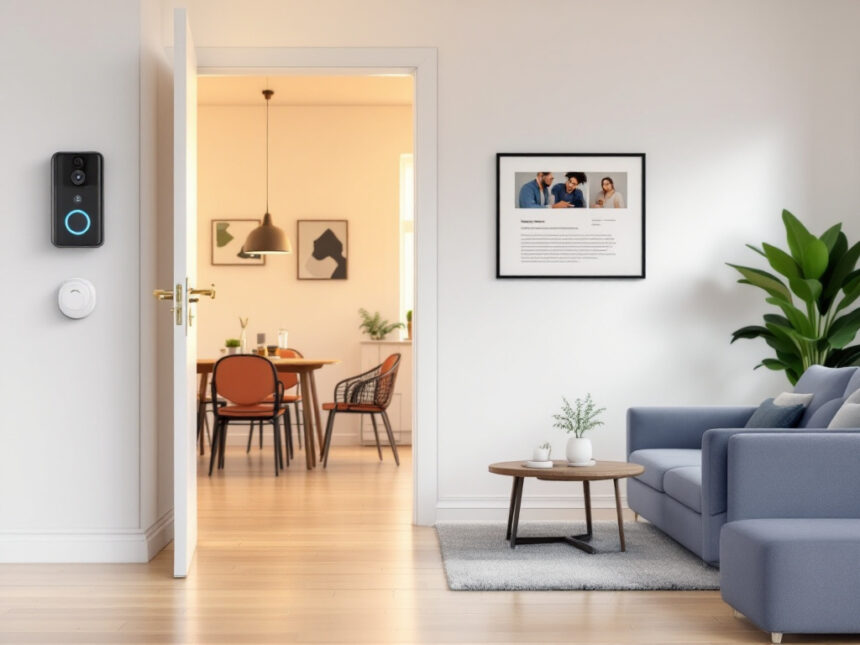
Smart home security for renters used to be tricky. You want to feel safe, but you also need to protect your deposit, follow the lease, and avoid complicated wiring. The good news is that modern smart home security for renters is designed with you in mind, from peel and stick sensors to no drill cameras and keyless locks you can take with you when you move.
This guide walks you through what you can and cannot do as a renter, the best types of devices to consider, and how to build a secure, flexible setup that fits your space and budget.
Understand your rights and limits as a renter
Before you buy anything, it helps to know the basic rules that shape smart home security for renters.
You generally have the right to feel secure in your home and to enjoy it without interference. In most places, that includes installing your own security system inside your unit as long as you are not damaging the property or breaking privacy laws. You typically can install indoor cameras, sensors, and alarms that sit on shelves or attach with removable adhesive.
Outdoor areas are more complicated. Hallways, shared entrances, and exterior walls are usually considered common areas. You are often not allowed to install cameras outside your apartment without written permission from your landlord or property manager, because these spaces are shared and subject to privacy protections.

You also need to pay attention to audio recording laws. Some states require consent from every person being recorded, while others only require one party to consent. For example, California uses a two party consent standard while Texas uses one party consent. Check your local laws before you turn on audio recording.
If your landlord wants to install cameras, there are limits there as well. In one reported case, a landlord installed security cameras at the front and back doors of a rental and monitored who entered and exited, then demanded that the tenant provide a lease from a boyfriend’s residence to prove he was not living there. Tenants questioned this as an invasion of privacy and an overreach that went beyond normal security needs. Situations like this highlight why clearer legal guidelines and tenant protections around smart home devices are so important.
When in doubt, read your lease, ask for clarifications in writing, and keep copies of any approvals you receive.

Choose a renter friendly security system
You have two main choices: build your own setup from individual devices or choose a bundled system that includes a hub, sensors, and optional monitoring. For most people, a renter friendly kit is the easiest starting point.
Several brands design their equipment with renters in mind. SimpliSafe is consistently recommended as one of the best options for apartments, because everything uses peel and stick installation instead of drilling, and the system is easy to move when you change homes. Its monitoring plans are contract free, and you can even choose a self monitoring option if you want to avoid monthly fees.
ADT offers a self setup option that combines peel and stick gear with Google Nest cameras and doorbells. You get professional monitoring through multiple redundant centers, with smart features like facial recognition on Nest Cams and a Trusted Neighbor option that makes it simple to let pet sitters or friends in securely.
Cove focuses on budget friendly build your own packages with peel and stick sensors, customizable kits, and professional monitoring plans that start at $19.99 per month. Many of its video doorbells use 2K resolution and include two way talk plus free local storage, which can appeal if you do not want to rely only on the cloud.
Other renter friendly systems include Abode, Ring Alarm, and Frontpoint, all of which offer DIY setups that avoid drilling and are sized well for apartments. You can compare full smart home security systems and read smart home security reviews to see how these brands stack up.
If you like the idea of a curated kit, explore options under smart home security packages and best smart alarm systems. If you would rather mix and match, you can still build a strong setup starting with wireless home security systems.
Pick the right devices for apartments
Some devices work especially well in rentals because they require little or no modification, they cover a lot of ground, and they are easy to pack when you move.
Smart cameras and video doorbells
For indoor coverage, a small plug in camera is often enough to monitor your main living area. Eufy recommends its Indoor Cam C120 as a renter friendly option because it offers 2K resolution, smart integrations, and requires no permanent changes. It simply sits on a shelf or mounts with a small bracket if your landlord allows light mounting.
Outdoor or entry cameras require more care. The Eufy eufyCam S210 is a good example of an exterior camera that renters can use when they have landlord approval. It offers 1080p resolution, a 135 degree field of view, smart human detection, and a 180 day battery life. Since it is wireless, you can mount it without drilling, using gutter mounts, clamps, or other temporary hardware.
You can compare different smart security cameras for home and look specifically for models that are wireless, battery powered, and rated for no drill installation.
Video doorbells can be extremely useful in apartments because they let you see who is at your door and talk to visitors remotely. Many options, including Google Nest battery powered doorbells and some Eufy models, can attach without rewiring your existing chime. Look through smart home video doorbell guides to find battery powered, landlord friendly designs.
Smart locks and keypad entry
Access control is a major part of smart home security for renters. Traditional keys are easy to copy, which can be risky in buildings with frequent tenant turnover. Smart locks and keypad locks give you better control with user codes that you can add, change, or delete in seconds.
KwikSet SmartKey locks, for example, can be rekeyed in under five minutes without a locksmith, which is convenient for landlords managing mid length and long term rentals. Keypad locks let you issue unique codes for family, cleaners, or dog walkers, track entries, and schedule access times. Many models also auto lock the door so you are less likely to forget and leave it unlocked.
Some rental specific lock systems, such as Landlord Locks, use removable cylinders that can be swapped out quickly, then rekeyed later by the company. Whatever you choose, you want hardware that does not require structural changes to the door.
For an overview of your options, explore smart door locks for home. Many of these locks can be installed with just a screwdriver, and some are designed to clamp over an existing deadbolt so you do not have to change the lock itself.
Sensors, alarms, and detectors
Even in a small apartment, sensors do a lot of the heavy lifting. A simple starter kit typically includes:
- Entry sensors for doors and windows
- Motion sensors for main living areas or hallways
- A central hub or keypad
- A siren or built in alarm
You can expand later with smart window sensors and other smart security sensors if you want more granular coverage.
Water damage is another common fear in apartments, especially in older buildings. Adding smart water leak detectors near sinks, toilets, and under washing machines can alert you early so you can shut off water and call maintenance before a small leak becomes a major problem.
For alerts and deterrence, plug in or battery powered smart home alarm systems are ideal. Many work over Wi Fi or cellular networks and tie into your phone via an app.
Install without drilling or losing your deposit
A good renter friendly system stays out of your landlord’s way. That usually means no holes and no hardwiring unless you have explicit written approval.
You can avoid drilling in several ways:
- Use peel and stick pads that come with most sensors
- Choose cameras with floor stands or tabletop bases
- Attach lightweight cameras with 3M Command Strips or similar removable adhesives
- Mount outdoor cameras using gutter or siding clips that clamp to existing structures
- Use magnetic mounts on metal surfaces, or add a small metal plate with removable adhesive
Reddit users in the DC area frequently mention these methods for mounting cameras in climates that range from 0 to 110 degrees Fahrenheit. In very hot or humid weather, adhesives may wear out faster, so you might want to choose stronger tapes or use straps and clamps on gutters, railings, or fence posts.
Solar powered cameras are particularly helpful for renters because they do not need wired power. You can place them almost anywhere with enough sunlight, then secure them with clamps or straps instead of drilling into walls.
When you mount cameras outside, height matters. Around 9 feet above the ground is usually ideal. It is high enough to prevent tampering, but low enough to capture faces clearly. Visible cameras also act as a deterrent, since many intruders will move on when they see a camera in plain view.
If you are not comfortable installing the equipment yourself, many security companies, including Brinks Home, offer consultants and technicians who can help you choose devices and place cameras without unnecessary damage.
Protect your privacy with landlord and guests
Smart home security for renters is as much about privacy as it is about intruders. You want to control who sees what, and when.
If your landlord installs cameras in common areas of the building, that is increasingly common in larger properties. Some regions, such as Prince George’s County, require high occupancy buildings to use cameras in common areas with at least 1080p resolution and store footage for at least 30 days, with fines for non compliance. The goal is to balance safety with tenant rights.
Inside your unit, you should not allow anyone to monitor your daily life without clear consent. If your landlord suggests installing any smart devices inside your apartment, ask:
- Where will the device be placed
- What exactly it records, for example video only, video plus audio, or only motion events
- Who can access the footage or data and for how long
- Whether you can turn it off, unplug it, or cover the lens when you are home
You can also protect your own guests and roommates. Let visitors know if you have active indoor cameras, and consider turning off audio recording in social areas to avoid privacy issues. Store footage securely, and use strong passwords and two factor authentication to prevent unauthorized access. You can review more advice under how to secure smart home devices and smart home security encryption.
Build your system step by step
You do not need to buy everything at once. A thoughtful, layered approach works well in apartments and keeps your budget in check.
A simple way to start is to:
- Secure your main entry with a smart lock or keypad plus a door sensor.
- Add an indoor camera or two in common areas that overlook entry points.
- Install window and balcony sensors on easily accessible openings.
- Place a motion sensor in a central hallway or living space.
- Add leak detectors in moisture prone areas.
If you like tinkering, explore diy smart home security and smart security system integration to see how you can connect your security gear with other smart devices. Abode, for instance, integrates with Amazon Alexa and uses its CUE automation platform so you can create routines without a subscription.
If you care most about staying under a certain price, focus on best budget smart home security and affordable smart home security. Many systems offer starter kits under $300 with no contract monitoring.
As you add devices, you will naturally grow into more advanced smart home security features, such as geofencing, scenes, and voice control. You can track your upgrades over time with resources like smart home security upgrades and smart home security reliability.
A practical rule of thumb: prioritize your front door, then windows and balconies, then interior motion. Extras like cameras and leak detectors come next once your basic perimeter is covered.
Smart home security for apartments specifically
Apartment life comes with a few quirks that smart home security should respect. You share walls, elevators, laundry rooms, and possibly a lobby. You might have neighbors above and below you, package rooms, or mail lockers.
Look for systems that use cellular backup or mesh networks if your Wi Fi is spotty or shared. If your landlord controls the router, choose kits that do not rely heavily on advanced router settings.
Peel and stick equipment is key. Brands like SimpliSafe, ADT Self Setup, Cove, Abode, and Ring all emphasize this type of installation. That means you can take your entire system with you when you move, which makes your investment feel less tied to a single address.
For more ideas tailored to multi unit living, browse smart home security for apartments. You will find layout specific tips that help in studios, walk ups, and high rise units.
Get more from your system over time
Once the basics are in place, you can fine tune and expand at your own pace.
You might add:
- Automation so lights turn on when a door opens at night
- Schedules so cameras arm when you usually leave for work
- Scenes that lock doors, turn off lights, and arm alarms with one tap
Resources like smart home security automation and smart home security benefits can help you build routines that feel natural, not fussy.
When something is not working correctly, look to smart home security troubleshooting for quick fixes, or check top smart home security brands if you are considering switching providers.
You can also keep a running list of questions and reference smart home security faqs whenever you are unsure about features, compatibility, or best practices.
FAQs about smart home security for renters
Can my landlord stop me from installing a smart security system?
Your landlord can restrict modifications that damage the property, like drilling or rewiring, but in many cases you are allowed to install non invasive devices inside your unit under your right to quiet enjoyment. This typically includes plug in cameras, peel and stick sensors, and battery powered alarms. Always check your lease and, if possible, get written approval for anything mounted on doors or walls.
Can I put a camera outside my apartment door?
Usually you need written permission to mount a camera in hallways or on exterior walls, because these areas are common spaces. Some buildings already have cameras installed and must follow local rules. For instance, Prince George’s County requires cameras in common areas of certain high occupancy buildings with at least 1080p resolution and 30 days of footage retention, with fines for non compliance. Ask your landlord before adding your own device.
What is the best smart home security system for renters?
There is no single best option for everyone, but systems like SimpliSafe, ADT Self Setup, Cove, Abode, Ring Alarm, and Frontpoint are all designed with renters in mind. They emphasize peel and stick installation, easy moving between apartments, and flexible monitoring plans. You can compare options through best smart home security devices and broader smart home security systems roundups.
How can I mount cameras without drilling holes?
Look for cameras that include adhesive pads or stands, and consider accessories like gutter mounts, siding clips, clamps, or magnetic mounts for outdoor use. Lightweight indoor cameras can sit on shelves or use removable adhesive strips. Solar powered models with built in batteries avoid power cables, which keeps your setup cleaner and more landlord friendly.
How do I make sure my smart devices are secure from hackers?
Create strong, unique passwords for your devices and accounts, enable two factor authentication, and keep firmware updated. Connect only to trusted Wi Fi networks, and review app permissions regularly. You can find step by step guidance in how to secure smart home devices and more practical smart home security tips.
FAQs
Can my landlord stop me from installing smart home security?
Landlords can restrict property-altering modifications (drilling, rewiring), but many renters can use non-invasive indoor devices (plug-in cameras, peel-and-stick sensors). Always follow your lease and get approvals in writing for anything mounted outside your unit or on shared property.
Can I put a camera outside my apartment door?
Often you’ll need written permission, because hallways/exteriors are commonly treated as shared/common areas with added privacy concerns.
Is it legal to record audio on my security camera?
It depends on location. Some places require all-party consent (California), while others allow one-party consent (Texas). Check your local law before enabling audio.
How do I mount cameras without drilling (and without losing my deposit)?
Use tabletop stands, removable strips, or clamp/gutter/siding mounts. For outdoors, choose hardware rated for temperature extremes to reduce failures.
How do I keep smart security devices from getting hacked?
Use strong unique passwords, enable multi-factor authentication, update firmware, and secure Wi-Fi with modern encryption settings.