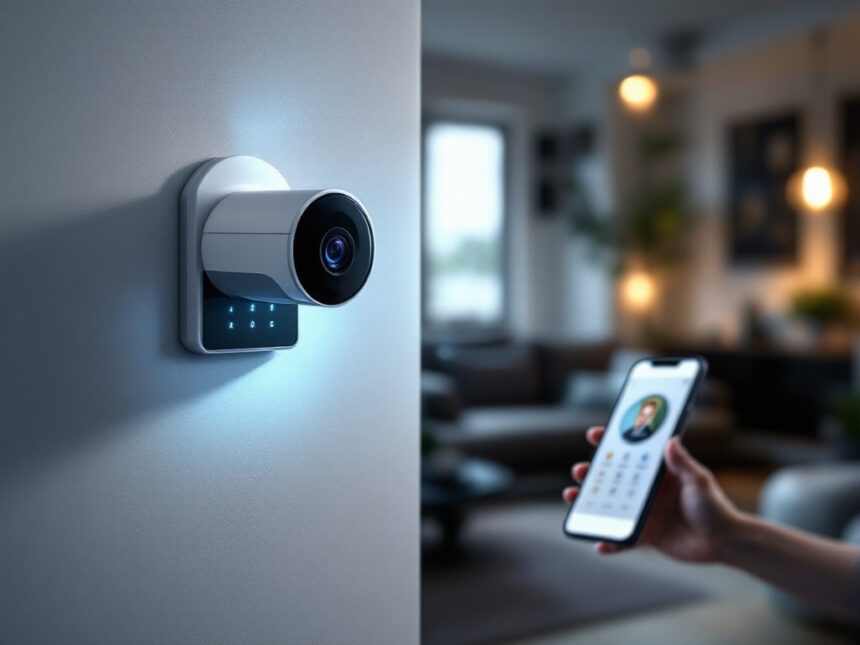
A smart home security system can do more than send you motion alerts. The right setup helps you protect your family, watch over packages, and automate everyday tasks so your home feels safer and simpler. These smart home security reviews break down what different brands actually do well so you can match a system to the way you live.
Whether you are a first time buyer, a busy family, or a renter who cannot drill into the walls, you will find options that fit your space, budget, and comfort level with tech.
Start with how you want to monitor
Before you compare brands, decide how you want your system to behave during an emergency. This one choice helps narrow your options fast.
Professional monitoring vs self monitoring
Most modern smart home security systems let you pick between professional monitoring and self monitoring.
With professional monitoring, a staffed center responds to alarms 24/7 and contacts emergency services for you. This is usually recommended for peace of mind and is often required for some insurance discounts. Many providers charge between $10 and $30 per month for this service. Systems like Ring include features such as cellular backup for internet and power outages and fast smartphone alerts, so your home stays protected even if Wi Fi goes down.

With self monitoring, your phone gets notifications and it is up to you to decide what to do. This works best if you are usually reachable and do not mind being the one who calls for help.
If you know you want a fully hands off experience, services like ADT, Vivint, SimpliSafe, Cove, and Ring all offer strong professional monitoring options with different price points and contracts.
Best for full service protection: ADT
ADT is often the name people think of first for home security, and it still leads the pack on professionally monitored smart systems.

Why ADT stands out
ADT earned the top spot in SafeHome.org’s 2026 home security system rankings, in large part due to its tight partnership with Google Nest Cams and its fast emergency response times that average 10 to 35 seconds. You get features like:
- Trusted Neighbor, which lets you designate a neighbor to check on your home
- Activity Zones that cut down on useless alerts
- Facial recognition on supported cameras
ADT also ranked as the best smart home security system of 2026 for its ADT+ app and wide device compatibility. It integrates with more than 5,000 smart devices, including Amazon Alexa and Z Wave gadgets, so it works well if you are building a broader smart security system integration setup.
What you should know before choosing ADT
ADT equipment packages typically range from about $349 to over $1,500 and require professional installation. You also commit to professional monitoring, so ADT is best if you are a homeowner who wants a long term, set it and forget it solution rather than a temporary or DIY system.
If you are more interested in flexible, affordable smart home security that you can install in an afternoon, another brand may fit you better.
Best balance of security and value: SimpliSafe
If you want strong protection with straightforward pricing, SimpliSafe is one of your best options.
SimpliSafe’s strengths
SimpliSafe is rated as the best overall home security camera system for 2026 with starter kits around $250 and monitoring plans beginning at about $10 per month. It is designed for DIY installation, with peel and stick sensors that are ideal for renters and anyone who does not want to drill.
SafeHome.org rated SimpliSafe the best for intruder prevention in 2026, thanks to features like Intruder Intervention and Active Guard Outdoor Protection that help monitoring agents proactively engage during a break in.
SimpliSafe is also:
- Flexible about contracts, you can cancel monitoring at any time
- Simple to operate, which matters if multiple family members will use it
- Strong on AI powered alerts that distinguish strangers from familiar movement
Tradeoffs to consider
SimpliSafe’s standard plan does not include video storage, so you need a higher tier plan if you want to save and review clips. It also has more limited smart home integrations compared to some competitors.
If you rely heavily on voice assistants and complex automations, you may want to pair SimpliSafe with a separate ecosystem or look at systems that focus more on smart home security automation.
Best for deep smart home automation: Vivint
If your priority is a tightly integrated smart home where your security system controls locks, lights, and thermostats, Vivint is built for you.
What Vivint does well
Vivint Smart Home ranked best for home automation in 2026. It offers:
- AI powered intelligent alerts
- Outdoor cameras with sirens and spotlights
- Easy control of door locks, cameras, thermostats, and lights from one app
It integrates with major brands like Philips Hue, Google Nest, Amazon, Kwikset, and more, so you can tie your security into everyday routines. For example, you can have lights turn on automatically when a camera spots motion at night, or lock doors when you arm your smart home alarm systems.
Vivint HomeProtect Pro includes 24/7 professional monitoring and is particularly attractive if you prefer professional installation and ongoing technical support.
Costs and commitments
Vivint packages generally cost between $600 and $1,800 or more and professional monitoring typically runs around $30 to $45 per month. Some plans require a five year monitoring contract, which is longer than many competitors.
Vivint is a strong pick if you are a homeowner who wants a long term, fully automated system. If you are a renter or you want a short commitment, consider a more flexible diy smart home security option.
Best bang for your buck: Cove Security
If value is your main concern but you still want professional monitoring, Cove deserves a close look.
Why Cove appeals to budget conscious buyers
Cove Security is highlighted as the best home security system for the money in 2026. It often offers deep equipment discounts, up to 75 percent off during some sales periods, which can make your initial setup very affordable.
You also get:
- Local video storage on solar powered cameras
- Professional monitoring plans with cellular backup
- Simple, user friendly equipment
Cove is a solid choice if you want best budget smart home security that still includes professional oversight.
Where Cove may fall short
Cove’s device range is smaller than some competitors, so if you want a large number of specialized sensors or advanced smart home integrations, you might feel limited. Professional monitoring is mandatory, so there is no long term self monitoring only option.
Best for video focused setups: Ring
If cameras and video doorbells are your top priority, Ring is hard to beat on selection and price.
Ring Alarm and Ring Alarm Pro
Ring Alarm was named best for video security in 2026, with a wide range of indoor and outdoor cameras and doorbells that work together in the Ring, Always Home app. Subscription plans start around $4.99 per month, with optional professional monitoring for about $10 more, which keeps your total costs relatively low.
The Ring Alarm Pro system is considered the top DIY home security system as of 2024. It has a built in Wi Fi 6 router that can improve Wi Fi range and speed for all your smart home devices, plus options for:
- Internet and power backup
- 24/7 backup internet and video recording at higher monitoring tiers
- 180 days of video history
If you prefer a lower upfront cost, the Ring Alarm 2nd Generation system skips the router but still supports more camera add ons than many competitors.
For renters and apartment dwellers, the Ring Alarm 8 piece kit is popular because it is easy to install and expand with Ring cameras and doorbells, and it only requires a $20 per month top tier subscription for professional monitoring.
Privacy and smart assistant integration
Ring offers comprehensive privacy and security features, such as:
- Mandatory two factor authentication
- Optional end to end video encryption on select cameras
- Privacy zones to block recording in sensitive areas
- The ability to opt out of sharing data with law enforcement requests through the app
Ring is also the best Alexa compatible smart home security system, with equipment starting around $49.99 and self monitoring plans from about $4.99 per month. You get person and package detection on many devices, although most Ring cameras currently lack advanced features like facial recognition.
If you are building a camera first setup, you can pair Ring with smart home video doorbell choices, smart security cameras for home, and smart door locks for home to build a complete ecosystem.
Strong alternatives and niche options
Beyond the major players, there are a few systems that deserve attention if you have specific needs or a favorite smart home platform.
Arlo and Abode for flexible DIY systems
The Arlo Home Security System 5 Piece kit is an affordable, DIY friendly option with multipurpose sensors that detect motion, door openings, leaks, and temperature changes. It also offers optional professional monitoring and AI features that can recognize fires, screams, and gunshots. This is useful if you are building out smart security sensors for more than just doors and windows.
Abode Wireless Smart Security Kit stands out for its compatibility with Apple Home, Siri, Alexa, and Google Assistant. Starter kits can be found for as low as about $100, and professional monitoring is optional. Abode also offers the iota All In One Security Kit, which works well if you want a compact hub with support for additional sensors like water and carbon monoxide detectors. This system is especially helpful if you are an Apple HomeKit user or building smart home security for apartments.
Individual cameras if you are starting small
If you are not ready for a full system, a single camera can still be a smart first step. CNET recommends the Arlo Pro 6 as the best all around home security camera for 2026, with up to 2K resolution, color night vision, and smart alerts with detection zones, though it requires a subscription for advanced AI and cloud storage.
Other standouts include:
- Google Nest Indoor, Outdoor Cam 2nd gen, versatile for most climates, with three hours of free cloud video storage and AI detection for people, animals, and vehicles
- Arlo Essential Pan, Tilt Indoor Camera, ideal for open floor plans with 360 degree coverage and strong privacy features
- TP Link Tapo Pan, Tilt C210 Camera, a budget friendly option under $30 with local microSD storage and a low cost cloud plan
- Wyze Window Camera, particularly useful for renters who cannot install outdoor cameras since it mounts inside on a window
You can always add a full wireless home security systems package later and reuse these cameras.
Matching a system to your living situation
The most helpful smart home security reviews are the ones that match you with a setup that fits your home today and can grow with you.
If you are a new smart home buyer
Start small but strategic. A simple bundle that includes a hub, door and window sensors, and at least one camera or video doorbell gives you a solid base. Look for systems that:
- Support popular platforms like Alexa, Google Home, or Apple HomeKit
- Offer optional professional monitoring, so you can upgrade later
- Include clear smart home security features like mobile alerts, activity zones, and backup options
Ring, SimpliSafe, and Abode are all friendly for first timers.
If you have a family or own a larger home
You will likely need more devices, from entry sensors and cameras to smart window sensors and smart water leak detectors. Focus on:
- Reliable monitoring and cellular backup
- Robust automation, such as lights and locks tied to your alarm status
- Strong privacy controls so kids and guests are not over recorded
Vivint and ADT are strong choices for full service setups, while Ring or SimpliSafe can also scale with add ons and smart home security packages.
If you rent or live in an apartment
Look for peel and stick sensors, no contract professional monitoring, and hardware that does not require drilling. Systems like SimpliSafe, Ring, Arlo, and Abode fit well with smart home security for renters and lease friendly installs.
You might begin with:
- A video doorbell that does not require hardwiring
- A small kit of smart security sensors
- One or two cameras that can move with you
As you add devices over time, you can review smart home security upgrades to see what makes sense next.
Keep security and privacy front and center
Whichever system you choose, it is worth taking a few extra steps to lock down your data, not just your doors.
Use strong, unique passwords for your accounts and enable two factor authentication where available. Ring and several other brands now require two factor sign in, which is a good sign that they take account protection seriously.
It is also smart to:
- Review your smart home security encryption options and turn on end to end encryption when possible
- Set up privacy zones so cameras do not capture neighboring homes or private indoor spaces
- Regularly update device firmware and follow guides on how to secure smart home devices
Spending a few minutes on these basics today can prevent headaches later and improves overall smart home security reliability.
A great smart home security system is the one you actually use every day. Simple, reliable routines usually protect you better than a complicated setup that no one in your household understands.
If something does not work the way you expect, most brands offer detailed help centers. You can also run through a structured smart home security troubleshooting checklist to track down issues quickly.
Smart home security FAQs
Which smart home security system is the most reliable overall?
For overall reliability, SimpliSafe, Abode, Ring, Vivint, and ADT all test well in long term reviews by outlets like PCMag, which has been reviewing smart home systems for nearly 20 years. Your experience will depend on your Wi Fi quality and how carefully you install and maintain devices. Reading a mix of expert and customer smart home security reviews can help you gauge real world performance.
What is the best option if I want a DIY smart home setup?
If you want DIY installation without a contract, start with systems designed for self install such as Ring, SimpliSafe, Arlo, or Abode. They all work well with diy smart home security approaches and can be expanded over time with door sensors, cameras, and smart home alarm systems.
How much should I expect to spend on smart home security?
Starter kits usually begin around $100 to $300, and monitoring plans typically run from about $10 to $45 per month depending on features. Cove and SimpliSafe focus on affordable smart home security, while Vivint and ADT cost more but include professional installation and advanced monitoring options.
Are smart home security systems safe from hackers?
Modern systems use strong encryption and secure authentication, but you still play a big role in safety. Use long, unique passwords, enable two factor authentication, and keep firmware updated. Following best practices from resources like smart home security tips and how to secure smart home devices greatly reduces your risk.
Can I start with a single device and build up later?
Yes. Many people begin with one of the best smart home security devices like a video doorbell or camera and add on gradually. As you expand, look at smart home security benefits and smart home security systems that can tie your devices into one app for simpler control.
When you are ready to choose, pick the system that fits your home today, then check that it can scale with more sensors, cameras, and automations as your needs change. Over time you can refine your setup with guidance from top smart home security brands, smart home security packages, and ongoing smart home security reviews from trusted sources.
FAQs
Which smart home security system is best overall in 2026?
For many buyers, the “best” depends on your priorities: ADT often leads for full-service monitoring + broader integration, while SimpliSafe is a go-to for affordable DIY flexibility.
Is professional monitoring worth paying for?
If you want a truly hands-off emergency response, professional monitoring is usually worth it—especially when you’re asleep, traveling, or can’t reach your phone quickly.
What’s the best option for renters who can’t drill holes?
Look for peel-and-stick sensors and portable kits (DIY-friendly systems). Many renters start with a video doorbell + a small sensor kit and scale later.
Do I need a subscription for smart security cameras?
Often, yes—especially for cloud video storage and advanced detection. Some platforms offer limited free event previews on specific models, so check what “free” really includes.
How do I reduce hacking risk for smart home security devices?
Turn on MFA, use strong unique passwords, and keep apps/firmware updated. These three steps eliminate a huge chunk of real-world account takeovers.
Can I start with one device and build a full system later?
Yes—starting with a doorbell or one indoor camera is a common approach. Just make sure the brand you choose can expand with sensors, locks, and additional cameras later.