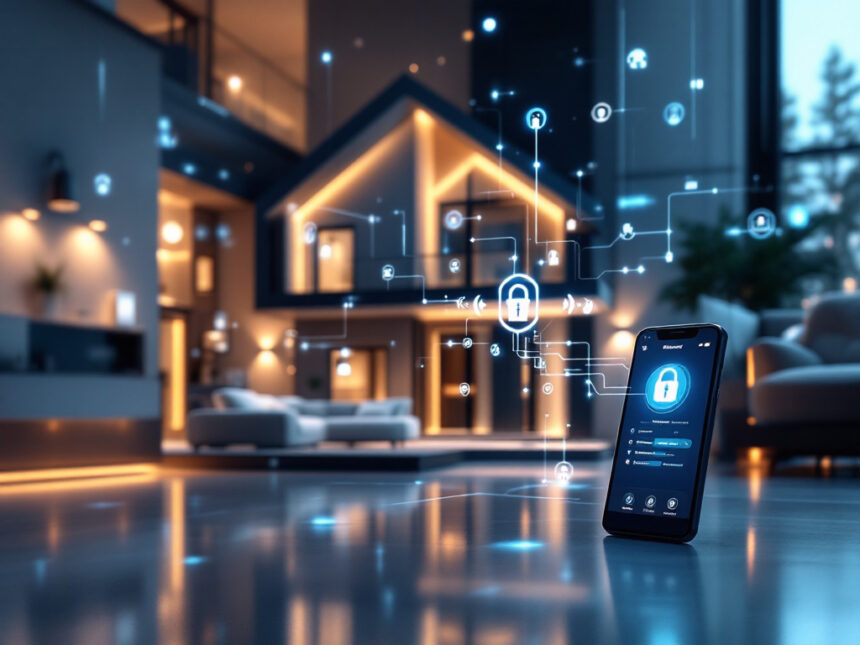
Smart home security automation can make your home feel safer and easier to manage without turning it into a tech project. With the right setup, your lights, locks, cameras, and alarms quietly work together in the background so you can focus on everyday life instead of constantly checking doors and windows.
Below, you will find practical smart home security automation tips you can use whether you own a house, live in an apartment, or are just getting your first smart camera or doorbell.
Start with a security-first smart home plan
Before buying devices, clarify what you actually want your smart home to do. Smart home security automation works best when it is built around your routines and layout.
Think about:
- Which doors, windows, and outdoor areas do you care about most
- When your home usually sits empty
- Who needs access, such as kids, guests, dog walkers, or cleaners
- Whether you rent or own, and how much you can realistically install
If you are starting from scratch, explore complete smart home security systems or preconfigured smart home security packages. These often include a hub, sensors, and compatible devices that already work together, which simplifies your first setup.

Automate the first line of defense at doors and windows
Your entry points are the most important places to automate. When you combine smart locks, sensors, and a doorbell camera, your home can react instantly when someone approaches or tries to get in.
Smart locks that know who is coming and going
Smart locks let you control entry without hiding keys under the doormat. With smart door locks for home, you can:
- Lock or unlock your door from your phone
- Create unique codes for family, guests, or cleaners
- Set the door to auto lock at night or after a delay
Smart home security automation makes this even more powerful. For example, you can:

- Have your lock auto lock when your security system is armed
- Turn on the entryway light when the door unlocks after dark
- Get a notification if a door is left unlocked for more than 10 minutes
Window and door sensors that trigger smart routines
Small sensors on doors and windows are inexpensive but crucial. Smart window sensors and smart security sensors can send instant alerts if a door or window opens when it should not.
You can set simple but effective automations like:
- If a window opens while the system is armed, trigger your smart home alarm systems and turn on all lights
- If a patio door opens at night, start recording on your smart security cameras for home
- If a child’s bedroom window opens during quiet hours, send an alert to your phone and sound a chime on a smart speaker
These small automations turn passive sensors into an active safety net.
Use cameras and doorbells for eyes on your home
Cameras and video doorbells extend your awareness beyond your front step. When you combine them with automation, they become more than just live video feeds.
Automate your video doorbell
A smart home video doorbell lets you see and talk to visitors from your phone whether you are upstairs or across town. To make it smarter, you can:
- Have your porch light turn on automatically when the doorbell detects motion at night
- Start a recording whenever someone presses the bell or lingers at the door
- Play a chime or custom tone on your smart speakers to alert you even if your phone is in another room
Many modern systems also support AI features like facial recognition and custom motion zones. Brands like ADT with Google Nest integration let you mark trusted faces and focus on specific areas, such as your driveway, to cut down on false alerts.
Smarter indoor and outdoor camera automations
When you set up smart security cameras for home, think about when you actually need them to be active.
Useful automations include:
- Only record indoor footage when no one is home, then pause when your phone returns to the house
- Turn on outdoor floodlights and start recording when motion is detected in your yard at night
- Trigger a siren or spoken warning through a camera speaker if motion is detected while the system is armed
Modern systems from brands like SimpliSafe and Arlo use AI to detect people, distinguish familiar faces, and even recognize sounds such as alarms or barking dogs. These features can improve detection but usually live behind paid subscriptions and come with privacy considerations, so review settings and policies carefully.
Build smarter, faster alerts for real emergencies
One of the biggest benefits of smart home security automation is real-time alerts. Instead of discovering a problem hours later, your home can notify you immediately.
Smart systems can:
- Send alerts when doors or windows open unexpectedly
- Notify you when motion is detected in restricted areas, such as a garage or home office
- Warn you about low batteries in sensors or smoke detectors
Many providers offer 24/7 professional monitoring. Services like Ring Protect Pro and others employ trained agents who can watch selected cameras, call you, and contact emergency services if needed. This extra layer is especially helpful if you travel often or do not want to rely only on your phone.
For DIY setups, check out diy smart home security, which breaks down systems that are easy to install and scale without long term contracts.
Tie lights, sound, and alarms into one response
Your devices are much stronger together than alone. Automation lets you create layered security responses that are hard to ignore and easy to manage.
For example, you can:
- Turn on all indoor and outdoor lights if a smart smoke detector goes off
- Flash lights and play a loud sound on smart speakers when an intrusion is detected
- Lock all exterior doors when your alarm enters Away mode
Systems such as Vivint, Frontpoint, and Abode support detailed automations that connect lights, locks, sensors, cameras, and speakers. Many use Z Wave, Zigbee, Wi Fi, and newer standards like Matter to help devices from different brands work together. Matter is gradually improving interoperability across ecosystems, although it currently does not include security cameras.
If you want to understand your options before choosing a platform, browse top smart home security brands and smart home security reviews.
Do not overlook water, fire, and other home risks
Security is not only about intruders. Smart home security automation can also help you catch hazards like leaks or fires sooner, which can save money and protect your family.
Consider adding:
- Smart smoke and carbon monoxide alarms that send phone alerts and trigger lighting scenes
- Smart water leak detectors near washing machines, water heaters, and under sinks
- Temperature or freeze sensors in basements, attics, or vacation homes
You can set up automations such as:
- Turn all lights on and unlock doors if a smoke alarm detects fire so everyone can exit quickly
- Shut off a smart water valve when a leak detector senses water
- Turn on a heater if a sensor detects freezing temperatures in a vulnerable area
These non intrusion automations offer peace of mind that traditional alarm systems often skip.
Secure your network and devices against hackers
Connected devices are powerful, but they also introduce digital risk. An estimated 80 percent of IoT devices, including smart locks and cameras, are vulnerable to various cyberattacks according to Rambus, which emphasizes the importance of stronger cybersecurity in the smart home space.
Research from Security.org explains that any smart device linked to the internet, from cameras to locks, can be hacked if you do not take precautions, and the FBI reported a 33 percent rise in personal cybercrime in 2024 with losses of 16 billion dollars, underscoring how serious these threats are.
To keep your setup safer:
- Put smart devices on a separate guest Wi Fi network so they are isolated from your phones and computers
- Enable two factor authentication on every smart home account, ideally with app or biometric verification
- Use long, unique passwords and a password manager
- Regularly install firmware updates for routers, hubs, and devices
- Turn off mics or cover cameras when not needed, especially in bedrooms or kids’ rooms
Some device makers are starting to use secure boot, mutual authentication, and strong cryptography under the hood to block firmware tampering and fake devices. For a deeper walkthrough on best practices, see how to secure smart home devices and smart home security encryption.
Treat your Wi Fi password and smart home logins like keys to your front door. If someone gets them, they may not need to pick a lock.
Keep it renter friendly with no drill options
If you rent, you may not be allowed to hardwire equipment or drill into walls. The good news is that modern smart home security automation works very well with peel and stick and plug in gear.
Look for:
- Wireless home security systems that communicate over Wi Fi or cellular
- Battery powered cameras and doorbells that mount with adhesive plates
- Smart plugs and lamps that can be automated without rewiring fixtures
Many systems, such as SimpliSafe, Abode, and Ring, are designed for DIY installation and move out easily when your lease ends. For tailored ideas, check out smart home security for apartments and smart home security for renters.
Watch your budget without sacrificing safety
You do not need to buy everything at once. In fact, starting small and expanding gradually often creates a cleaner, more reliable setup.
To prioritize:
- Begin with core protection, such as a hub, siren, door and window sensors, and at least one camera or video doorbell.
- Add smart locks and lighting around your main entries.
- Layer in extras like leak detectors, indoor cameras, and smart plugs once you are comfortable.
If cost is a concern, focus on affordable smart home security, best budget smart home security, and entry level smart home security packages that bundle equipment at a discount.
Subscriptions for professional monitoring and video storage have also become more flexible. Many smart home security systems offer monitoring for 3 to 20 dollars per month, much lower than some traditional alarm contracts that can reach 60 dollars monthly, and some insurers offer 5 to 10 percent discounts for monitored systems.
Review, test, and update your automations regularly
Even a well planned system needs occasional fine tuning. Devices move, kids grow, routines change, and your automations should adapt with you.
Every few months:
- Test your siren, sensors, and notification settings
- Walk through your home at night to see which lights actually help visibility
- Review camera angles to avoid privacy issues, such as pointing into neighbors’ yards
- Check smart home security reliability tips to catch weak spots like low batteries or Wi Fi dead zones
As you add new devices, visit smart security system integration and smart home security upgrades for guidance on connecting everything into a single, easy to manage system.
Quick comparison of where to start
If you want a simple starting point, this table summarizes three common first steps.
| Goal | Start with | Why it helps first |
|---|---|---|
| See who is at the door | Smart video doorbell + porch light scene | Instant awareness and deterrence |
| Protect main entry points | Smart lock + door sensor + alarm mode | Strong upgrade over a basic deadbolt |
| Watch the house while away | Indoor/outdoor camera + motion alerts | Quick check ins from your phone |
Once that foundation is in place, you can build outward, knowing that each new device will plug into an existing security routine instead of creating chaos.
FAQs about smart home security automation
1. Is smart home security automation really safer than a basic alarm?
In most cases, yes. Traditional alarms may only sound a siren or call a monitoring center. Smart home security automation can also send real time alerts to your phone, record video clips, trigger lights, and lock doors. The key is to secure your network and accounts properly, since connected devices introduce digital risks along with physical protection.
2. Do I need professional monitoring, or is self monitoring enough?
It depends on your comfort level and schedule. Self monitoring works if you keep your phone nearby and respond quickly to alerts. Professional monitoring adds a backup team that can call emergency services when you cannot. Many systems offer both options so you can start with self monitoring and upgrade later if needed. You can compare options under best smart alarm systems.
3. Will smart home security automation work in an apartment?
Yes, as long as you choose renter friendly, wireless gear. Look for peel and stick sensors, plug in hubs, and battery powered cameras or doorbells that do not require drilling or rewiring. Resources like smart home security for apartments and smart home security for renters can help you pick landlord friendly devices.
4. How do I avoid feeling overwhelmed by constant notifications?
Start with the most critical alerts, such as armed mode intrusions, smoke detection, or door unlocks at night. Then gradually add non urgent alerts if needed. Use features like motion zones, person detection, and schedules so you are not notified every time a car passes or a tree branch moves. Tuning your settings is part of making your automation work for you rather than against your attention.
5. Where can I learn more smart home security tips?
If you are ready to go deeper, explore smart home security tips, smart home security benefits, and smart home security faqs. You will find detailed breakdowns of devices, setup guides, and troubleshooting advice such as smart home security troubleshooting to keep your system running smoothly.
Start with one or two small automations today, such as having your door lock automatically at night or your porch light turn on when motion is detected. You can always build from there, and each step makes your home a little safer and a lot more convenient.
FAQs
Is smart home security automation safer than a basic alarm?
Often, yes—because automations add real-time context (lights, locks, video clips, and targeted alerts). The tradeoff is you must secure accounts and Wi-Fi (2FA, updates, strong passwords).
Do I need professional monitoring or is self-monitoring enough?
Self-monitoring works if you reliably respond to alerts. Professional monitoring adds a backup team that can help verify events and request emergency dispatch (varies by provider/plan).
Will it work in an apartment (no drilling)?
Yes—choose peel-and-stick sensors, battery cameras, and plug-in hubs. You can still automate lighting, alerts, and door checks without permanent installation.
How do I stop notification overload?
Start with only critical alerts (armed-mode entry, smoke/CO, late-night unlock). Then add motion zones, person detection, and schedules so you aren’t pinged for every passing car.
How do I choose devices that are less risky to hack?
Look for clear update policies, strong authentication/2FA support, and reputable vendors. Also watch for security labeling initiatives like the U.S. Cyber Trust Mark (availability depends on market rollout).