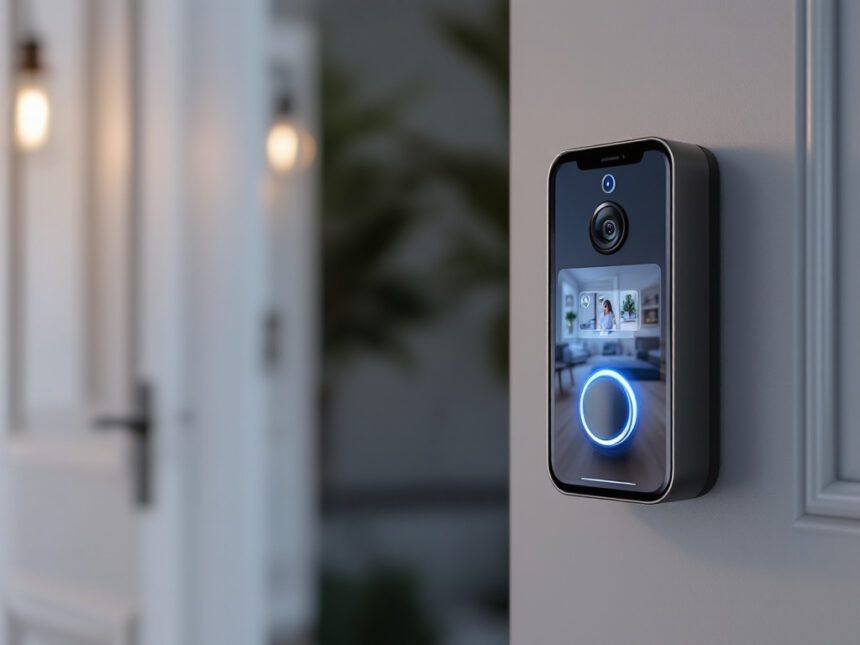
A smart home video doorbell is often the first security upgrade you install, and for good reason. It lets you see who is at the door, talk to them through two-way audio, and get motion alerts when someone approaches your entryway, all from your phone. With so many models and features available, the challenge is figuring out which smart doorbell actually fits your home, budget, and comfort level with tech.
Below, you will walk step by step through how to choose the best smart home video doorbell for you, whether you own a house, rent an apartment, or are building out a full smart security system.
Understand what a smart home video doorbell does
A smart home video doorbell combines a traditional doorbell with a small security camera, speaker, and microphone. It connects to your Wi‑Fi so you can see and talk to visitors in real time through an app, even when you are away from home.
Most smart video doorbells work like this:
- Motion sensors detect someone approaching your door
- The camera records HD or 2K video, often with night vision
- You get an alert on your phone or smart hub
- You can watch a live view, review recordings, and speak using two-way audio
Some models, like the Vivint Doorbell Camera Pro (Gen 2), record only when motion is detected and store clips in the cloud for a set time window, which helps manage storage and bandwidth. Others support continuous recording if you pay for a storage plan.

These devices are especially powerful when combined with other gear like smart security cameras for home, smart door locks for home, and smart security sensors as part of a complete smart home security system.
Decide how you will install it
Before you fall in love with any specific model, figure out how you can physically install a smart home video doorbell at your front door. Your living situation and comfort with DIY will narrow your options quickly.
Option 1: Battery powered (best for renters)
Battery powered smart doorbells are the easiest to install. You usually just:

- Charge the battery
- Screw the mounting plate into the wall or doorframe
- Clip the doorbell onto the plate and connect it to Wi‑Fi
Models like the Ring Battery Doorbell Plus include all the needed hardware and typically only require a drill and screwdriver. This makes them ideal if you rent, cannot modify wiring, or want a no-drill solution that you can take with you when you move. Some doorbells also pair with optional plug in chimes so you still hear a ring inside.
Option 2: Wired to your existing chime
Wired smart doorbells connect to your existing low voltage doorbell wiring, usually 8 to 24 VAC. You will likely need to:
- Turn off power at the breaker
- Remove your old doorbell
- Connect the two low voltage wires to the new smart doorbell
- Attach any required chime adapter
Wired models, like the ecobee Smart Doorbell Camera (wired), never need recharging and are usually slimmer than battery powered options. Ecobee estimates most installations take about 45 minutes and includes wiring diagrams and troubleshooting tips, and they also partner with HelloTech for professional installs if you are not comfortable working with wiring.
Option 3: Ethernet or solar
A few premium models, such as the Ring Video Doorbell Elite, use Ethernet for power and data. This provides a very reliable connection but often requires professional installation, since most front doors do not already have Ethernet runs.
Some battery doorbells support solar chargers that keep the battery topped up automatically. This can be a good compromise if you want simple mounting without worrying about frequent recharging.
If you live in an apartment or cannot touch building wiring, you will likely want a battery model plus other smart home security for apartments upgrades inside your unit.
Choose the right power and design for your home
Once you know your installation options, look at power, size, and style to make sure the doorbell actually fits your door and daily life.
Power trade offs to consider
Battery operated doorbells give you flexibility but require you to:
- Remove and charge the battery every few months
- Or plug in the whole unit if the battery is not removable
Wired models are set it and forget it, but they depend on existing wiring and sometimes disable your mechanical chime in favor of smartphone and smart speaker alerts. For example, many Ring wired models send alerts to your phone and Alexa speakers instead of using the old chime.
Solar accessories are great for sunny locations but may struggle in shaded porches or harsh winters.
Design and placement details
Measure the space around your doorframe to ensure the unit will fit, and consider:
- Wide doorframes that can handle larger battery units
- Narrow trim where a slim wired model may look better
- Wedge kits to angle the camera toward your walkway instead of a blank wall
Also think about how visible you want the doorbell to be. A noticeable camera can deter burglars and porch pirates, and visible smart devices often work better when paired with wireless home security systems and yard signs.
Focus on video and audio quality
If the video is grainy or audio is muffled, you will not get much value from your smart home video doorbell. This is where many models differ.
Resolution and field of view
Look for at least 1080p HD video. Many newer devices now offer 2K or even 4K resolution for extra clarity. For example:
- Wyze Video Doorbell and Tapo Smart Wi‑Fi Video Doorbell D225 both support 2K video at budget friendly prices
- Lorex 4K Wired Video Doorbell offers 4K resolution and color night vision with local storage included
The field of view (FOV) determines how much of your porch and yard you can see. Models like Ring’s Wired Doorbell Pro and Ring Battery Doorbell Pro provide a wide 150 degree FOV, which helps you see tall visitors and packages left on the ground.
Night vision and color performance
If you receive evening deliveries or have visitors at night, pay attention to:
- Infrared night vision for clear black and white images in low light
- Color night vision, often available on 2K and 4K models like Lorex and Wyze
- HDR support, which makes faces visible even when your porch is backlit
Better night footage makes it easier for law enforcement to use recordings as evidence if something happens near your door.
Two way audio quality
A smart doorbell is also an intercom. Clear two-way audio lets you:
- Tell a delivery driver where to leave a package
- Ask an unfamiliar visitor who they are
- Answer the door for kids or guests when you are not home
Devices such as the Vivint Doorbell Camera Pro and SimpliSafe Video Doorbell Pro are noted for crisp two-way audio that feels more like a phone call than a walkie talkie, which makes everyday use more pleasant.
Decide how much smart detection you actually need
Most smart home video doorbells go beyond basic motion alerts. They use AI to identify people, packages, pets, or vehicles and filter out irrelevant motion.
Basic motion detection
All smart doorbells offer standard motion zones and alerts. This is usually enough if:
- Your front yard is quiet
- You mainly want to know when someone walks up or rings the bell
However, if you live on a busy street, simple motion alerts can get overwhelming.
Advanced AI detection and deterrence
More advanced models offer:
- Person, package, animal, and vehicle detection
- Custom motion zones to ignore sidewalks or streets
- Activity timelines that show exactly where motion occurred
Some devices go a step further. For instance, the Vivint Doorbell Camera Pro uses a Smart Deter feature that detects potential porch pirates and triggers a bright LED ring plus a loud 90 dB tone to scare them off. This is especially useful if you receive frequent deliveries.
Lorex and Tapo doorbells provide AI detection for vehicles, packages, and animals without a subscription, which can save money over time.
If you are building an automated setup with smart home security automation, look for models that can trigger routines like turning on porch lights or arming your smart home alarm systems when motion is detected.
Compare storage and subscription costs
One of the biggest long term differences between smart doorbells is how they store video and what you must pay monthly.
Cloud storage plans
Many popular brands charge a monthly subscription for cloud storage, for example:
- Arlo 2K Video Doorbell (2nd gen) requires a cloud subscription that starts around 8 dollars per month for full use
- Ring Wired Doorbell Pro and Ring Battery Doorbell Pro need a Ring Protect plan, starting around 4.99 to 5 dollars per month per camera, for video history and advanced notifications
- Wyze Video Doorbell uses an optional Cam Plus plan at about 2.99 dollars per month to unlock full AI detection
These plans often include extended video history, smart detection features, and sometimes security discounts. However, costs can add up if you have multiple cameras.
Local storage and free tiers
If you want to avoid subscriptions, look for:
- Built in microSD card slots, such as on Lorex 4K Wired Video Doorbell and Tapo D225
- Free iCloud storage integration, like Logitech Circle View Doorbell for Apple HomeKit users
- Included limited cloud storage, such as Google Nest Doorbell (battery) with three hours of free history and basic AI detection for packages, people, and animals
Table: quick comparison of common storage approaches
| Approach | Pros | Cons |
|---|---|---|
| Cloud only | Access from anywhere, easy to manage | Ongoing monthly fee |
| Local only | No subscription, footage stays home | Limited by card size, harder to access remotely |
| Hybrid (cloud + SD) | Redundancy, flexible access | More complex setup, may still involve fees |
Think about how often you will review footage and how long you need to keep it. If you mainly care about real time alerts, a free tier or local storage can be enough. If you want a full history or multiple cameras, a paid plan is often worth the cost.
Check smart home compatibility and privacy
Your doorbell should work smoothly with your other devices and protect your data at the same time.
Smart home integrations
Look at which ecosystems you already use:
- Alexa
- Google Home
- Apple HomeKit
- Zigbee or Z Wave hubs
Abode’s wireless doorbell cameras, for example, are compatible with HomeKit, Alexa, Google Home, ZigBee, and Z Wave, which makes them easy to drop into a mixed smart home as of 2026. Logitech Circle View is designed specifically for Apple HomeKit and uses iCloud for storage but does not integrate with Alexa or Google Home.
Smart doorbells can also trigger routines and interact with smart window sensors, smart home alarm systems, and smart home security packages. If you plan on smart security system integration, do a quick compatibility check before purchasing.
Privacy and security considerations
Like any internet connected device, smart doorbells come with privacy risks if not secured properly. There have been cases where researchers found vulnerabilities in specific models or configuration issues that could expose user data, such as UK based Pen Test Partners showing that a physically accessed Ring doorbell could be used to get into a Wi‑Fi network, and a database issue that temporarily allowed some Ring users to view other users’ porch video feeds.
To protect yourself:
- Choose brands with a clear security track record and regular updates
- Turn on two factor authentication for your account
- Use strong, unique passwords and update your Wi‑Fi router credentials
- Review privacy settings and disable unnecessary sharing features
For a deeper look at securing cameras and connected devices, explore how to secure smart home devices and smart home security encryption.
Match the doorbell to your living situation and budget
Different homes have different priorities. Use your situation to guide your final choice.
If you are a renter or in an apartment
You will likely want:
- Battery powered or plug in models
- No drill or minimal damage mounting options
- Good AI detection to filter hallway activity
Pair your doorbell with smart home security for renters and smart home security for apartments to secure your entry without touching building wiring.
If you own a home with frequent deliveries
Look for:
- High resolution video with color night vision
- Strong package detection and smart deterrents
- Reliable storage so you can review past events
Devices like the Vivint Doorbell Camera Pro, Ring Doorbell Pro models, or Arlo 2K Video Doorbell are strong options, especially when integrated into broader smart home security systems.
If you are budget conscious
Focus on:
- Upfront price under 100 dollars
- No or low cost subscription options
- Solid baseline features like 1080p or 2K video and night vision
Wyze Video Doorbell and Tapo D225 stand out as affordable, capable options that still include AI features and decent storage choices. For the rest of your setup, check out affordable smart home security and best budget smart home security.
Plan your next smart security steps
A smart home video doorbell is often the first piece in a larger setup. Once it is installed and working well, you can expand with:
- Indoor and outdoor cameras for full coverage
- Smart locks that let you remotely unlock the door for trusted visitors
- Sensors and alarms that protect windows, doors, and key rooms
Resources like diy smart home security, best smart home security devices, and smart home security benefits can help you plan a layered, future proof system at your own pace.
FAQs
Do smart home video doorbells really deter burglars?
Yes. Visible cameras at entry points act as a clear deterrent and are more effective when combined with a broader security system that includes alarms and other cameras. Many burglars avoid homes that look well protected with cameras and signs, especially when activity triggers lights, sounds, or recorded warnings.
Will a smart doorbell work if my Wi‑Fi goes down?
Your doorbell may still record locally if it has internal or SD card storage, but remote access and notifications will not work without an internet connection. If your Wi‑Fi is unstable, consider improving your router placement or exploring smart home security reliability tips before you rely heavily on connected devices.
Can I install a smart doorbell myself?
Most battery powered and many wired models are designed for DIY installation with clear step by step instructions. However, if you are not comfortable turning off breakers or working with wiring, using a professional service like HelloTech, which partners with brands such as ecobee, can be a safer choice.
Do I need a subscription for my smart doorbell?
Not always. Some brands offer local storage via microSD card or limited free cloud storage with basic features. Others require a subscription for video history and advanced detection. When comparing models, include the monthly fee over one to three years to understand the real cost. If you prefer to avoid subscriptions, focus on devices with local storage and free AI detection, such as Lorex and Tapo.
How do I keep my smart doorbell and footage secure?
Start with strong, unique passwords and turn on two factor authentication. Make sure your home Wi‑Fi network uses modern encryption, update your doorbell firmware regularly, and review privacy settings so you know who can access live and recorded video. For a broader checklist, see smart home security tips and smart home security troubleshooting if something is not working as expected.
FAQs
Do smart home video doorbells really deter burglars?
They can help. A visible doorbell camera adds a clear “you’re on camera” signal and works best as part of layered security (lights, sensors, alarms). Independent product-testing outlets consistently rank doorbells as practical deterrence tools for porch activity and package theft.
Will a smart doorbell work if my Wi-Fi goes down?
You usually lose remote alerts/live view without internet. Some models can store events locally (or keep short previews) depending on brand and setup. For example, some Nest devices provide limited event previews without a paid plan.
Can I install a smart doorbell myself?
Most battery models are DIY-friendly. Wired installs are also doable if you’re comfortable shutting off power and working with low-voltage wiring—otherwise consider professional installation.
Do I need a subscription for my smart doorbell?
Not always. Some doorbells support microSD/local storage and free detection, while others reserve video history/advanced alerts behind monthly plans. Compare plan pricing and retention before buying.
How do I keep my smart doorbell and footage secure?
Enable multi-factor authentication, use unique passwords, keep firmware updated, and lock down Wi-Fi (modern encryption). MFA is a widely recommended baseline security control.