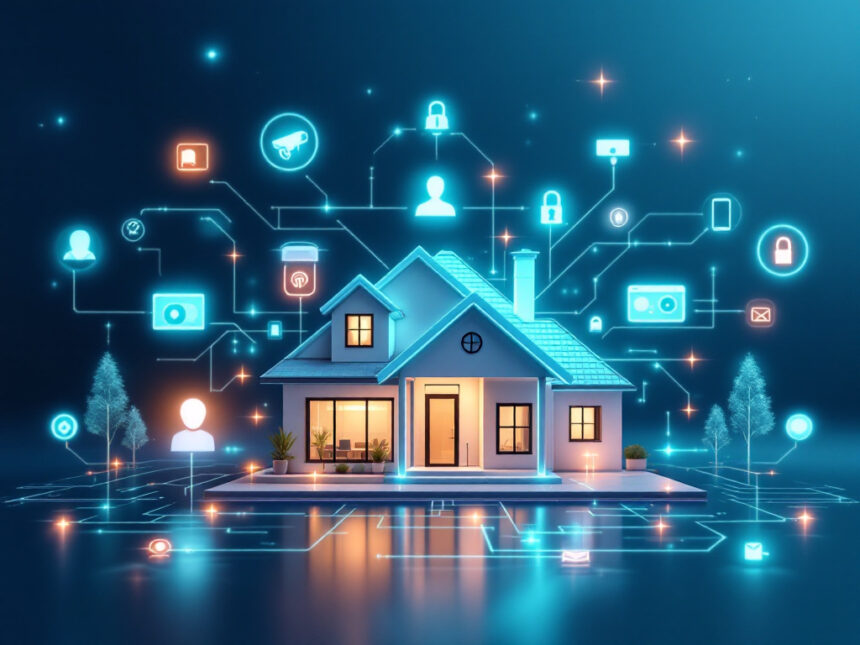
A smart home security setup does not have to come with holes in the walls or a tense call to your landlord. With the right smart security system integration, you can connect cameras, sensors, and locks into one renter friendly system that upgrades your safety without drilling.
Below, you will learn how to choose renter safe devices, connect them into a single, easy to use system, and protect your deposit at move out.
Understand smart security system integration
Smart security system integration simply means getting all your devices to work together behind the scenes. Instead of separate apps and alerts, you have one coordinated system.
In a renter friendly setup, that usually looks like:
- A central hub or app that supports multiple brands
- Wireless devices that use Wi Fi, Z Wave, or similar protocols
- Cloud accounts that keep your settings if you move
Integrated systems can trigger helpful automations. For example, your door sensor opens, your smart lock logs the event, the camera starts a clip, and your lights turn on. Platforms like Alarm.com and hubs like the Qolsys IQ Panel are designed to coordinate this kind of behavior across devices using Wi Fi, cellular, and Bluetooth radios, along with built in cameras for extra security.

For renters, the goal is to get that same level of coordination with gear that sticks, clamps, or sits in place instead of being permanently wired.
Know your renter friendly limits
Before you start shopping, get clear on what your lease and space will allow. That way you avoid surprises and expensive repairs later.
Common renter constraints include:

- No new holes in doors, frames, or walls
- No wiring into existing electrical or doorbell systems
- No replacement of landlord owned locks without permission
- Limited control over the main router or network
Smart home security system integration for renters leans heavily on wireless home security systems. Most modern smart devices already rely on Wi Fi and battery power, so you can often avoid structural changes completely.
If you are unsure, a quick email to your landlord to confirm stick on sensors and battery powered cameras are allowed can save headaches down the road.
Pick the right no drill devices
When you cannot drill, the hardware you choose matters. Focus on devices that explicitly support adhesive, clamp, or freestanding installation.
Core devices that work well for renters
You do not need everything at once. Start with a few essentials and expand as you go.
Entry protection
Use smart door locks for home that mount over existing deadbolts or swap in without new holes, plus smart window sensors and door sensors that stick on with removable adhesive. These give you instant alerts when a door or window opens.Smart cameras and video
Battery or plug in options are ideal for apartments. Look for smart security cameras for home that support a strong Wi Fi connection and fast wake time so they actually record important motion. You can pair them with a smart home video doorbell if your lease allows you to replace the existing chime without drilling.Integrated systems like ADT with Google Nest or Vivint pair cameras and doorbells with smart hubs and automation features, including person detection and adjustable alerts, all managed through a single app.
Alarms and sirens
Many smart home alarm systems offer fully wireless sensors and keypads. You can also explore the best smart alarm systems if you want built in monitoring and app control.Extra safety layers
Items like smart water leak detectors can sit on the floor behind a toilet or under a sink. They are small, portable, and can save both your belongings and your landlord’s property from damage.
If you are just getting started, browsing best smart home security devices or smart home security for renters can help you narrow your first purchases.
Choose a hub and ecosystem that plays nicely
Smart security system integration depends on how well devices talk to one another. As a renter, you also want flexibility to change systems if you move or your landlord upgrades the property.
You have three main paths:
All in on one brand
Ecosystems like ADT with Nest or Vivint offer cameras, locks, sensors, and monitoring in one package. Integration is smooth, and features like Nest Cams with person recognition or Vivint’s AI powered alerts are coordinated via a single app. This approach is simple, but can be pricier and less portable if you move.Hub based multi brand setup
Systems like Abode or Qolsys IQ Panel, especially when paired with Alarm.com, are designed to integrate devices from many manufacturers and support technologies such as Z Wave and IFTTT. Abode, for example, works with Google Home, Alexa, Apple HomeKit, and its own automation engine to create routines without always requiring a subscription. This gives you broad compatibility and strong automations.App only integrations
If you prefer to keep things simple, you can build a lighter system with app to app integrations and voice assistants. Many devices now work with Amazon Alexa, Google Assistant, and in some cases Apple Siri. You can create basic routines like turning on lights when a camera detects motion. Systems like SimpliSafe support Alexa and Google Assistant, but keep in mind that some advanced automations require paid tiers and may not integrate deeply with other smart devices.
Whatever you choose, keep smart security system integration in mind from the start. Look for clear compatibility lists, open APIs when possible, and strong app reviews around reliability.
Set up a no drill, fully wireless layout
Once you have your devices, a smart layout keeps your place secure and your walls intact.
Entry doors
- Mount a door sensor using adhesive aligned across the door and frame
- Install a no drill friendly smart lock or a deadbolt replacement approved by your landlord
- If you use a video doorbell, choose a battery powered option or an adapter that uses the existing chime wiring without new holes
Integrated setups like ADT, Vivint, and Abode can link your door sensors, locks, and cameras so that an open door triggers recording, notifications, or lights.
Windows and vulnerable points
- Use adhesive smart window sensors on easily accessible windows and balcony doors
- Add a small indoor camera on a shelf facing key entry points rather than drilling an outdoor mount
- Consider smart security sensors for motion in hallways or main living spaces
Living areas and hallways
- Place freestanding or clamp mounted cameras at room edges for wide coverage
- Use plug in smart lights or smart plugs to simulate occupancy
- Combine these with smart home security automation so motion at night can turn on lights and send an alert
If you want a structured approach to planning your layout, resources on diy smart home security and smart home security for apartments can help you map coverage before you start mounting anything.
Keep your network and data secure
As you connect more devices, you also expand your digital attack surface. Taking privacy seriously is part of a good integrated system.
Some cloud based platforms, like Feenics by Acre Security on the commercial side, use multi layer architecture, SSL and TLS encryption, and careful port management to protect data in transit and at rest. At home, you can borrow the same mindset.
Use these habits alongside guides like how to secure smart home devices and smart home security encryption:
- Change default passwords and use unique, strong logins for each account
- Turn on two factor authentication everywhere it is offered
- Keep firmware and apps updated, but be aware that updates sometimes introduce integration issues because vendors do not update on the same schedule, which can break connections between devices or APIs
- Segment your Wi Fi with a guest network for smart devices if your router allows it
If your landlord controls the main router, focus on devices that support strong encryption on their own, regular automatic updates, and reputable cloud services.
Automate daily routines without permanent changes
Automation is where smart security system integration really helps renters. You get consistent security even when you are busy, and you can manage everything from your phone.
Here are a few no drill, renter friendly routines you can create:
- When your phone leaves home, arm your smart home security systems, lock the door, and turn off selected lights
- At night, set a schedule that locks smart locks, arms contact sensors, and enables interior cameras in common areas
- If a door or sensor trips, have cameras start recording and push an instant alert to your phone and smartwatch, a common feature in systems highlighted by TrueHomeProtection.com
- Pair motion detection from cameras with smart bulbs or plugs so lights turn on when movement is detected in the hallway or near an entry
Platforms that support Z Wave and IFTTT, like Abode and Vivint, are particularly good at these multi device automations because they let devices from different brands trigger each other directly.
If you want more ideas, explore smart home security features, smart home security tips, and smart home security benefits to see what is possible before you start building routines.
Protect your deposit when you move out
A well planned smart security system integration is almost as easy to remove as it is to install. Before move out, make a checklist so you do not leave traces.
Quick tip: Take photos of each location before and after installing gear so you can restore things to their original condition.
On move out day:
- Remove all adhesive sensors carefully and clean residue
- Patch any unavoidable small holes with landlord approved filler if you had explicit permission to drill
- Reset devices to factory settings and delete video clips or personal data from apps and cloud accounts
- Pack your hub, cameras, and sensors in labeled boxes so you can quickly reinstall them in your next place
Many integrated systems are cloud based, so you can sign into the same account at your new apartment and re add your devices. That portability is a major advantage of smart security system integration for renters.
If you plan frequent moves or want to keep costs low, it can help to compare affordable smart home security, best budget smart home security, and smart home security packages before you commit.
FAQs
Do I need a smart hub, or can I use just my phone?
You can start with app only setups, especially if you only have one or two devices. As you add more gear, a hub or integrated system often makes things easier to control and automates more actions. Browsing smart home security systems and smart home security reviews can help you decide.
Can I get professional monitoring in a rental?
Yes. Many smart home alarm systems and best smart alarm systems offer optional monitoring regardless of whether you own or rent. Just confirm that any required signage or hardware is lease compliant and does not require drilling.
How do I make sure my cameras are actually useful in a small apartment?
Placement and connectivity matter more than sheer quantity. Choose responsive smart security cameras for home with reliable Wi Fi, and place them where they can see key entry points. Integrated setups that link cameras with sensors and alerts, such as Qolsys IQ Panel with Alarm.com, help ensure you capture relevant events and get timely notifications.
What if my landlord controls the Wi Fi router?
You can still build a smart system. Look for devices that are designed to work on shared or guest networks and support secure cloud accounts. If possible, ask for a separate guest network for your devices. Guides like smart home security reliability and smart home security troubleshooting can help you navigate connectivity issues.
Where should I start if I have a small budget?
Begin with one good camera and a set of door or window sensors, then expand later. Check resources on best budget smart home security and affordable smart home security to find starter kits. From there, you can layer in automations, extra sensors, or locks following ideas in smart home security upgrades and diy smart home security.
FAQs
Do I need a smart hub, or can I use just my phone?
You can start app-only if you have 1–2 devices. If you add multiple sensors/cameras/locks, a hub (or a unified security platform) reduces app overload and enables better automations—especially with Z-Wave/Zigbee compatibility.
Can I get professional monitoring in a rental?
Yes. Many DIY systems offer optional monitoring with renter-friendly, adhesive installation. SimpliSafe, for example, is designed for DIY setups and supports voice assistant integrations (with safety limits like no voice disarm).
What smart lock works best without drilling?
Look for retrofit locks that install on the inside over your existing deadbolt. August markets its Wi-Fi Smart Lock as a quick interior install that keeps your existing deadbolt/keys.
If you can’t replace anything, consider adhesive retrofit options like SwitchBot’s lock approach (check your door/lock compatibility first).
What if my landlord controls the Wi-Fi router?
Ask for a guest network or separate SSID. If that’s not possible, prioritize reputable brands with strong account security, regular updates, and encryption—then secure what you can control (unique passwords + 2FA).
How do I mount a video doorbell with no drilling?
Use an official or well-reviewed no-drill mount (adhesive-backed) designed for your doorbell model, and follow surface guidance (clean, smooth surface). Ring explicitly sells a no-drill mount for compatible battery doorbells.