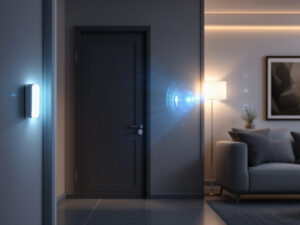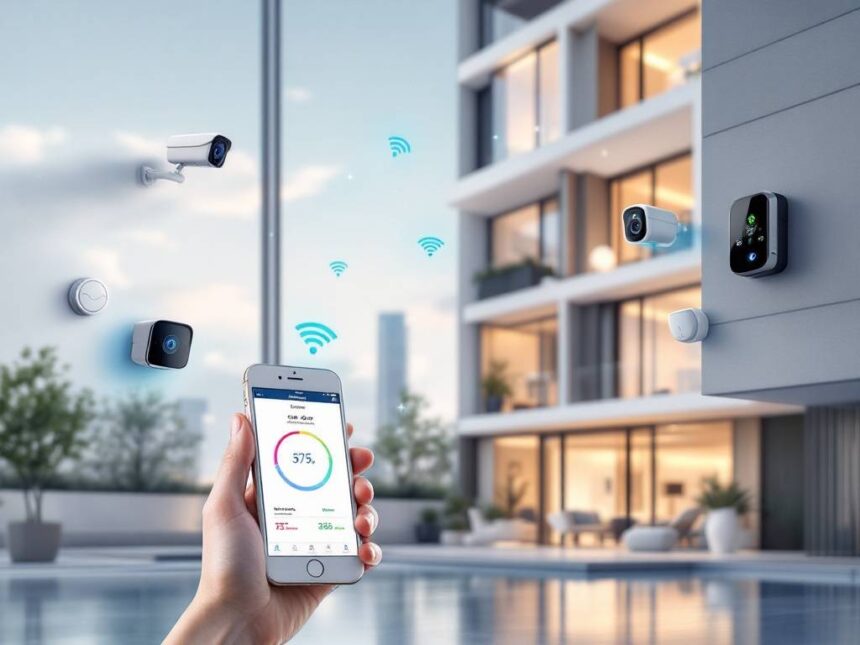
Smart home security for apartments gives you more control over who comes near your door, what happens when you are away, and how your space stays protected, without upsetting your landlord or your budget. The best systems for renters are wireless, easy to move, and flexible enough that you can start small and add devices over time.
Below, you will find a curated list of the most affordable and reliable options so you can choose a setup that fits your apartment, your lease, and your comfort level.
What to look for in apartment smart security
Before you pick a brand, it helps to know what makes smart home security for apartments different from systems made for single family homes.
You will usually want:
- Wireless equipment that does not need drilling or wiring
- Peel and stick mounting so you can remove everything cleanly when you move
- Flexible monitoring plans with no long contracts
- Compact devices that work in small spaces and around shared hallways
- Solid encryption and account security so your system is safe online
If you are new to this, you might also like to skim general guidance on smart home security systems or how to keep your devices locked down in our guide to how to secure smart home devices.

Best overall: SimpliSafe
SimpliSafe is often recommended as the best smart home security for apartments and renters in 2026. Its equipment is fully wireless, most pieces mount with removable adhesive, and you can set everything up in under an hour without tools. That makes it particularly renter friendly because you avoid holes in walls and can take the whole system with you when you move.
SimpliSafe’s starter kits include a base station, keypad, door and window sensors, motion sensors, and optional add ons such as indoor cameras and video doorbells. Since it is a modular system, you can begin with only a few smart security sensors on your key doors and expand later.
Professional monitoring is optional and contract free. As the research notes, monitoring ranges from about 10 to 50 dollars per month across the industry, and SimpliSafe sits on the more affordable side with flexible plans and even self monitoring if you prefer to handle alerts yourself. Its Fast Protect live guard monitoring adds live video verification to speed emergency response when you want higher protection.
If you are the type who likes to set and forget, you will appreciate that SimpliSafe continues to work even during internet outages since it uses cellular backup in many plans. You can learn more about cost effective systems like this in our roundup of best budget smart home security.
Best for smart home automation: Abode
If you want smart home security for apartments that also acts as a hub for your lights, locks, and voice control, Abode is a strong choice. According to the research, Abode offers excellent smart home automation integration, including support for Alexa, Google Assistant, and Apple HomeKit, which is rare in this price range.
Abode’s Iota Hub includes built in cameras and Wi Fi so you place one compact device in your main living space and add contact sensors on doors and windows as needed. These sensors also mount with peel and stick backing, which keeps your walls and frames intact.
One of the biggest perks for renters is that many Abode automation features do not require a monthly subscription. You can set up routines through its CUE platform, for example turning on a light when your smart home video doorbell detects motion or locking your smart door locks for home at night on a schedule.
Abode systems start around 130 dollars, which makes them an approachable entry point if you want security and smart home convenience in a single package. You will find more automation ideas in our guide to smart home security automation.
Best premium DIY option: ADT Self Setup
ADT is known for traditional professionally installed systems, but its Self Setup line is tailored for renters who want DIY control with a premium feel. You get peel and stick mounting that needs no tools or wiring, plus access to Google Nest cameras and doorbells.
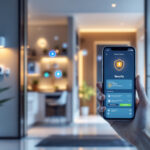
This line includes free self monitoring if you want to handle alerts on your own. If you prefer professional backup, monitoring plans start around 24.99 dollars per month according to the research. ADT routes calls through 12 redundant monitoring centers, which helps with reliability and faster response times.
ADT Self Setup stands out for useful AI features in its cameras. Fast alerts in about 2 to 3 seconds and smarter person and motion detection help reduce false alarms from pets or passing cars. For renters who want less noise and more signal, that is a meaningful upgrade over basic motion only alerts.
If you are trying to decide between ADT and more budget focused options, compare them against your must have smart home security features. You may find that ADT’s higher end cameras and extras are worth it if you rely heavily on video.
Best budget monitoring: Cove Security
Cove is worth a close look if monthly cost is your top concern. It provides build your own packages with all wireless equipment and simple peel and stick installation, which is ideal for apartments where drilling is a problem.
The standout detail is monitoring. Cove’s professional monitoring starts at 19.99 dollars per month with no contracts, according to the research. That is comfortably below many traditional systems while still including features like cellular connection so your system works even if your Wi Fi goes down or power is out.
Cove’s sensors are small and discreet with battery life that can reach up to 10 years. That long life is useful when you do not want to constantly adjust or replace devices in a tight space. A portable touchscreen controller also makes it easier if you do not have a convenient wall spot for a keypad.
If cost and simplicity matter most to you, Cove aligns with many of the priorities we cover in affordable smart home security and best smart home security devices.
Best for small starter kits: Ring Alarm
Ring Alarm is widely used in apartment complexes because it offers compact kits, simple installation, and well known Ring video doorbells that are easy to add near shared building entrances. The system uses peel and stick contact sensors for doors and windows, plus optional motion detectors and keypads.
For renters, the appeal is twofold. First, Ring’s starter kits are usually priced around 199.99 dollars, according to the research. Second, its subscription plans are flexible and can often be canceled online without phone calls or long term commitments.
If you already use Ring cameras or want to start with a smart home video doorbell, adding Ring Alarm can give you a more unified setup. Just be aware that higher tier monitoring services may offer more than you need in a small apartment, so match the plan to your actual risk and habits.
You can compare Ring with other brands side by side using our smart home security reviews if you are unsure which ecosystem you want to commit to long term.
Extra gear to make apartments safer
Once you pick a main system, you can add a few renter friendly devices that round out smart home security for apartments without much extra cost or space.
Door and window sensors
Contact sensors are the backbone of most wireless home security systems. In an apartment, you will usually want them on:
- Your main entry door
- Any secondary balcony or patio doors
- Ground floor or easily accessible windows
Many brands now offer slim smart window sensors that fit on narrow frames and use adhesive strips. They are quick to install and remove, which keeps landlords happy.
Cameras and video doorbells
You do not need cameras in every room. For renters, the most helpful setup is usually:
- One indoor camera in your main living area
- One video doorbell or hallway facing camera if allowed by building rules
The research recommends external cameras such as video doorbells and indoor motion sensors because apartment buildings can be prime targets for burglars due to easier unnoticed access. If you want a deeper dive into video options, see our guide to smart security cameras for home.
Just be sure to follow privacy laws. Landlords, for example, can place cameras in common areas like hallways and outside the building, but not inside private spaces such as bedrooms, bathrooms, or kitchens. Cameras must be visible and not hidden, and it is best practice to notify tenants in lease documents.
Smart locks and access control
A smart lock can remove the stress of lost keys and make it easier to let in trusted guests. In multifamily buildings, a wider access control system can also manage gates, lobbies, and shared amenities, as highlighted in guidance from SmartRent that notes how keyless entry improves both resident convenience and security.
At the unit level, keypads are popular in apartments because you can give guests a PIN instead of a physical key. Codes can then be changed or revoked at any time. You can explore flexible options in our guide to smart door locks for home.
For larger properties or landlords, card readers and advanced access systems can help manage staff access and resident turnover. These readers can use proximity cards, magnetic stripes, or QR codes and often integrate with other security components, which is useful when units change hands frequently.
Environmental and leak detectors
Smart security is not only about intruders. Small sensors such as smart water leak detectors can alert you to plumbing issues before they cause major damage. For renters, that means rescuing your belongings and possibly avoiding difficult conversations about water damage when you move out.
Legal and lease considerations for renters
Most renters have the right to install their own security systems under quiet enjoyment laws. This usually covers interior devices like sensors and cameras that watch your own space. However, it is important to:
- Check your lease for clauses about alterations or video recording
- Ask for written permission before installing any device outside your unit door
- Avoid drilling unless your landlord explicitly approves it
Many of the systems in this guide avoid these issues by relying on removable adhesive and wireless gear. That is partly why brands like SimpliSafe, ADT, Cove, Frontpoint, and Alder are frequently recommended for rental properties.
If you are a landlord, remember that you can legally install cameras in common areas and outside the property, but not inside the private living areas of occupied units. You also have a responsibility to be transparent with tenants about where cameras are placed and why.
Simple starter setups by budget
To make this concrete, here is a quick look at how you might build a renter friendly system at three different budget levels.
| Budget level | What you might include | Notes for renters |
|---|---|---|
| Under 200 dollars | Basic hub or base station, 2 door or window sensors, 1 motion sensor | A slim starter kit from SimpliSafe, Ring, or Cove can cover your main door and one key window without long contracts. |
| 200 to 400 dollars | Starter kit plus 1 indoor camera or video doorbell, extra contact sensors | Ideal for 1 bedroom apartments that want both intrusion alerts and visual confirmation when someone approaches the door. |
| 400 dollars and up | Full apartment coverage, multiple cameras, smart lock, optional environmental sensors | Better suited for larger rentals or shared spaces, with more devices and possibly professional monitoring for peace of mind. |
For more bundle ideas, you can explore smart home security packages that are already tailored to typical apartment layouts.
FAQs about smart home security for apartments
Do you need professional monitoring in an apartment?
You do not have to pay for professional monitoring. Many renters prefer self monitored setups where alerts come to their phone and they decide when to call for help. Professional monitoring is useful if you travel often, work nights, or simply want someone else to respond when you cannot. Costs usually range from about 10 to 50 dollars per month across the major brands in this guide.
Can you install a smart home security system without drilling?
Yes. Most renter friendly systems now use peel and stick mounts and wireless connections so you can avoid drilling entirely. SimpliSafe, Abode, ADT Self Setup, Cove, and Ring all fall into this category. If you are interested in handling the install yourself, our guide to diy smart home security walks you through the process.
Will a smart security system work if my Wi Fi is unreliable?
Many modern systems use cellular backup or local alarms so they can still trigger sirens and log events even if your Wi Fi is down. Some, such as Cove and certain SimpliSafe plans, can send alerts over cellular connections during outages. For extra reliability tips, you can check our article on smart home security reliability.
How can you protect your privacy with smart security devices?
Secure your account with strong passwords and two factor authentication, limit who has access, and regularly review camera and cloud storage settings. You should also understand how your system encrypts data in transit and at rest, since encryption is a core part of smart home security encryption. Our practical smart home security tips cover more steps you can take.
What is the best way to upgrade an existing apartment setup?
Start by adding or improving your sensors on doors and windows, then consider a video doorbell or indoor camera near your main entry. From there, you can add smart locks, leak detectors, or upgraded hubs as your budget allows. For a step by step approach, see our guide to smart home security upgrades and our overview of smart home security for renters.
With a thoughtful mix of wireless devices and flexible monitoring, you can make your apartment feel safer without sacrificing your deposit or drilling into walls. Begin with the essentials that match your daily routine, then build a system that moves with you from one home to the next.
FAQs
Do I need professional monitoring in an apartment?
Not always. Self-monitoring works if you’re usually reachable and comfortable calling for help. Professional monitoring is helpful for frequent travel, night shifts, or anyone who wants automatic dispatch and response support (cost varies by brand and plan).
Can I install an apartment security system without drilling?
Yes—most renter-friendly kits use wireless sensors and adhesive mounting, designed to be removed cleanly when you move.
Will smart security still work if my Wi-Fi is unreliable?
Some systems continue alarming locally, and certain plans/devices offer cellular backup to keep alerts working during outages (features vary by plan).
How do I protect privacy with cameras and doorbells?
Use unique passwords, enable 2FA, and keep apps/device firmware updated. Review cloud settings and disable what you don’t need.
What’s the smartest upgrade path for renters?
Sensors first, then a video doorbell or one indoor camera, then a smart lock (if compatible with your door), then leak detectors under sinks/near the washer.