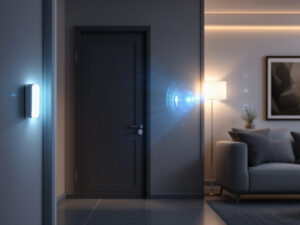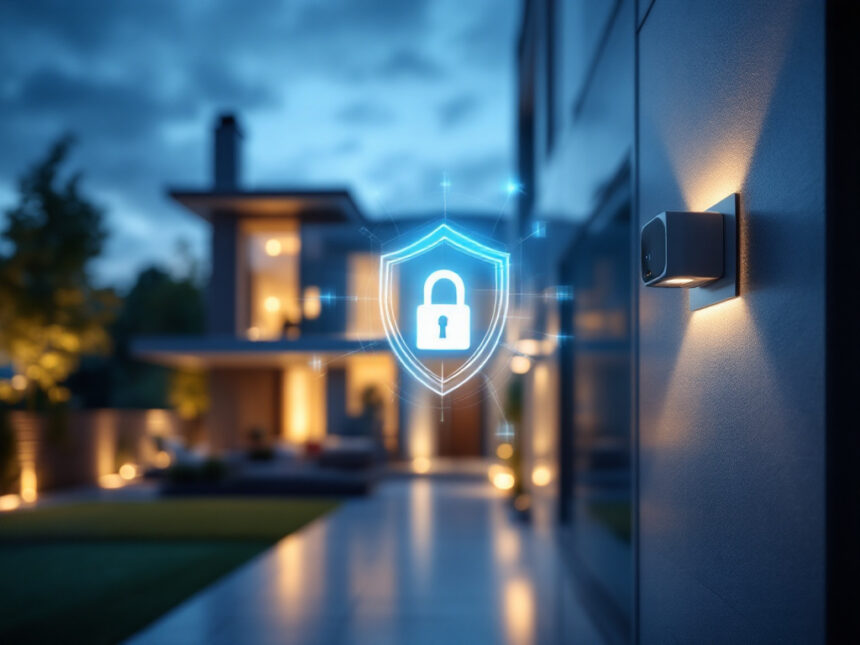
Smart home security reliability is not just about cool gadgets. It is about whether your system actually works when something goes wrong and keeps working day after day with kids, guests, and Wi‑Fi hiccups in the mix.
This guide breaks down the reliability secrets every buyer needs before choosing smart cameras, locks, and alarms, whether you own a house, rent an apartment, or are setting up your very first device.
Understand what “reliable” really means
A reliable smart home security system does three things consistently: it detects problems, it communicates alerts, and it responds the way you expect.
In practice, that means your smart security cameras for home keep recording, your smart home alarm systems sound when they should, and your smart door locks for home actually lock and unlock on schedule. If any one of those steps fails, reliability breaks down.
Think about reliability in four layers:

- Devices: sensors, locks, cameras, sirens
- Network: Wi‑Fi, cellular backup, local hubs
- Software: apps, automation rules, cloud services
- Security: encryption, passwords, firmware updates
When you evaluate systems through these layers, it becomes much easier to see which brands and setups you can trust.
Learn from how the top brands handle reliability
You can tell a lot about smart home security reliability by how leading providers design their systems and respond to trouble.
ADT, for example, leads in 2026 for both breadth of devices and strong Google Nest integration, all managed through the responsive ADT+ app. You can control equipment through the app, a smart panel, or Alexa voice commands, which gives you multiple ways to arm, disarm, and check in if one method fails. ADT’s professional monitoring centers across North America also kept alert reception steady even during internet outages, sending texts within about 10 seconds and following up with calls within 30 to 35 seconds, which is faster than many industry norms.

Vivint focuses heavily on automation and intelligent detection. Its Smart Hub lets you control devices and view live camera feeds from a single touchscreen, and its AI-powered alerts can tell the difference between people, animals, packages, and vehicles. The system can trigger deterrents like sirens and spotlights automatically, which raises the odds that an intruder is scared off in the moment instead of after the fact.
If you care about ease and price, SimpliSafe is known for simple setup and straightforward equipment. It offers affordable integration with Google Home and Alexa so you can schedule basic automations like arming your system every night. However, deeper integrations with third party devices are more limited, so you trade some flexibility for simplicity.
Abode leans into custom automation with its CUE platform. You can build detailed routines with triggers, actions, and conditions and you can still self monitor without a mandatory subscription. That flexibility matters if you want a reliable system based on your routines instead of one size fits all rules.
Ring Alarm also deserves a look if you want Alexa centric security. It offers multiple cameras with person and package detection, works smoothly with Alexa voice commands, and has self monitoring options that start at low monthly prices.
Looking at these examples, reliable systems tend to have:
- Strong apps that work quickly and consistently
- Thoughtful automation that reduces human error
- Clear paths for professional or self monitoring
- Options for backup connectivity or failover
Use these patterns as a checklist when you compare smart home security systems for your own home or apartment.
Spot the hidden causes of unreliable systems
Even great brands can feel unreliable if your setup has weak points. Most real world issues fall into a few predictable categories.
Network and connectivity problems
Smart home security lives and dies on a healthy network. Cameras dropping their video feed or sensors going offline are often caused by Wi‑Fi issues like:
- Interference from other devices or crowded channels
- Physical barriers such as thick walls or metal doors
- Long distance between devices and the router
- Poor router placement in corners or closets
If you rely on wireless home security systems, plan where your router and access points will go just as carefully as where you place cameras.
Systems that use multiple protocols, like Zigbee or Z‑Wave, can add resilience by offloading some devices from Wi‑Fi. However, compatibility challenges between Zigbee, Z‑Wave, Wi‑Fi, Bluetooth, and newer standards like Matter can also create headaches if your devices do not play nicely together.
Power and battery issues
Power problems are another quiet reliability killer. Overloaded outlets, long low quality extension cords, and aging or faulty batteries in cameras and sensors can all cause devices to:
- Drop offline at random
- Send false alarms
- Fail to trigger when doors or windows open
When you plan your setup, think through how you will power each piece, especially outdoors. For critical protection points like your smart home video doorbell, it is worth investing in hardwiring or high quality batteries so your entry camera does not die on a cold night.
Automation and routine failures
Automations and routines are supposed to make your life easier, but when they break, they can undermine trust in your system. Common causes include:
- Network outages that stop cloud based rules from running
- Misconfigured schedules or geofencing that arm or disarm at the wrong time
- Software bugs and cloud service downtime
Providers like Frontpoint use geofencing so the system can arm or disarm when you leave or return, which is convenient until a phone battery dies or location services get confused. With any smart home security automation, it is smart to keep a manual backup routine, like checking your panel or app before bed.
Security and privacy weaknesses
If someone else can control your devices, they are not reliable for you. An estimated 80 percent of IoT devices, including smart lights, locks, and appliances, are vulnerable to a wide range of cyberattacks. Common threats that affect smart home security reliability include:
- Man in the middle attacks that intercept or alter communications
- Data and identity theft through compromised accounts
- Device hijacking that turns cameras or locks against you
- Distributed Denial of Service or Permanent Denial of Service attacks that disable devices or networks
Robust smart home security encryption and good password habits are not optional. They are core to reliability.
Choose devices that are built to stay online
When you shop for best smart home security devices, pay attention to reliability features, not just megapixels and design.
Secure boot and trusted firmware
Secure boot technology, based on cryptographic code signing, ensures that a device only runs firmware from the manufacturer. This protects you from attackers who might try to replace your camera or hub firmware with a malicious version. Devices that support secure boot are less likely to be silently taken over in ways you cannot see.
Strong authentication between devices
Mutual authentication protocols use cryptographic algorithms, such as Secure Hash Algorithm (SHA‑x) and Elliptic Curve Digital Signature Algorithm (ECDSA), so devices can verify each other before they exchange data. This keeps rogue or spoofed devices from quietly joining your network and pretending to be part of your system.
You do not need to know every technical detail, but you do want vendors who clearly explain how they handle encryption, authentication, and device identity. That is a good sign that they take how to secure smart home devices seriously.
Ongoing security lifecycle management
Reliable systems are not “set it and forget it”. They have a security lifecycle that includes:
- Fast over the air key replacement during incidents
- Regular firmware updates to patch vulnerabilities
- Secure device decommissioning so old equipment cannot be reused by attackers
When you read smart home security reviews, look for mentions of timely updates and transparent security practices. That matters just as much as camera resolution.
If a provider rarely updates its devices or struggles to fix known issues, your system may feel fine today but become less reliable over time as new threats emerge.
Match your setup to your living situation
Reliability looks a little different for a single family home, a busy family with teens, and a renter in a small apartment. Tailor your choices so they work with your reality instead of against it.
Homeowners and families
If you own your home, you can usually mix wired and wireless devices. Hardwire key components like:
- Main exterior cameras
- Your primary indoor hub or panel
- High traffic entry sensors
Wired power reduces the risk of dead batteries in the exact place you needed footage. Layer this with cellular backup or a battery backed hub where possible, so your system keeps working during a power outage.
Features like person, package, and vehicle detection from providers such as Vivint, Ring, and others are especially useful if you have kids or frequent visitors. They help cut down on alert fatigue so you notice the events that matter.
Renters and apartment dwellers
In apartments, you often have less control over the router and cannot drill holes freely. Reliable smart home security for apartments leans on:
- Battery powered cameras and doorbells with adhesive mounts
- Compact smart window sensors and smart security sensors that do not require wiring
- Simple diy smart home security kits that you can take with you when you move
Look for smart home security for renters that works well over standard Wi‑Fi and does not depend on permanent installations. Systems like SimpliSafe, Abode, and Ring can be good fits because they are easy to install and remove later.
Budget conscious buyers
Reliability is not automatically tied to high prices. You can build affordable smart home security if you:
- Focus on fewer, higher quality devices in your most important zones
- Add extras like smart water leak detectors over time
- Use brands that support self monitoring until you are ready for professional plans
Start with the essentials, such as a smart home video doorbell, one or two cameras, a couple of door and window sensors, and expand from there with smart home security upgrades.
Build a reliable system step by step
If you want a dependable system without getting overwhelmed, you can follow a simple sequence.
- Define your must protect zones
Identify the entrances, hallways, or valuables that matter most. For many people this starts with doors, first floor windows, and main living spaces. - Choose a core package
Pick from curated smart home security packages or best smart alarm systems that match your needs. A good bundle usually includes a hub, keypad, entry sensors, and one or two cameras. - Add targeted devices
Layer in extras that plug specific gaps, like smart door locks for home for your main entrance or additional smart window sensors for basement windows. - Set up clear, simple automations
Start with basic rules that support reliability, not complexity. For example:
- Arm “Away” when everyone leaves the geofence
- Turn on exterior lights when motion is detected at night
- Send a clip and notification when the doorbell is pressed
You can always add more advanced routines once the basics work consistently.
- Test and maintain on a schedule
Put a recurring reminder on your calendar to:
- Open and close doors and windows to test sensors
- Walk in front of cameras to confirm motion detection and recording
- Check batteries for wireless devices
Use resources like smart home security troubleshooting if anything behaves strangely.
Smart reliability tips you can use today
To pull it all together, keep these practical smart home security tips in mind:
- Prefer brands with strong apps, clear update policies, and proven monitoring performance
- Place your router centrally and consider a mesh system if your home has dead zones
- Use unique, long passwords and turn on two factor authentication for your accounts
- Check for secure boot, strong encryption, and documented security practices
- Start small, verify that everything works reliably, then grow your system gradually
If you are not sure where to begin, explore top smart home security brands and compare how they address reliability, not just features and price.
FAQs about smart home security reliability
How do you measure smart home security reliability?
You measure reliability by how often your system performs as expected. Look at uptime for cameras and sensors, app responsiveness, how quickly alerts reach you, and whether automations trigger when they should. Reading recent smart home security reviews can give you a sense of this from real users.
Is a DIY system reliable enough for a family home?
Yes, a well planned diy smart home security setup can be very reliable, especially if you choose reputable brands and keep your network strong. The key is to test your automations, keep firmware updated, and avoid overcomplicating your rules.
Do I really need professional monitoring for reliability?
Professional monitoring adds another safety layer, because someone else responds if you miss an alert. Systems like ADT, SimpliSafe, Vivint, Cove, Abode, and Alder all offer monitoring, sometimes with rapid emergency technologies that send data directly to 911. If you travel often or have kids at home, a monitored plan can improve overall reliability.
Are wireless systems less reliable than wired ones?
Not necessarily. Modern wireless home security systems are reliable if your Wi‑Fi network is solid and you manage device placement carefully. Wired systems avoid battery issues, but wireless ones are easier to install, especially for renters.
What is the safest way to expand my system over time?
Grow slowly and intentionally. Start with a stable core, then add devices like extra cameras, smart water leak detectors, or additional sensors one by one. After each addition, verify that your automations and alerts still work as expected, and review your smart home security features so you are using everything you already have.