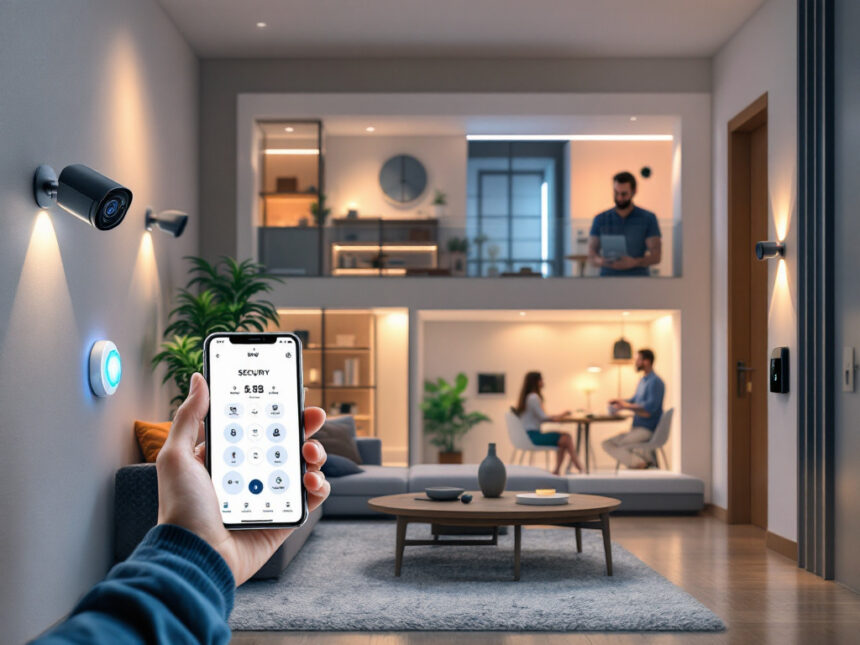
A diy smart home security setup can be both simple and strong. You do not need a full professional installation or a huge budget to make your home feel safer. With a few smart choices, you can protect doors, windows, and Wi‑Fi without drilling into walls or signing long contracts.
Below, you will find practical diy smart home security ideas that work whether you own a house, rent an apartment, or are just buying your first smart device.
Start with your security priorities
Before you shop, decide what you actually want to protect. This keeps you from buying random gadgets that do not work well together.
Think about:
- What are you most worried about, such as break ins, package theft, or strangers at the door
- Which areas matter most, such as the front door, back door, first floor windows, or driveway
- Who needs access, such as kids, roommates, guests, or a dog walker
- How much control you have over your space, for example, a rental vs a home you own
If you are in an apartment, a compact kit of wireless home security systems with peel and stick sensors is often enough to start. In a larger home, you may want to layer in cameras, door locks, and an alarm hub for whole home coverage.

Build a simple diy smart security kit
Once you know your priorities, you can choose a few core devices and expand over time. This is usually cheaper and easier than buying an oversized package.
Smart cameras and doorbells
A good camera or doorbell is often the heart of diy smart home security. You can see who is at the door, check on packages, or confirm an alarm.
Look for:
- Clear video, at least 1080p
- Night vision and wide viewing angle
- Motion alerts to your phone
- Two way audio so you can talk through the camera
If you want to compare options, start with smart security cameras for home and smart home video doorbell guides so you can match features to your budget.
Many diy friendly systems also offer budget cameras that do not require subscriptions. For example, Security Cameras Inc offers PoE smart cameras that record locally to microSD, so you own your footage without yearly fees. Their SCI 5MP Bullet Camera SC5BL records in 3K resolution, uses AI powered smart detection, and is weather rated for outdoor use, all under 100 dollars. Their SCI 4K Bullet Camera SC4KBL adds full 4K UltraHD video plus face, human, and vehicle recognition so you can filter out non important motion, while still staying in a diy budget.
Entry sensors and alarms
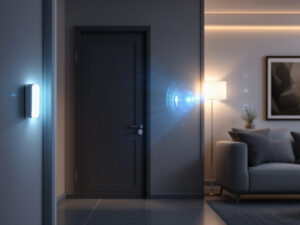
To know when someone opens a door or window, you need contact sensors and an alarm hub or siren. The good news is that most modern systems use adhesive strips, not screws.
You can start small:
- Put sensors on your main entry doors and any easily accessible windows
- Add a battery powered siren or a full hub if you want a classic alarm sound
- Use your phone as the keypad when you leave or arrive
If you want an all in one system, take a look at smart home alarm systems or curated lists of the best smart alarm systems. Many of these systems, such as SimpliSafe, Cove, or Abode from the research above, are built for quick self install and let you choose between self monitoring and professional monitoring.
Smart locks and keypads
Smart locks give you better control of who enters your home, which is essential for families and renters with guests.
You can:
- Create unique codes for kids, neighbors, or cleaners
- Set schedules so certain codes only work at specific times
- Lock or unlock your door from your phone
If you are in a rental, look for models that fit your existing deadbolt and only require a screwdriver. For more details and ideas, browse smart door locks for home to find a style that fits your door and budget.
Protect your Wi‑Fi and accounts first
Smart gadgets are only as safe as the network and passwords behind them. NIST cybersecurity researchers have found that many people worry about smart home privacy but still use weak habits because convenience wins in the moment. A few quick changes can fix most of that risk.
Use strong, unique passwords and MFA
NIST recommends unique passwords for every smart device. Reusing passwords has already led to real incidents, such as hackers talking through connected baby monitors. To avoid that, you can:
- Turn on multi factor authentication in every app that offers it
- Use a password manager to generate long, unique passwords
- Change default usernames and passwords on your router and cameras
MFA is one of the simplest upgrades you can make to diy smart home security. Even if someone guesses your password, they still need your phone or biometric confirmation.
Segment your home network
Network segmentation sounds technical, but at home it can be as simple as putting smart devices on a guest network so they are separated from laptops that hold taxes, bank logins, or work files.
Many routers let you:
- Create a guest Wi‑Fi just for smart bulbs, plugs, cameras, and TVs
- Use your main network only for phones and computers with sensitive data
NIST highlights network segmentation as a key way to reduce risk if one device is compromised. If your router does not support this cleanly, your internet provider may be able to swap it for a newer model.
For more security basics and step by step settings, you can refer to how to secure smart home devices when you start connecting new gear.
Quick rule of thumb: secure the router and accounts first, then install devices. It is much easier to lock things down before everything is online.
Choose diy systems that suit your living situation
The best diy smart home security setup depends a lot on whether you rent or own, how much you want to spend, and how comfortable you are with tech.
For renters and apartment dwellers
If you rent, you probably want a no drill, no contract setup that you can remove easily.
Smart, renter friendly options include:
- Peel and stick smart window sensors that come off cleanly
- Compact hubs with cellular backup that sit on a shelf
- Smart locks that replace only the interior side of a deadbolt
- Plug in cameras inside, and a wireless doorbell that uses adhesive or a bracket
Brands like SimpliSafe and Cove are known for quick, tool free installation and flexible monitoring. Many starter kits begin around the price of one dinner out, and you can add more devices later. For more tailored advice, read smart home security for apartments or smart home security for renters.
For homeowners and families
If you own your home, you may want more permanent wiring, outdoor cameras, and deeper automation. That is where a full smart home security systems guide can help.
Homeowners often benefit from:
- Hardwired or PoE cameras outside, so you are not climbing ladders to charge batteries
- A smart alarm hub that supports many smart security sensors
- Integration with smoke detectors, smart water leak detectors, and garage doors
Well known diy systems like ADT Self Setup, Abode, and Frontpoint combine smart features with professional monitoring if you want extra peace of mind. Many, such as Abode and Vivint, can integrate with Z Wave or Zigbee devices so you can control lights, locks, and more from a single app.
To see which brands are strongest in each category, you can look at top smart home security brands and detailed smart home security reviews before you buy.
Add smart automation that works for you
Automation is where diy smart home security starts to feel truly smart. Once your gear is in place, you can create simple rules so your home reacts automatically.
Practical examples:
- When you leave and all phones are away from home, arm your alarm and lock doors
- At night, turn on a porch light if your front camera detects a person
- If a window sensor opens while the system is armed, trigger sirens and camera recording
Platforms like Abode with its CUE engine or ecosystems built around Alexa, Google Assistant, or Apple HomeKit let you create these routines without writing code. For more ideas and how to connect everything, check out smart security system integration and smart home security automation.
Stay on budget without losing safety
You can build strong diy smart home security even if you start small. The key is to prioritize coverage instead of chasing every new feature.
Here is a simple way to stage your upgrades:
- Start with the front door
- Add sensors on key doors and windows
- Layer in indoor cameras where privacy is comfortable
- Finally, add outdoor cameras, leak sensors, and extra automation
As you go, lean on resources like affordable smart home security and best budget smart home security to find gear that fits your price range.
A quick comparison of diy vs pro costs:
| Item | Professional setup (typical) | DIY smart setup (typical) |
|---|---|---|
| Installation fee | About 200 dollars | 0 dollars, you install |
| Activation fee | 50 to 100 dollars | Often 0 dollars |
| Monitoring | 40 to 60 dollars per month | 0 to 30 dollars per month |
| Flexibility and ownership | Lower, contracts common | Higher, pay as you go |
Many brands also offer refurbished gear, like SimpliSafe with about a 25 percent discount, which can be a smart way to stretch your budget.
Keep your system updated and reliable
Once your diy smart home security is running, a little maintenance keeps it effective.
Focus on:
- Updates and patches
Turn on automatic firmware updates where possible so cameras, locks, and hubs receive security fixes. - Batteries and connectivity
Test sensors occasionally and replace batteries before they die. If a device keeps dropping offline, move your router or add a Wi‑Fi extender. - Notifications and modes
Adjust alert settings so you get notified only about what matters. Too many false alerts and you will start to ignore them.
If you ever run into issues, a troubleshooting guide like smart home security troubleshooting can help you sort out common glitches before you call support.
For a quick overview of the advantages you gain with a well tuned system, you can explore smart home security benefits and how features like smart home security encryption protect your data in the background.
FAQs about diy smart home security
1. Is diy smart home security actually safe enough?
Yes, as long as you follow core security practices. Use unique passwords, enable multi factor authentication, keep firmware updated, and segment your network if possible. Many diy systems use similar encryption and cloud standards as professional setups, which you can read more about in smart home security reliability.
2. Can I self monitor, or do I need professional monitoring?
You can absolutely self monitor, especially in a small apartment or if you are home often. Your phone becomes the alarm panel, and you decide when to call for help. If you travel a lot or want backup for emergencies, you can add professional monitoring later, often month to month, through smart home security packages.
3. What should I secure first if I am on a tight budget?
Start with your main entry points and Wi‑Fi. A reliable video doorbell, a few door and window sensors, and a strong router password give you a solid base. Our guides to best smart home security devices and best budget smart home security can help you pick specific models.
4. Will diy systems work if I move to a new place?
Most diy smart home security gear is designed to move with you. Wireless sensors, hubs, and smart locks can be removed and reinstalled. This flexibility is a big plus for renters and first time buyers, and you can find more tips in smart home security upgrades.
5. How do I avoid buying devices that will not work together?
Before you buy, choose one main platform or hub, such as a particular diy alarm system, Alexa, Google Home, or Apple HomeKit. Then, check compatibility badges and, when available, look for the upcoming U.S. Cyber Trust Mark that will signal devices following stronger cybersecurity standards. You can also use comparison guides like smart home security features and smart home security systems to see which devices play nicely together.
If you take it step by step, your diy smart home security setup can grow with you, stay within budget, and still give you the peace of mind you are looking for.
FAQs
Is DIY smart home security actually safe enough?
Yes—if you lock down accounts and networking first (strong unique passwords, MFA, firmware updates, and separating IoT onto a guest network).
Do I need professional monitoring, or is self-monitoring enough?
Self-monitoring works well for many apartments and smaller homes. Professional monitoring can add backup when you travel often or want dispatch support during emergencies.
What should I buy first on a tight budget?
Start with the front door: a video doorbell (or a single camera) plus door/window contact sensors. Then secure your router and accounts before expanding.
How do I stop devices from “not working together”?
Pick one primary ecosystem (a DIY alarm hub, Alexa, Google Home, or Apple Home) and confirm compatibility before buying add-ons.
Should I worry about device labels like the Cyber Trust Mark?
Labels can help you compare baseline security. The FCC’s labeling approach includes a “Cyber Trust Mark” plus a QR code pointing to a product registry for more details.
What’s the simplest way to reduce smart-home hacking risk?
Change default router/device credentials, enable MFA, keep firmware updated, and place IoT devices on a guest network.