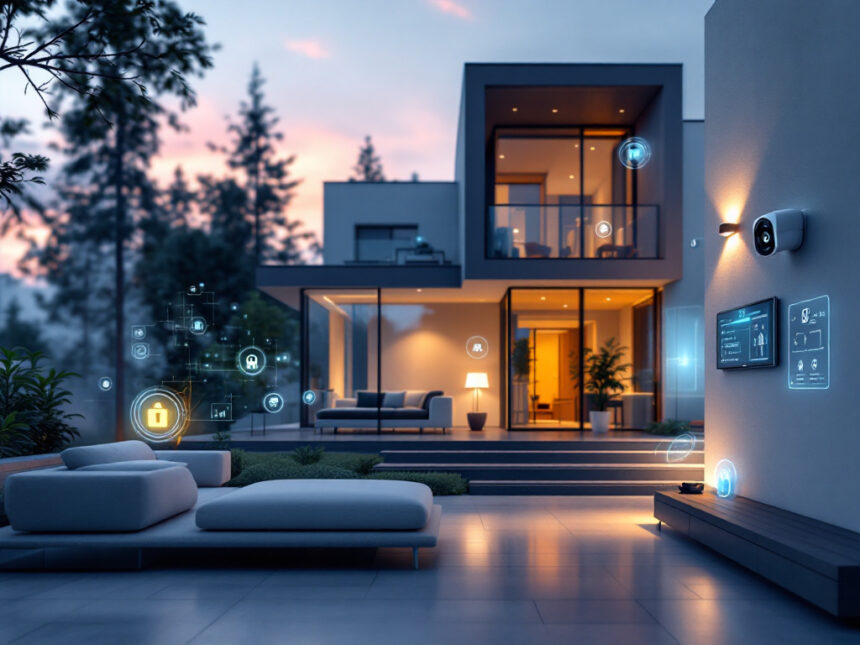
Smart home alarm systems can feel like a big step up from a traditional lock and key, but they do not have to be complicated. When you choose the right setup, you get stronger protection, easier control, and peace of mind that actually fits your day to day life. Whether you own a house, rent an apartment, or are just buying your first smart device, smart home alarm systems can upgrade your security in practical, budget friendly ways.
What smart home alarm systems actually do
At the most basic level, smart home alarm systems use connected devices, your Wi Fi network, and a mobile app to protect your space. Instead of a single keypad by the door, you control everything from your phone or a central hub.
A typical smart system can include:
- A base station or hub that connects everything
- Entry sensors for doors and windows
- Motion and other smart security sensors
- Smart security cameras for home and a smart home video doorbell
- Smart door locks for home
- A loud siren plus optional professional monitoring
You can mix and match pieces or choose ready made smart home security packages, then add devices as your needs change. Many of the leading brands like ADT, SimpliSafe, and Vivint bundle equipment with mobile apps and optional monitoring so you can manage everything in one place as of early 2024.
Key benefits of smart home alarm systems
Traditional alarms focus on sounding a siren when something goes wrong. Smart home alarm systems focus on giving you control before, during, and after an incident.

Real time alerts and remote control
Smart alarm systems send instant alerts to your phone when a door opens, motion is detected, or a smoke sensor goes off. Instead of hearing about an incident after the fact, you see what is happening in real time and can respond right away.
Most systems let you:
- Arm or disarm from anywhere
- View live video feeds
- Talk through cameras with two way audio
- Trigger sirens or lights remotely
Smart home security systems also integrate all components through a mobile app, so you can stream video, talk to visitors, and check logs from anywhere in the world as of 2024.

Stronger protection with professional monitoring
If you want backup, many smart home alarm systems offer 24/7 professional monitoring. When an alarm triggers, it alerts a monitoring center first. Agents contact you, verify your safe word, then dispatch police, fire, or medical services if needed. This process helps reduce false alarms and gets help to you even when you cannot reach your phone.
ADT is ranked as one of the best home security systems with monitoring for 2026, with 12 monitoring centers across North America and advanced Google Nest Cams with person recognition and a Trusted Neighbor feature that lets local contacts assist when you are away.
Smarter automation and daily convenience
Smart home alarm systems are about more than break ins. They can also make everyday life easier and more comfortable. For example, your system might:
- Turn on lights when you unlock the front door
- Lower the thermostat when you arm “Away” mode
- Lock all doors automatically at a set time
Vivint Smart Home is recognized as one of the best for home automation in 2026, tying cameras, sensors, and third party devices like Philips Hue and Google Nest into a single Smart Hub controller. If you want to go deeper into automations, explore ideas in smart home security automation.
Better value and potential savings
Smart systems can be a cost effective upgrade compared with old fashioned wired alarms. You can start small, then add devices as your budget allows. DIY friendly brands like SimpliSafe and Abode keep equipment costs lower, and professional monitoring plans are often optional.
Many insurers offer discounts for monitored alarm systems, and having a visible security setup can increase your property’s appeal and resale value. Residential burglar alarms have also been shown to reduce crime in neighborhoods without simply shifting it elsewhere, which benefits you and your neighbors.
For ideas that prioritize price, you can look at best budget smart home security and affordable smart home security.
Types of smart home alarm systems
You will see three main approaches: fully DIY, fully professional, and hybrid.
DIY systems
DIY systems arrive in a box and you install them yourself. They are ideal if you want flexibility, no contracts, and lower upfront costs.
Popular DIY style options include:
- SimpliSafe, with adhesive sensors, a starter kit around $250, and self monitoring from about $10 per month. Its Intruder Intervention and Active Guard Outdoor Protection let agents see and talk to intruders during monitored events.
- Abode, with a Wireless Smart Security Kit around $199, deep compatibility with Apple Home, Alexa, and Google Assistant, and its own CUE automation platform plus IFTTT support.
- Arlo, with a 5 piece system that uses all in one sensors to detect motion, doors, temperature, and leaks, plus optional AI to recognize fires, screams, and gunshots.
If you enjoy tinkering and want to build your setup piece by piece, diy smart home security can help you plan.
Professionally installed systems
If you prefer a hands off experience, a professionally installed system might suit you better. These services typically include a consultation, a custom design, and expert installation.
Vivint Smart Home, for example, offers a buildable system with a touchscreen panel, sensors, and cameras, plus integration with Alexa and Google Assistant. Monitoring ranges from about 30 to 45 dollars per month, and contracts are common, but you get powerful automation tools and AI powered outdoor cameras that can distinguish people, animals, and packages.
Fluent Home offers a three step process with a free phone quote, a technician visit to install and position everything, and a Fluent Smart Home app to control your system. Technicians train everyone in your household, which can be reassuring if you are new to smart tech.
You can compare major providers and equipment in top smart home security brands before deciding.
Hybrid options
Hybrid systems blend DIY equipment with optional professional installation or monitoring. Ring Alarm is a good example. You can:
- Install an 8 piece DIY kit yourself, with sensors, a base station, keypad, motion detector, and Wi Fi range extender
- Add affordable cameras and doorbells with person and package detection
- Use Alexa voice control
- Choose self monitoring from around 4.99 dollars per month or a 20 dollar top tier plan with professional monitoring and extra features like 180 days of video event history
This mix is helpful if you want a future proof system that can grow as your needs change.
Must have devices for a smart alarm setup
You do not need every gadget on day one. Focus on a strong core, then layer in extras.
Core security pieces
Begin with the basics:
- Base station or hub
- Door and smart window sensors
- One or two motion sensors for main hallways or living areas
- A loud siren
These form the backbone of most smart home security systems. From there, cameras and locks give you more control.
Cameras and doorbells
Cameras turn alerts into useful information. A single well placed camera can confirm if an alert is a real emergency or just a family member coming home early.
Consider:
- Indoor cameras for main living spaces
- Outdoor cameras for driveways and yards
- A smart home video doorbell for your front door
Ring is known for strong video features, including long event history, personalized alerts, and multi cam live view. If you want the camera to double as a trigger for alarms and recording rules, look for devices that support this, such as the Aqara G2H when paired with Apple HomeKit Secure Video.
Smart locks and access control
Smart locks help you manage who can get in and when. You can:
- Lock or unlock doors remotely
- Create temporary codes for guests, sitters, or cleaners
- Get notified when kids arrive home
Digital keys and scheduled access are especially useful for families and shared homes. For a deeper dive, explore smart door locks for home.
Extra sensors for whole home protection
Once you have the basics in place, consider additional smart security sensors to cover water, fire, and other risks. For example:
- Smart water leak detectors under sinks, near water heaters, and by washing machines
- Temperature sensors to catch freezing pipes or overheated rooms
- Combined motion and entry sensors, like Arlo’s all in one devices, that can also detect leaks and temperature changes
These extras turn your alarm system into a full home monitoring tool.
Security and privacy you can actually trust
Smart home alarm systems rely on your Wi Fi network and cloud services, so security and privacy matter just as much as convenience.
How systems keep data and devices secure
Quality providers use encryption to protect data between devices, your hub, and company servers. Modern systems also support features like:
- Encrypted video streams
- Two factor authentication for your account
- Voice recognition for arming and disarming with assistants like Alexa and Google Assistant
Many systems have backup batteries and optional cellular connections, so your alarms can still function during power or internet outages. Some devices even fail safely by default, locking doors if power cuts out instead of leaving them open.
To learn what to look for on the technical side, you can read more about smart home security encryption and smart home security reliability.
Simple steps you can take to stay safe
Even the best hardware can be undermined by weak settings. To protect your system against hacking and misuse:
- Use long, unique passwords and turn on two factor authentication
- Change default router and device passwords
- Limit admin access to trusted adults
- Keep firmware and apps up to date
A dedicated guide on how to secure smart home devices can walk you through the details.
Choosing the right system for your home
The best smart home alarm system is the one that fits your space, your budget, and your comfort level with technology.
Questions to ask yourself
Before you buy, consider:
- Do you rent or own, and can you drill or run cables?
- Are you comfortable with DIY installation, or do you prefer a technician?
- How many doors, windows, and key areas do you need to cover?
- Do you want professional monitoring now, or just the option later?
- Which voice assistants and platforms do you already use, like Alexa, Google Home, or Apple Home?
If you live in an apartment or cannot make permanent changes, smart home security for apartments and smart home security for renters focus on no drill equipment and wireless devices that are easy to take with you when you move. Many wireless home security systems are tailored to this type of setup.
Comparing brands and packages
Once you know what you need, look at:
- SecureScore or similar independent ratings
- Upfront equipment costs versus monthly monitoring fees
- Contract length and cancellation policies
- Smart home compatibility and app quality
The SecureScore ranking system by SafeHome.org condenses research and testing into a simple 1 to 10 rating that covers customer service, value, equipment, features and technology, and ease of use, which makes it easier to compare systems at a glance.
For side by side comparisons and real world experiences, explore smart home security reviews and best smart home security devices. You can also check best smart alarm systems for curated picks by category.
Tip: Start with a starter kit that covers key entry points and a main living area, then plan 1 to 2 upgrades per year. This keeps costs manageable and lets you adjust as your habits change.
Getting started without feeling overwhelmed
You do not need a perfect, all inclusive system on day one. The goal is a setup that makes you feel safer and simplifies your routine, not one that adds stress.
A simple path looks like this:
- Install a starter kit with hub, door and window sensors, and a motion sensor.
- Add a video doorbell and a single indoor or outdoor camera.
- Set up basic automations like auto lock at night and lights on when you arrive.
- Layer in extras like leak detectors, more cameras, or smart locks as needed.
If you run into issues, smart home security troubleshooting can help you quickly fix common problems, from offline devices to missed notifications. For ongoing ideas and best practices, keep an eye on smart home security tips and smart home security upgrades.
Over time, your collection of devices becomes a coordinated system that looks out for you in the background, so you can get on with living your life.
FAQs about smart home alarm systems
Are smart home alarm systems really safer than traditional alarms?
They can be, as long as they are set up correctly. Smart systems combine alarms with cameras, real time alerts, and optional professional monitoring, which means you can see what is happening and respond faster. Research on residential burglar alarms shows that visible security systems reduce crime in neighborhoods without simply pushing it elsewhere, which supports the value of having a system in place.
Do I need professional monitoring, or is self monitoring enough?
Self monitoring can work if you always have your phone and are comfortable handling alerts yourself. Professional monitoring adds a team that can verify alarms and contact emergency services when you cannot. Many brands, like SimpliSafe, Ring, and ADT, let you switch between the two, so you can adjust over time or during travel.
Will a smart alarm system work during a power or Wi Fi outage?
Many smart home security devices include backup batteries and cellular data options to keep key functions running during outages. To stay protected, choose a system with these backups and consider a small battery or generator to keep your router and base station powered. You can learn more in smart home security reliability.
Are smart home alarm systems easy to use for kids and guests?
Yes, as long as you take a few minutes to set them up thoughtfully. You can create unique codes for family members, temporary access for guests, and simple routines like “Goodnight” scenes that lock doors and arm alarms with one tap. Voice assistants like Alexa and Google Assistant also support secure voice commands to arm or disarm, restricted to authorized voices only as of 2024.
How do I choose my first smart alarm system?
Start by listing your must haves, such as coverage for specific doors or windows, cameras for certain areas, or the ability to use your existing voice assistant. Then compare a few top rated systems on cost, monitoring options, and compatibility. Resources like smart home security benefits, smart home security systems, and smart home security faqs can help you quickly narrow down your options so you can pick a system that fits your home and your budget.