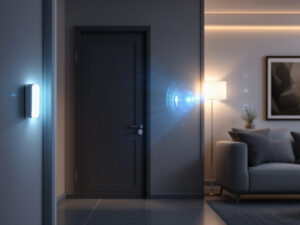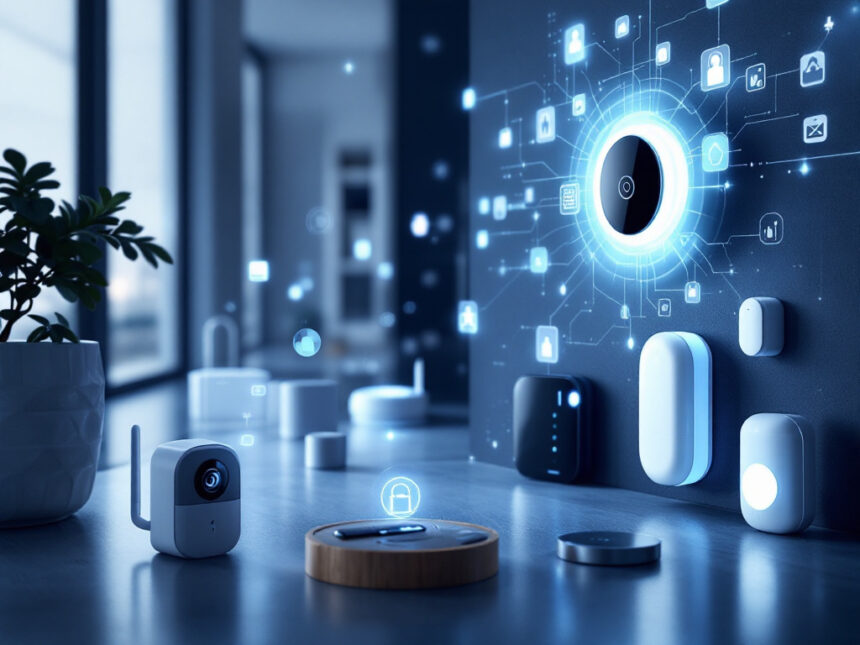
A smart alarm system can make your home feel safer without turning you into a full‑time IT manager. The best smart alarm systems let you check on your home from your phone, get instant alerts, and call in help when you need it. In this guide, you will find friendly reviews of the best smart alarm systems for beginners, with simple explanations of who each one fits and what to watch out for.
You will also see how these systems work with popular smart devices like cameras, locks, and leak sensors, and where they fit in the broader world of smart home security systems.
How smart alarm systems keep you safe
A smart alarm system connects your door and window sensors, motion detectors, sirens, and cameras to a central hub and a mobile app. Instead of a basic noise-making alarm, you get useful alerts, remote control, and often professional monitoring.
Most of the best smart alarm systems use Wi‑Fi for cameras and a low‑power wireless protocol, such as Z‑Wave or Zigbee, for sensors. This combination helps keep battery-powered devices efficient while still providing fast, encrypted communication and support for voice assistants like Alexa, Google Assistant, and Siri, as highlighted in recent testing of home security systems by PCMag.
If you are just starting to explore smart home security benefits, a good smart alarm system gives you:

- Simple arming and disarming from your phone
- Instant notifications when doors or windows open
- Optional cameras and smart security sensors for motion, leaks, and more
- The choice between self-monitoring and 24/7 professional monitoring
Once you have a system in place, you can gradually add smart home security upgrades like smart locks, video doorbells, and extra cameras.
SimpliSafe: Best beginner‑friendly DIY system
SimpliSafe shows up repeatedly at the top of expert rankings, and there are good reasons for that. It is rated best overall for home security systems in 2024 and again singled out as the best overall choice in 2026, thanks to its DIY setup, small adhesive sensors that are ideal for renters, starter kits from about $250, and flexible professional monitoring plans that start around $10 per month and do not require long contracts.
Why you might like SimpliSafe
If you want something that arrives in a box, sticks to your walls, and just works, SimpliSafe is a strong candidate. You can place the base station, peel-and-stick the door and window sensors, and mount a keypad without drilling into walls. This makes it a good match for apartments, rentals, and anyone who does not want a technician visit.

Monitoring is flexible too. You can self-monitor with basic app alerts or add professional monitoring with features like Intruder Intervention and Active Guard Outdoor Protection on mid-tier Core and Pro plans. These services let live agents see through certain cameras, speak to intruders, and call emergency services faster if something looks wrong.
Where SimpliSafe fits best
SimpliSafe works especially well if you:
- Rent or plan to move and need equipment that comes with you
- Want an easy first step into diy smart home security
- Prefer a straightforward app rather than deep smart‑home automation
If you eventually want complex smart security system integration with lots of third‑party devices, SimpliSafe is a bit more limited, but for pure intrusion protection it is excellent.
Abode: Best for smart‑home flexibility
If you want a smart alarm system that also acts as a flexible smart‑home hub, Abode is worth a close look. The Abode iota All‑In‑One Security Kit is recognized as one of the best systems for smart home compatibility in 2026, with a built‑in camera and motion sensor plus support for Wi‑Fi, Z‑Wave, and Zigbee. It is compatible with Apple HomeKit, Alexa, Google Assistant, and IFTTT, so it works across almost every major smart‑home platform.
Why you might like Abode
Abode’s kits are relatively affordable. A Wireless Smart Security Kit can start around $100, and a $199 iota kit brings in strong smart‑home integration at a beginner‑friendly price. You can self‑monitor or add professional monitoring for under $17 per month after the first year, which keeps ongoing costs contained.
Because Abode supports so many wireless standards, it is a good fit if you want to connect your alarm system to other best smart home security devices, from smart lights to thermostats. This can help create routines where arming your alarm also turns off lights, locks doors, and adjusts the temperature.
Where Abode fits best
Abode is a strong choice if you:
- Already own a mix of devices and want seamless smart security system integration
- Use Apple Home, Alexa, or Google Assistant and want an alarm that plays nicely with them
- Are building out broader smart home security automation and do not mind a bit of tinkering
If you prefer a more locked down, plug‑and‑play experience with fewer options, Abode might feel a little more complex than necessary.
Vivint: Best for full‑service smart home security
Vivint Smart Home is designed for homeowners who want a professionally installed, deeply integrated system. Experts rank Vivint as a top choice for home automation and outdoor cameras, with AI‑powered Smart Deter features in its cameras that can distinguish between people, animals, packages, and vehicles. The cameras can also trigger sounds and lights to scare off intruders, and Vivint’s packages typically start around $599 plus professional monitoring from about $30 per month.
Why you might like Vivint
Vivint is ideal if you want to hand the whole project to a pro. A technician designs the system, installs indoor and outdoor cameras, smart locks, a garage door controller, and other sensors, then helps you learn the touchscreen hub and app.
Vivint’s newer HomeProtect Pro system focuses on full integration of cameras, door locks, thermostats, and lights, all tied into 24/7 professional monitoring and fast emergency response. For busy families, this can make it easier to manage everything from one place.
Where Vivint fits best
Vivint is a better match if you:
- Own your home and plan to stay for several years
- Want strong outdoor coverage and do not mind higher upfront costs
- Prefer a hands‑off system where pros handle installation and support
If your budget is tight or you are a renter, the cost and professional install requirement will likely push you toward more affordable smart home security options like SimpliSafe, Cove, or Abode instead.
Ring Alarm and Ring Alarm Pro: Best for video and Alexa homes
Ring is known for its video doorbells, and its alarm systems build on that strength. Experts rate Ring Alarm as one of the best systems for customization and video security, thanks to its high‑quality doorbell cameras, 1080p resolution with person and package detection on subscriptions, strong Alexa integration, and plans starting around $4.99 per month for self‑monitoring or about $20 per month for professional monitoring.
The Ring Alarm Pro kit goes a step further by combining the alarm system with a Wi‑Fi 6 mesh router that includes a cellular backup radio. This makes it a smart pick if you also want to improve your Wi‑Fi coverage while securing your home.
Why you might like Ring
If you already own an Echo Show or other Alexa devices, Ring will feel very natural. You can arm and disarm the system with voice commands, view your smart home video doorbell or cameras on Echo screens, and manage everything in one app. Ring has also improved its privacy controls, including how it handles police video requests.
Ring offers starter kits from around $199.99, and the 8‑piece 2nd‑gen kit gives you a keypad, sensors, and range extender that are easy to install. If you are just beginning to add smart security cameras for home, Ring allows you to start with one doorbell and expand to more cameras over time.
Where Ring fits best
Ring makes sense if you:
- Live in an Alexa household and want deep voice control
- Care a lot about video, doorbells, and outdoor cameras along with alarms
- Want a kit that can grow as your budget and needs change
If you prefer Google or Apple ecosystems, Ring is less compelling and you might like Abode or ADT better.
ADT: Best monitored smart alarm with Google Nest
ADT has been a household name in home security for decades. In recent years it has partnered with Google Nest to create a modern smart alarm ecosystem. ADT is rated the best wireless home security system in 2024 and the best smart home security system in 2026, thanks to its professional installation, monitoring from 12 centers across North America, and strong integration with Nest Cams, Nest thermostats, and Nest smart displays.
Why you might like ADT
If you want a professionally monitored system with trusted brand backing, ADT is hard to ignore. Plans with 24/7 monitoring start around $24.99 per month, and higher tiers add camera support and more advanced smart home security features.
Through the ADT+ app, you can manage Nest Cams with people recognition, Nest thermostats, and thousands of Z‑Wave smart devices. Features like Trusted Neighbor, Activity Zones, and facial recognition let you fine‑tune who can access your home and when.
Where ADT fits best
ADT tends to work well if you:
- Want a long‑term, professionally monitored solution and do not mind a contract
- Prefer Google Nest gear and deep Google Home integration
- Value quick response times and high system reliability
If you are looking for best budget smart home security with no contracts, ADT’s monitoring and install fees may be more than you really need.
Other good beginner options to know
A few other brands are worth keeping on your radar when comparing the best smart alarm systems for beginners.
- Eufy is known for cameras and systems with no mandatory monthly fees. A starter kit around $159.99 offers self‑monitoring and good video quality up to about 20 feet in daylight. The tradeoff is fewer smart‑home integrations compared with some competitors.
- Cove is one of the most affordable professionally monitored DIY systems. Equipment can be around $260 after discounts, with simple RapidSOS‑powered monitoring from $19.99 per month. It can fit well for renters and first‑time buyers who want live monitoring without a high price.
- Arlo Home Security System 5‑Piece includes versatile all‑in‑one sensors that detect motion, temperature, leaks, and more. It offers professional monitoring and advanced AI alert features that can recognize things like fires, barking dogs, or even gunshots.
These can be good alternatives if you are focused on very low monthly costs, rich AI features, or already own cameras from those brands.
Helpful smart devices to pair with your alarm
Once you have picked a smart alarm system, a few extra devices can make it more effective and easier to live with.
Smart locks integrated into alarm systems can give you keyless entry, temporary codes for visitors, and alerts when someone uses a code. They also allow convenient routines like locking doors and arming your system in one step, something you can explore more in our guide to smart door locks for home.
Environmental sensors such as smart water leak detectors, smoke alarms, and extreme temperature monitors help protect you from non‑criminal risks. Experts note that these sensors can save thousands of dollars in damage by catching leaks or fires early.
To round things out, consider:
- Door and smart window sensors for every easy‑to‑reach opening
- A couple of indoor or outdoor cameras from our picks for smart security cameras for home
- Extra motion sensors in hallways or entryways
If you are nervous about privacy, you can review how to secure smart home devices and smart home security encryption to keep your system locked down.
Smart sensors in modern alarm systems do more than shout when something breaks. They can quietly log motion, open doors, and everyday patterns such as kids arriving home or service workers entering, which can make your home feel more manageable as well as more secure.
Choosing the best smart alarm system for you
With so many options, it helps to focus on a few key questions:
- Do you rent or own?
Renters often prefer peel‑and‑stick kits that move easily, such as SimpliSafe, Abode, Ring, or Cove. Homeowners who want permanent wiring and pro installs may lean toward ADT or Vivint, or a modular Vivint Smart Home setup that can grow over time. - What is your budget, upfront and monthly?
DIY kits can start under $200, while pro systems run higher. Monitoring can range from free self‑monitoring to $70+ per month. If cost is a concern, explore best budget smart home security and affordable smart home security ideas before you commit. - How much automation do you need?
If you simply want alerts and a siren, almost any beginner system works. If you want richer automation with lights, thermostats, and advanced camera AI, look at Vivint, Abode, ADT with Google Nest, or the more capable versions of Ring. - Which ecosystem do you like most?
- Alexa users often choose Ring or SimpliSafe
- Google Home fans lean toward ADT or Abode
- Apple HomeKit users usually find Abode most flexible
When you are ready to compare individual kits side by side, our smart home security reviews and smart home security packages guides can help you narrow things down quickly.
FAQs about the best smart alarm systems
1. What is the easiest smart alarm system to install?
For most beginners, SimpliSafe, Ring Alarm, Abode, and Cove are the easiest. They use peel‑and‑stick sensors, clear in‑app instructions, and do not require special tools. If you are comfortable setting up a Wi‑Fi router, you can probably handle these. For a completely hands‑off experience, professionally installed systems like ADT and Vivint are easier but cost more.
2. Do I really need professional monitoring?
You do not have to pay for professional monitoring, but it can make a difference in emergencies. Professional monitoring services can reduce response times by contacting fire or police on your behalf as soon as an alarm is verified, which can limit damage during events like fires. If budget is tight or you live in a small apartment, self‑monitoring plus a loud siren may be enough to start.
3. Are smart alarm systems safe from hacking?
Modern systems usually use encrypted communication and secure cloud connections, especially those highlighted by PCMag and SafeHome.org. You still play an important role in security by using strong passwords, turning on two‑factor authentication, and keeping your app and firmware updated. For a simple checklist, see how to secure smart home devices and smart home security tips.
4. What if I live in an apartment or rent my home?
You can absolutely use smart alarms in rentals. Look for wireless kits with adhesive mounts that do not damage walls, and avoid drilling where your lease forbids it. SimpliSafe, Ring, Abode, Cove, and Eufy are all popular with renters. For more tailored advice, check out smart home security for apartments and smart home security for renters.
5. Where should I place sensors and cameras?
Start with door and window sensors on your main entrances and any easily accessible windows. Add motion sensors to hallways or large rooms that an intruder would have to cross. Place cameras to watch your front door, driveway or main approach, and any key interior areas you want visibility into. If you are not sure where to begin, our guides on smart security sensors and smart security cameras for home walk through common layouts and placement tips.
As you explore the best smart alarm systems, begin with one that matches your space and comfort level. You can always add devices and features later once you have a solid, reliable foundation in place.